EasyManua.ls Logo

Casio CDP-240R - User Manual

Casio CDP-240R
80 pages
Print Icon
To Next Page IconTo Next Page
Loading...
USER’S GUIDE
EN/FR
Please keep all information for future reference.
Safety Precautions
Before trying to use the Digital Piano, be sure to read
the separate “Safety Precautions”.
CDP240-EF-1A
CDP
-
240R
MODE D’EMPLOI
Conservez en lieu sûr pour toute référence future.
Consignes de sécurité
Avant d’utiliser le piano numérique, veuillez lire les
«
Précautions concernant la sécurité
»
imprimées séparément.

Table of Contents

Question and Answer IconNeed help?

Do you have a question about the Casio CDP-240R and is the answer not in the manual?

Overview

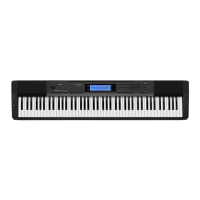
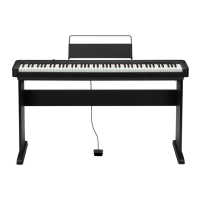
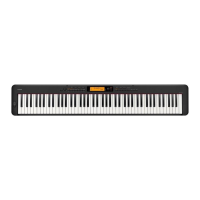
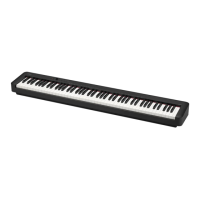
The CASIO CDP-240R is a digital piano designed for users of varying skill levels, offering a comprehensive set of features for learning, playing, and creating music. This user's guide provides essential information for safe and effective operation, including detailed instructions on its functions, technical specifications, usage, and maintenance.

Function Description

The CDP-240R serves as a versatile musical instrument with a focus on piano performance and learning. Its core functions include:

  • Keyboard Play: The device features an 88-key piano keyboard with touch response, allowing for expressive playing. Users can adjust keyboard response to touch pressure (Touch Response) and fine-tune display contrast.
  • Built-in Songs: It includes 152 built-in songs for practice and enjoyment. Users can play these songs, select specific parts for playback, and adjust playback settings like tempo and volume.
  • Master Keyboard Play (Step Up Lesson): This feature is designed for learning, allowing users to practice phrases from built-in songs. It offers lessons for right hand, left hand, and both hands, with options to adjust tempo, use a voice fingering guide, and evaluate performance.
  • Music Challenge Keyboard Game: A game-like function that measures reaction speed and accuracy by challenging users to play keys indicated on the on-screen keyboard and fingering guides.
  • Auto Accompaniment: The piano provides automatic accompaniment patterns (200 built-in rhythms) that follow chords played on the left hand. Users can select rhythm numbers, adjust accompaniment volume, and utilize various chord input modes (Fingered 1, 2, 3, CASIO CHORD, FULL RANGE CHORD). It also includes Auto Accompaniment Pattern Variations and Fill-in functions for dynamic performance.
  • Auto Harmonize: This feature automatically adds harmony notes to melodies played on the right hand, with various types of harmonies available (Duet 1, Duet 2, Country, Octave, 5th, 3-Way Open, 3-Way Close, Strings, 4-Way Open, 4-Way Close, Block, Big Band).
  • Controlling Keyboard Sounds: Users can select from a variety of musical instrument sounds (700 built-in tones), layer two tones, or split the keyboard into two different tones. Effects like Reverb (1 to 10, Off) and Chorus (1 to 5, Off) can be applied.
  • Pedal Functions: The device supports sustain, sostenuto, and soft pedal functions, which can be assigned to the sustain/assignable jack.
  • Changing Pitch: Features include Transpose (±1 octaves, -12 to +12 semitones), Tuning (A4 = 415.5 to 465.9 Hz), Octave Shift (±2 octaves), and Pitch Bend Wheel (0 to 12 semitones).
  • Sampling Sounds: Users can sample sounds from a microphone or audio input and play them back on the keyboard. This includes Melody Sampling and Drum Sampling, with options to apply effects to sampled sounds. Sampled sounds can be looped and edited.
  • Recording Keyboard Play: The CDP-240R allows users to record their keyboard performances (up to 5 songs, 6 tracks per song). Recordings can be played back, edited, and saved.
  • Connecting External Devices: The piano can connect to computers via USB (Type B) for MIDI data transfer and to audio equipment via audio input/output jacks. It also supports SD/SDHC memory cards for saving and loading data.
  • Other Useful Digital Piano Functions: Includes features like changing the scale of the keyboard (Equal Temperament, Pure Major, Pure Minor, Pythagorean, Werckmeister, Mean-Tone, Rast, Bayati, Hijaz, Saba, Dashti, Chahargah, Segah, Gurjari Todi, Chandrakauns, Charukeshi), using a Music Preset (305 presets), and an Arpeggiator (90 types).

Important Technical Specifications

  • Keyboard: 88-key piano keyboard.
  • Touch Response: 3 types, Off.
  • Maximum Polyphony: 64 notes (32 for certain tones).
  • Tones: 700 built-in tones.
  • Sampling Tones: Up to 8 (Melody Sampling: 5, Drum Sampling: 3).
  • Sampling Time: Up to 10 seconds.
  • Functions: Layer, Split, Piano/Organ button.
  • Hall: On, Off.
  • Reverb: 1 to 10, Off.
  • Chorus: 1 to 5, Off.
  • Metronome: Beats per Measure (0, 1 to 9), Tempo Range (30 to 255).
  • Song Bank: 152 built-in songs, 4 user songs.
  • Step Up Lesson: 4 (Listen, Watch, Remember, Auto) lessons, L, R, LR lesson parts.
  • Music Challenge: 20 notes.
  • Auto Accompaniment: 200 built-in rhythms, Up to 10 (Accompaniment Edit) user rhythms.
  • Chord Book Function: Chord Guide.
  • Registration: 32 (4 setups x 8 banks).
  • Recording: Real-time recording, playback, 5 songs, 6 tracks.
  • Memory Capacity: Approximately 12,000 notes (total for 6 songs).
  • Other Functions: Transpose (±1 octaves, -12 to +12 semitones), Octave Shift (Upper/Lower ±2 octaves), Tuning (A4 = 415.5 to 465.9 Hz (Initial Default: 440.0 Hz)), Music Preset (305), One Touch Preset (200), Auto Harmonize (12 types), Arpeggiator (90 types).
  • MIDI: 16 multi-timbre received, GM Level 1 standard.
  • Musical Information Function: Tone, Rhythm, Song Bank numbers and names, staff notation, fingering, pedal operation, tempo, measure and beat number, chord name, etc.
  • Pitch Bend Wheel: 0 to 12 semitones.
  • Memory Cards: SD or SDHC memory cards, 32GB or less.
  • Functions (Memory Card): SMF playback, file storage, file recall, file delete, card format.
  • Inputs/Outputs: USB port (Type B), Sustain/Assignable jack (Standard jack, sustain, sostenuto, soft, rhythm), Phones/Output jack (Stereo standard jack, Output Impedance: 3Ω, Output Voltage: 1.5V (RMS) MAX), Audio In jack (Stereo mini jack, Input Impedance: 40kΩ, Input Sensitivity: 200mV), Mic In/Sampling jack (Standard jack, Input Impedance: 3kΩ, Input Sensitivity: 10mV).
  • Power Supply: 12V DC.
  • AC Adaptor: AD-A12150LW.
  • Auto Power Off: 30 minutes after last key operation.
  • Speakers: (12cm x 6cm oval) x 2.
  • Output: 8W + 8W.
  • Power Consumption: 12V = 18W.
  • Dimensions: 132.2 x 28.6 x 12.9cm (52 1/16 x 11 1/4 x 5 1/16 inch).
  • Weight: Approximately 11.3kg (24.9 lbs).
  • Design and specifications are subject to change without notice.
  • Data Storage: This data is stored in a shared memory area with a total capacity of approximately 320Kbytes (1Kbyte = 1,024bytes).

Usage Features

  • Preparation: Before playing, users should prepare the music stand, connect a pedal unit if desired, and ensure proper power supply using the specified AC adaptor (AD-A12150LW).
  • Turning On/Off: The digital piano turns on by pressing the power button. It also features an Auto Power Off function that automatically turns off the device after 30 minutes of inactivity to save power.
  • Keyboard Response: Adjust the keyboard's touch response to match playing style (Type 1: Normal, Type 2: More sensitive, Type 3: Less sensitive) and display contrast for optimal visibility.
  • Metronome: Use the metronome for practice, adjusting tempo and beat settings.
  • Sound Control: Select instrument tones, layer or split the keyboard, and apply reverb or chorus effects to customize the sound.
  • Pitch Adjustment: Utilize transpose, tuning, octave shift, and pitch bend wheel functions to adjust the instrument's pitch.
  • Sampling: Record and play back custom sounds, including melody and drum samples, and apply various effects.
  • Recording: Record keyboard performances, including multiple tracks, and manage recorded data.
  • External Connectivity: Connect to a computer for MIDI data transfer or to audio equipment for sound input/output. Use an SD/SDHC card for data storage and playback.
  • Learning Tools: Leverage the Step Up Lesson feature for guided practice of built-in songs, with visual aids and performance evaluation.
  • Music Challenge: Engage in a game to improve reaction time and accuracy.
  • Auto Accompaniment: Play along with automatic rhythm patterns, selecting from various styles and chord input modes.
  • Registration Memory: Save and recall up to 32 setups (tone, rhythm, tempo, etc.) for quick access to preferred settings.
  • User Data Management: Delete user songs, sampled data, and all data from the digital piano or memory card.

Maintenance Features

  • Location: Avoid direct sunlight, high humidity, extreme temperatures, and placing near radios, TVs, video decks, or tuners to prevent interference.
  • User Maintenance: Clean the digital piano with a soft, dry cloth. For stubborn dirt, use a soft cloth moistened with a weak solution of water and a mild neutral detergent, then wipe dry. Avoid using benzine, alcohol, thinner, or other chemical agents.
  • Included and Optional Accessories: Use only accessories that are specified for use with this product. Unauthorized accessories can create risks of fire, electric shock, and personal injury.
  • Weld Lines: Minor scratches or marks may be visible on the exterior; these are "weld lines" from the plastic molding process and are not cracks or scratches.
  • Musical Instrument Etiquette: Always be aware of others around you when using the instrument. Adjust volume levels to avoid disturbing others, especially when playing late at night or using headphones.
  • Memory Card Precautions:
    • Ensure the memory card is oriented correctly when inserting it into the memory card slot.
    • Memory cards have a write-protect switch that can be used to protect against accidental data loss.
    • Avoid using memory cards under the following conditions: high temperature, high humidity, and corrosive gas.
    • Never touch the contacts of a memory card.
    • Do not remove a memory card from the digital piano while data is being stored or recalled.
    • Insert and remove memory cards carefully.
    • Memory cards can become warm after very long use; this is normal and does not indicate malfunction.
  • Troubleshooting: The manual provides a comprehensive troubleshooting guide for common symptoms, including power requirements, display issues, sound problems, metronome malfunctions, tone/volume changes, keyboard range issues, reverb problems, and computer connection difficulties.
  • Data Backup: Regularly save important data to an external device (memory card or computer's hard disk) to prevent accidental loss.
  • Factory Default Settings: Users can return the digital piano's stored data and settings to their initial factory defaults if needed.

Casio CDP-240R Specifications

General IconGeneral
BrandCasio
ModelCDP-240R
CategoryMusical Instrument
LanguageEnglish

Related product manuals