EN-26
Playing Built-in Songs
With this Digital Piano, built-in tune data is referred to as
“songs”. You can listen to the built-in songs for your own
enjoyment, or you can play along with them for practice.
• In addition to simple listening enjoyment, the built-in songs
can be used with the lesson system (page EN-30) for
practice.
•You can increase the number of tunes using your memory
cards (page EN-61) or computer (page EN-67).
Use the following procedure to play back built-in songs.
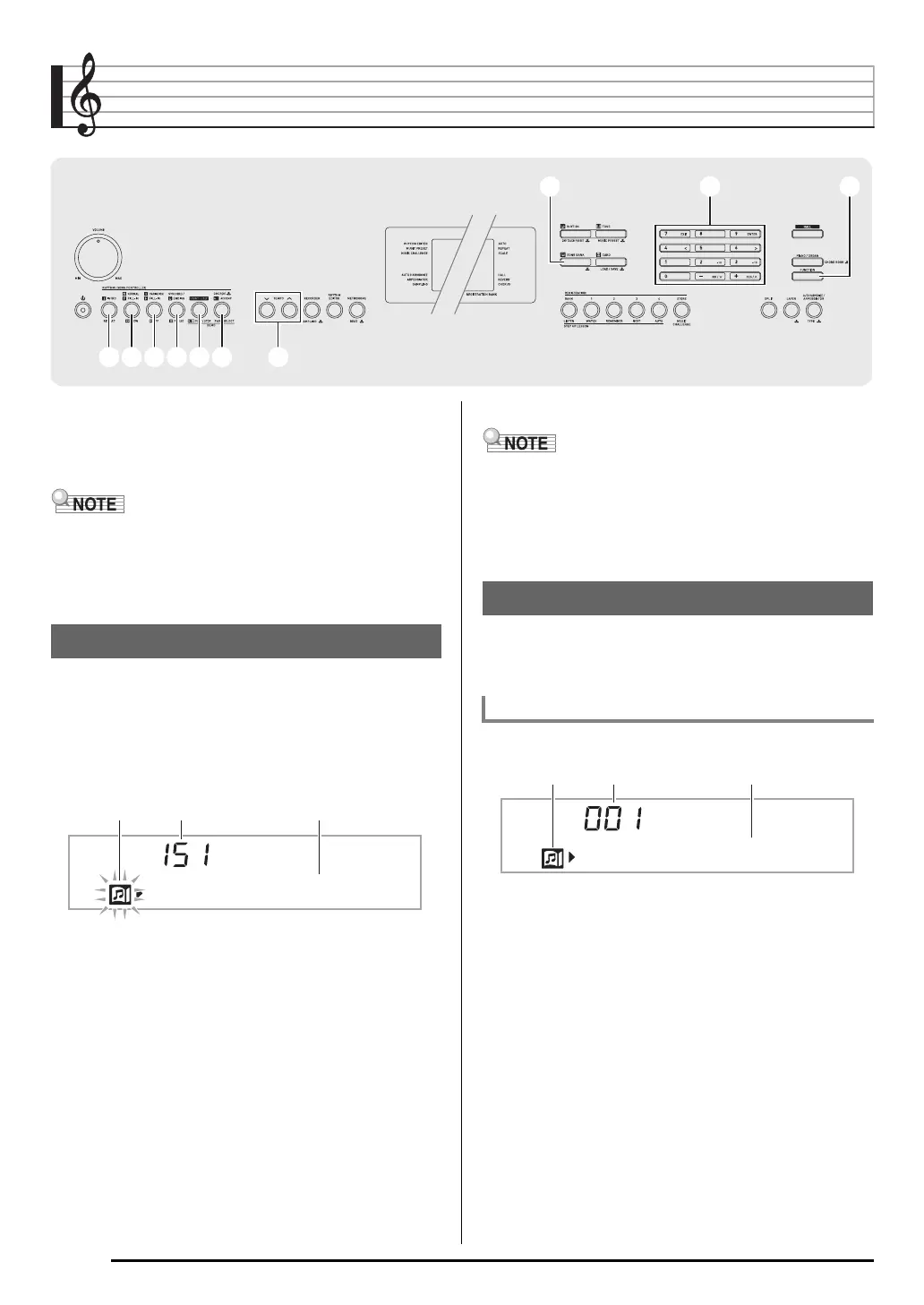
1.
Press
and
at the same time.
This will start playback of the demo songs.
• See page EN-74 for information about song numbers
and the song sequence.
• Demo playback always starts from song number 151.
2.
To change to another song while demo
playback is in progress, use
(10-key) [–] and
[+] keys to enter the song number you want
(page EN-7).
This will cause demo playback to jump to the song whose
number you entered.
•You cannot use
(10-key) number buttons to select a
song.
3.
To stop demo playback, press
.
Demo playback continues until you stop it by pressing
.
• If Auto Power Off (page EN-10) is enabled, the Digital
Piano will turn off if 30 minutes (six minutes under battery
power) elapsed without any keyboard operation being
performed. Use the procedu re under “Disabling Auto Power
Off” (page EN-10) for information about how to disable Auto
Power Off.
Use the procedure below to play back one of the built-in
songs. You can play along on the keyboard with song
playback.
1.
Press
(SONG BANK).
2.
Use
(10-key) to enter the number of the song
you want.
• See page EN-74 for a complete list of available songs.
• Use the number buttons to enter the song number.
Specify three digits for the song number.
33 44 55 66 77 88 99
ckckbnbn brbr
Playing the Demo Songs
DemoTu ne
Tune nameSong numberFlashes
Playing Back a Particular Song
Start/Stop
Example: To select 001, enter 0 3 0 3 1.
Tw i n k l e
Tune nameSong numberLights


 To Next Page