Controlling the Keyboard Sounds
EN-14
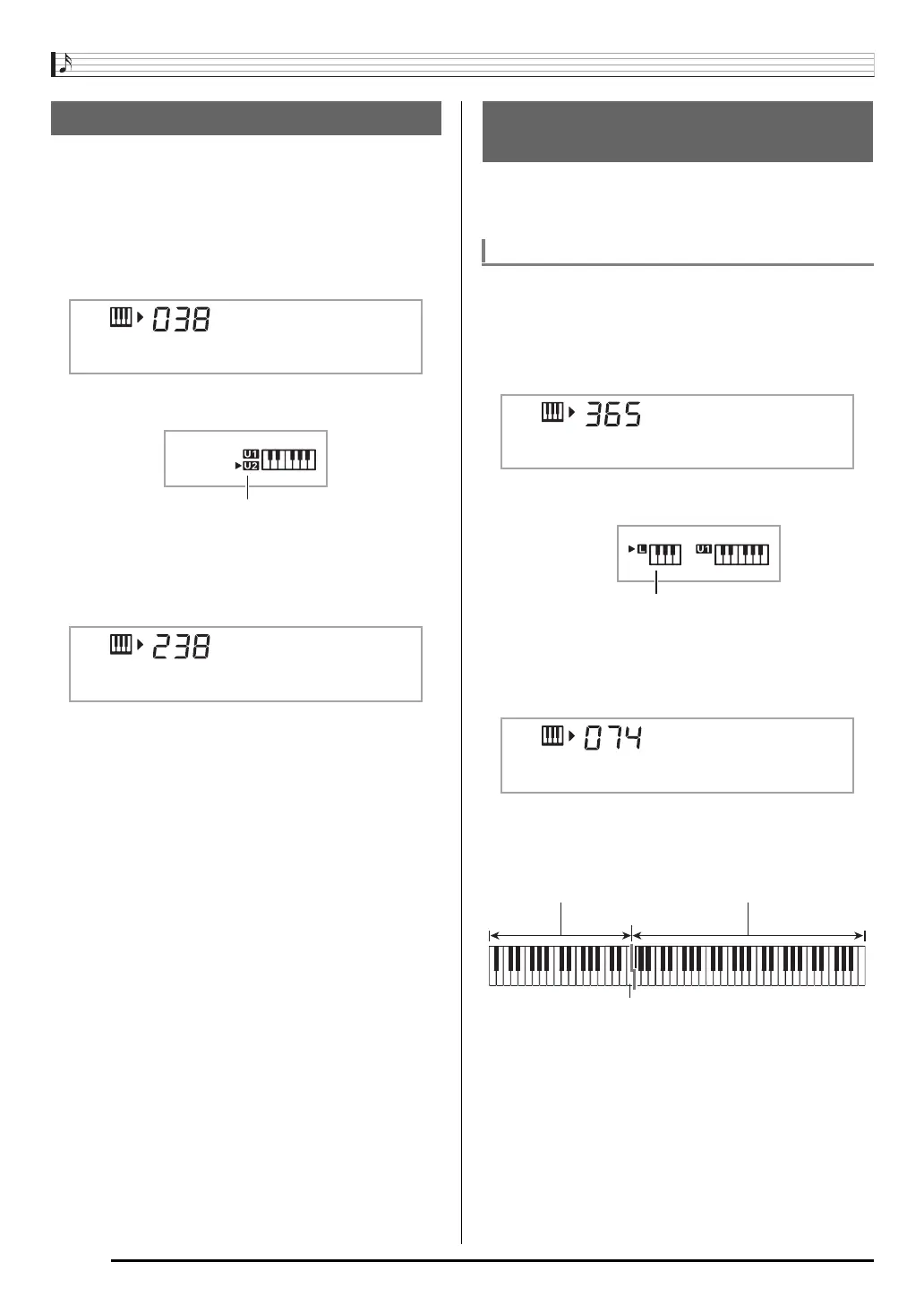
You can use the following procedure to layer two different
tones (such as piano and strings) so they sound
simultaneously when you press a keyboard key.
1.
Select the first tone you want to use.
Press
(TONE) and then use
(10-key) to select the
tone you want.
2.
Press
.
3.
Use
(10-key) to select the second tone you
want.
4.
Play something on the keyboard.
Both tones sound at the same time.
5.
Pressing
again to unlayer the keyboard (so
it plays only the tone you selected in step 1).
• Each press of
toggles between layered (two tones)
and unlayered (one tone).
You can use the procedure below to assign different tones to
the right range and left range of the keyboard, so it sounds
like you are playing an ensemble between two instruments.
1.
Select the tone for the right side range (page
EN-13).
Press
(TONE) and then use
(10-key) to select the
tone you want.
2.
Press
.
3.
Use
(10-key) to select the left side range
tone you want.
4.
Play something on the keyboard.
This will sound the tones assigned to the left and right
side ranges of the keyboard.
Layering Two Tones
Example: 038 ELEC.PIANO1
Example: 238 STRINGS 1
E.Pi ano1
St r in
g
s 1
Splitting the Keyboard between
Two Different Tones
To select the two tones for a split keyboard
Example: 365 FLUTE 1
Example: 074 VIBRAPHONE1
Flu te 1
Vib es 1



 To Next Page