Playing Built-in Songs
EN-27
3.
Press
.
This starts playback of the song.
4.
Press
again to stop playback.
Song playback will continue (repeat) until you press
to
stop it. You can cancel song repeat by pressing
.
Use the operations in this section to perform pause, skip
forward, and skip back operations.
■ Pause
1.
Press
.
This pauses song playback.
2.
Press
again to resume playback from the
point where you paused it.
■ Skip Forward
1.
Press
.
This skips song playback forward to the next measure.
Each press of
skips ahead one measure. Holding
down
skips forward at high speed until you release it.
•Pressing
while song playback is stopped performs
lesson function phrase skip forward (page EN-31).
■ Skip Back
1.
Press
.
This skips song playback back to the previous measure.
Each press of
skips back one measure. Holding down
skips back at high speed until you release it.
• Pressing
while song playback is stopped performs
lesson function phrase skip back (page EN-31).
You can use the procedure in this section to repeat particular
measures for practice playing along until you master it. You
can specify the start measure and the end measure of the
section you want to play and practice.
1.
Press
to temporarily turn off song repeat.
2.
When song playback reaches the measure you
want to specify as the start measure, press
.
This specifies the measure as the start measure.
Pause, Skip Forward, Skip Back
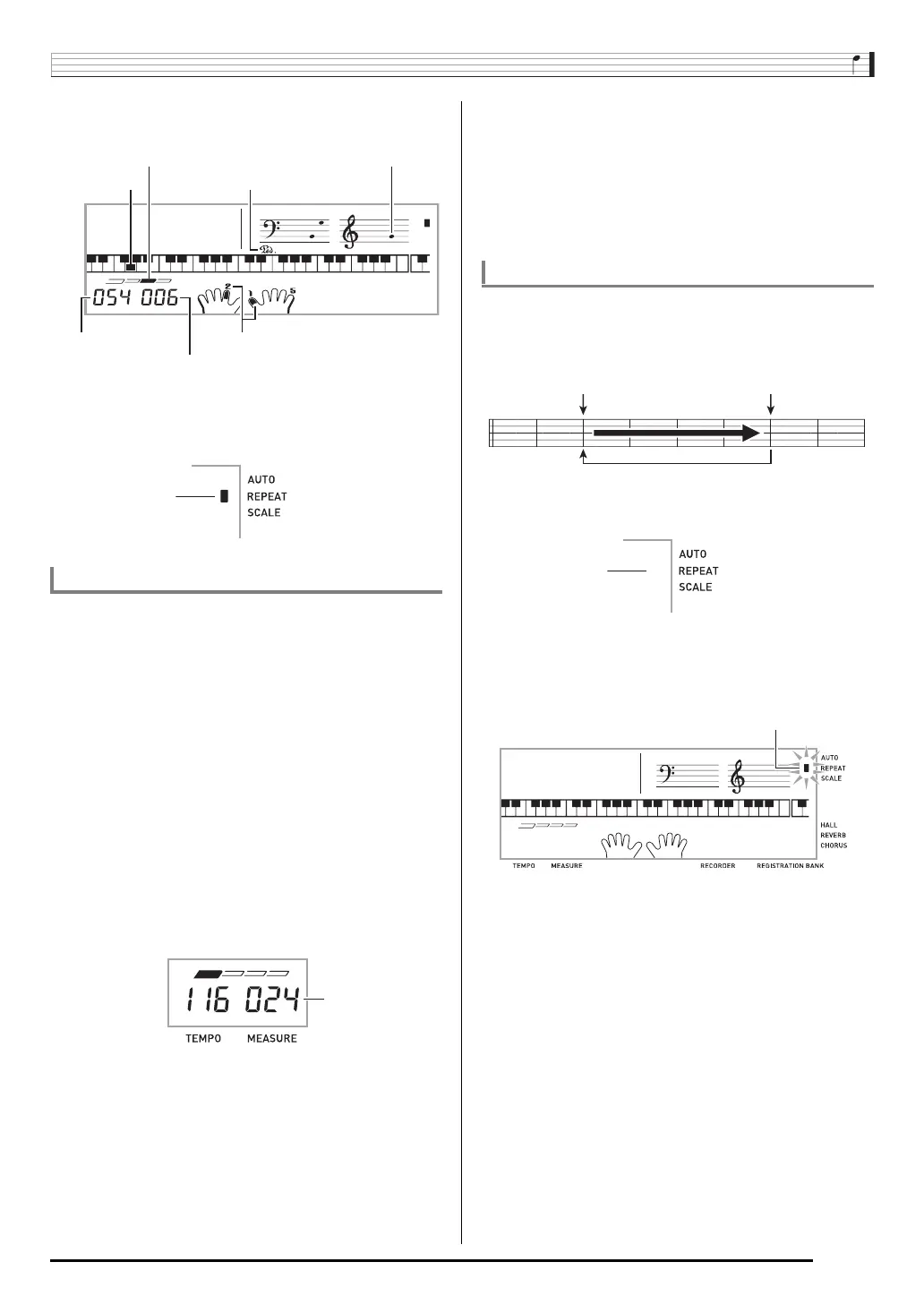
Key
Tempo
Beat
Measure
Fingering
Sustain pedal
Note
Indicator disappears
when song repeat is
turned off.
Repeating Playback of Specific Measures
Start End
These measures are repeated.


 To Next Page