Sampling Sounds and Playing Them on the Digital Piano
EN-23
You can use the procedures in this section to copy the drum
sound assigned to one keyboard key to another key, to
change the pitch of a sound, and to delete a sampled sound.
1.
Press
(TONE) and then use
(10-key) to
enter the tone number (706, 707, or 708) for the
drum set you want.
2.
Hold down
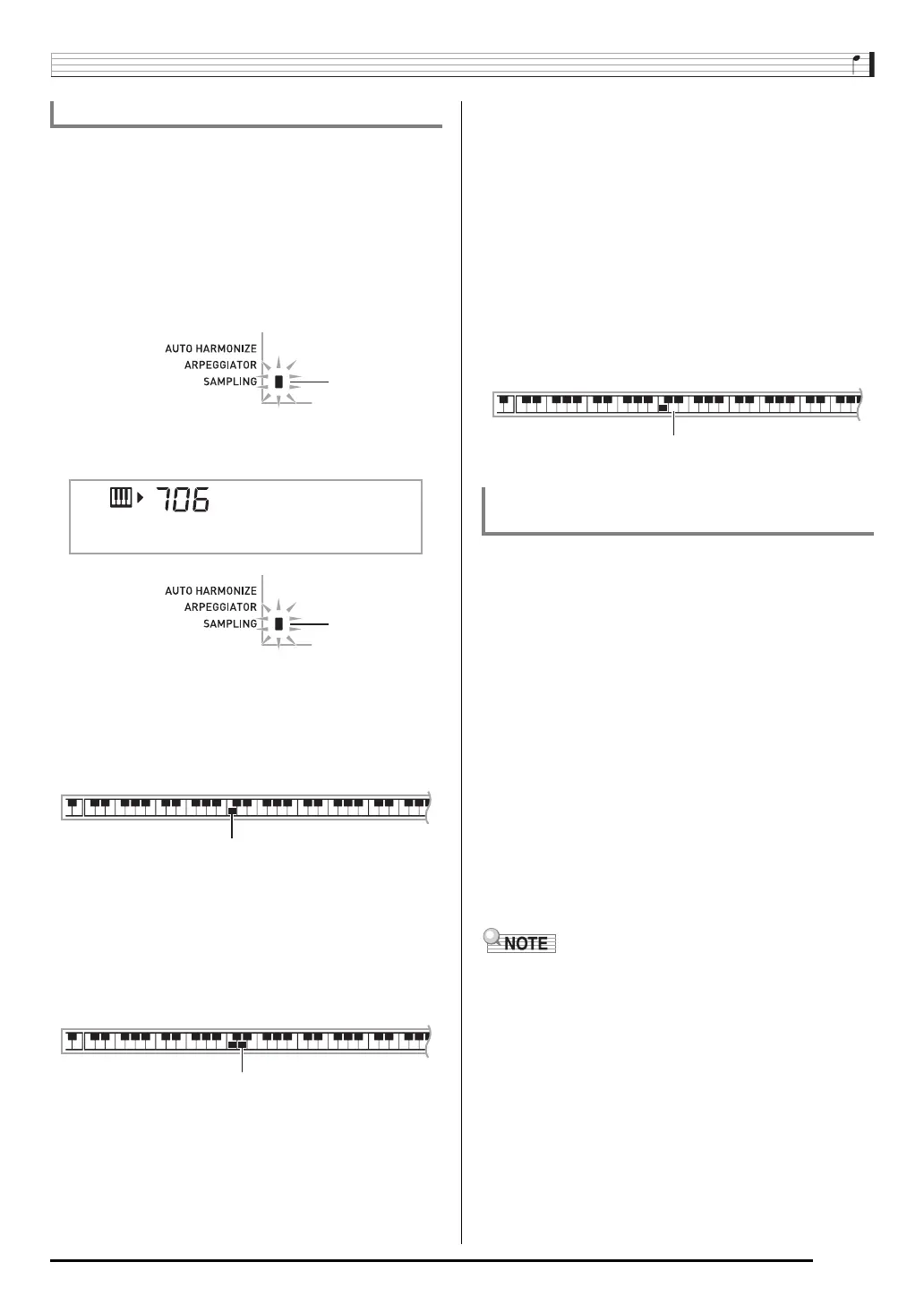
until the SAMPLING indicator
starts to flash.
3.
Press
(FUNCTION).
This is the editing mode.
• While in the editing mode, you can copy a sound,
change the pitch of a sound, or delete a sound (each of
which is described below). Pressing
(FUNCTION)
again exits the editing mode and returns to step 2 of
this procedure.
■ To copy a sampled sound from one key to
another
While holding down the keyboard key to which the sampled
sound you want to copy is assigned, press the keyboard key
to which you want to copy it.
•A keyboard key that already has a sampled sound assigned
cannot be selected as a copy destination.
■ To change the pitch of a sampled sound
While holding down the keyboard key of the sampled sound
whose pitch you want to change, use the
(10-key) [–] and
[+] keys to change the pitch.
•You can change the pitch within a range of –64 to 63
semitones.
■ To delete a keyboard key’s sampled sound
While holding down the keyboard key whose sound you want
to delete, press
(RHYTHM). In response to the “DelSure?”
message that appears, press the
(10-key) [+] (YES) key to
delete, or [–] (NO) to cancel the delete operation.
• Deleting a sampled sound will return the key to its initial
default built-in sound.
Use the following procedure to change the rhythm part of an
Auto Accompaniment pattern to a drum set sound that you
sampled.
1.
Press
(RHYTHM) and then use
(10-key)
to enter the rhythm number of the Auto
Accompaniment pattern you want.
You cannot use a Drum Sampling Tone in a user rhythm,
so do not select a user rhythm in the above step.
2.
Press
(TONE) and then use
(10-key) to
enter the tone number of the sampling drum set
that contains the sound you want to use.
3.
Press
(TONE).
This changes the rhythm part of the Auto Accompaniment
pattern you selected in step 1 to the sampled sound you
selected in step 2.
• To change the Auto Accompaniment rhythm part back
to its original sound, press
(TONE) again.
• Some rhythm part drum sounds cannot be replaced by
sampled sounds.
Editing Sampled Drum Set Sounds
Example: To copy sampled sound of key C3 to key D3
Sm
p
lDrm1
Indicates keyboard keys that have sounds assigned.
Indicates the keyboard key whose sound was copied.
Example: To delete the sound assigned to key D3
Using a Drum Sampling Tone in Auto
Accompaniment (Drum Assign)


 To Next Page