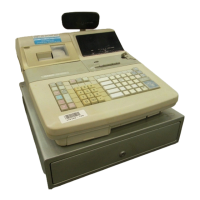
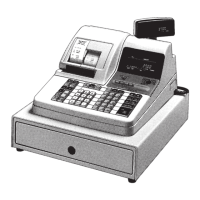
13
N Department Shift key
Press this key to shift the department key number from
1 through 20 to 21 through 40 as follows:
¡ → Dept. 1 d¡ → Dept. 21
™ → Dept. 2 d™ → Dept. 22
£ → Dept. 3 d£ → Dept. 23
::
::
∞
→Dept. 20 d
∞
→ Dept. 40
• Calculator Mode
4 Drawer open key
5 Percent key
8 Memory Recall key
A Clear/All Clear key
D 10-key pad
L Equal key
M Calculator Mode key
O Arithmetic operation keys
C Open/Clerk Number key
Open key: Press this key to temporarily release a limitation
on the number of digits that can be input for a unit price. This
function is available only on registers that are not using the
clerk control function. (page 54)
Clerk Number key: Use this key to sign clerk on and off the
register. This function is available only on registers that are
using the clerk control function. (page 54)
D 10-key pad
Use these keys to input numbers.
E Department keys
Use these keys to register items to departments.
F
Received on Account/Taxable Status Shift 1 key
Received on Account key: Press this key following a
numeric entry to register money received for non-sale
transactions.
Taxable Status Shift 1 key: Press this key without a numeric
entry to change the Taxable 1 status of the next item.
G Paid Out/Taxable Status Shift 2 key
Paid Out key: Press this key following a numeric entry to
register money paid out from the drawer.
Taxable Status Shift 2 key: Press this key without a numeric
entry to change the Taxable 2 status of the next item.
H Charge key
Use this key to register a charge sale.
I Check key
Use this key to register a check tender.
J Subtotal key
Press this key to display and print the current subtotal
(which also includes the add-on tax amount).
K Merchandise Subtotal key
Press this key to display and print the current subtotal of
item prices only (which does not include the add-on tax
amount).
L Cash Amount Tendered key
Press this key to register a cash sale.
M Calculator Mode key
This key is used for changing REG ↔ CAL mode.


 To Next Page