72
Appendix B: Command Tables
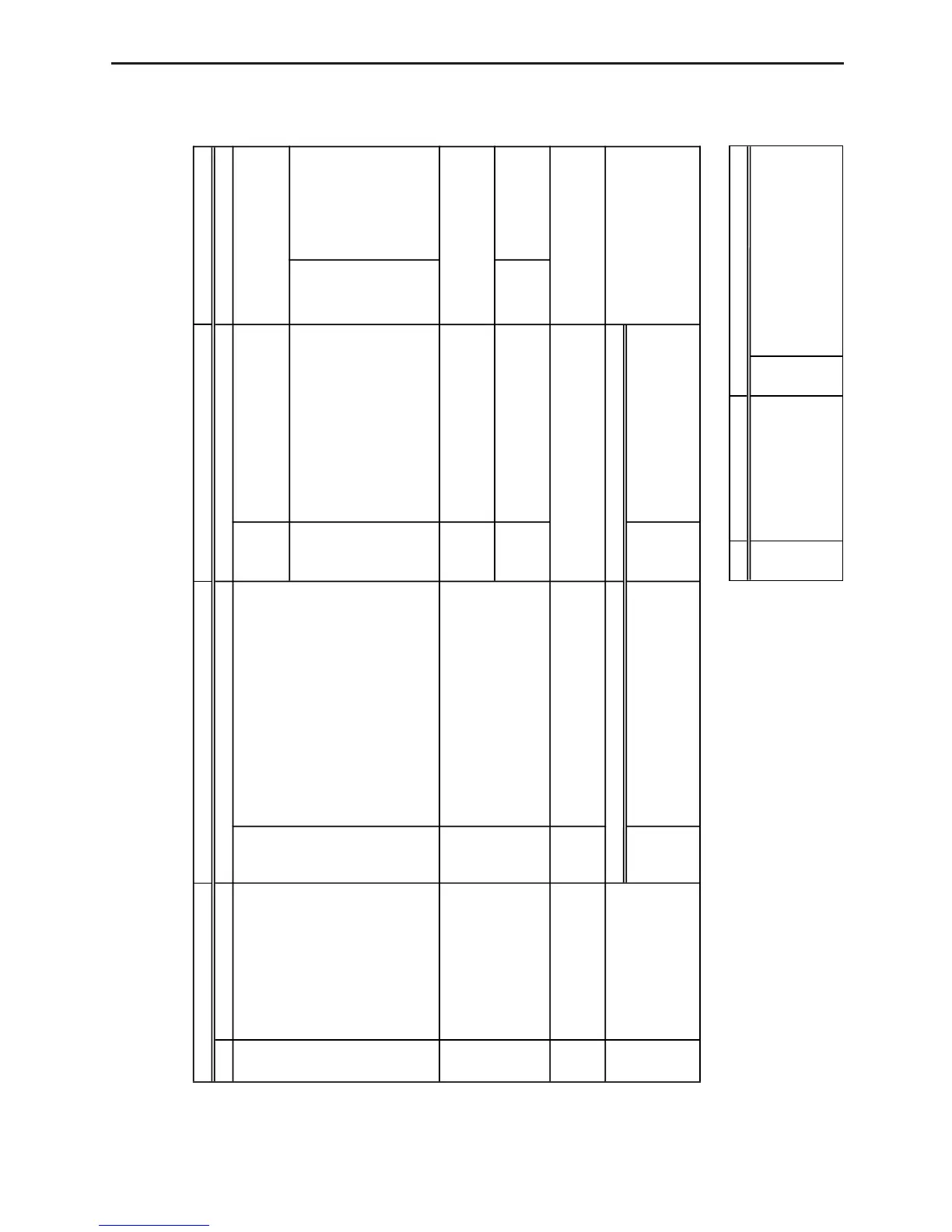
Command 1 - CHANNEL SETUP
• Parameter values marked with asterisks are initial defaults.
• Channel = 1, 2 or 3, Operation = 5, 6
Trigger Threshold Trigger Edge
±10 Set input voltage * 0 Rising edge to rising edge
(* 1) threshold value of 1 Falling edge to falling edge
–10 to +10. 2 Rising edge to falling edge
3 Falling edge to rising edge
Channel Operation Post-Processing Stat Samples
0 Clears all channels. — — —
* 1 Channel 1 0 Clears the selected channel. * 0 None
2 Channel 2 * 1 Auto-ID 1 d/dt —
3 Channel 3 2 Voltage (±10V) 2 d/dt, d /dt
3 Current 3 Statistics 2 to 512 Samples used
4 Resistance (*10)
5 Period
6 Frequency
7 Temperature (Celsius)
8 Temperature (Fahrenheit)
9 Light
10 Voltage (0 to 5V)
4 SONIC Channel 0 Clears the SONIC channel. * 0 None
* 1 Auto-ID 1 d/dt —
2 Meters 2 d/dt, d /dt
3 Feet 3 Statistics 2 to 512 Samples used
(*10)
5 DIG IN Channel 0 Clears the digital input channel.
* 1 Active — —
Number of Data Elements Data Elements
6 DIG OUT Channel 0 Clears the digital output channel. 0 to 15 Output data element value
1 to 22 Number of output data elements (* 0) —
(* 1)













 To Next Page