EasyManua.ls Logo

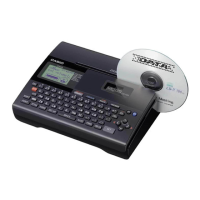
Casio CW-K85 - User Manual

Casio CW-K85
61 pages
Print Icon
To Next Page IconTo Next Page
Loading...
E
CW-K85
User’s Guide
We recommend that you print on a disc* before you record anything
on it. Printing on a disc that already has data recorded on it can
cause the data to become corrupted.
Note that CASIO COMPUTER CO., LTD. shall not be held liable for
any loss or corruption of data on discs arising through the use of this
printer.
* CD-R, CD-RW, DVD-R, etc.
Be sure to read the Safety Precautions contained in this manual before trying
to use the printer for the first time, and always keep this manual on hand for
future reference.
RCA502991-001V01

Table of Contents

Other manuals for Casio CW-K85

Questions and Answers

  • N
    Nicole NguyenAug 19, 2025
    What does 'DATA ERROR! INITIALIZE THE PRINTER!' mean on my Casio CW-K85?
    • J
      Jennifer YoungSep 12, 2025
      The 'DATA ERROR! INITIALIZE THE PRINTER!' message on your Casio Label Maker indicates that you are trying to operate the printer without initializing its memory first, or that you unplugged the AC adapter or removed the batteries before the printer was turned off completely. To resolve this, press SET and then initialize printer memory.
  • G
    Gregory McculloughAug 21, 2025
    What does 'LINK ERROR! CHECK ALL CONNECTIONS!' mean on my Casio CW-K85 Label Maker?
    • S
      Stephanie MorenoAug 21, 2025
      The 'LINK ERROR! CHECK ALL CONNECTIONS!' message on your Casio Label Maker indicates that the USB cable is not securely connected to the USB port, or that the computer is shut down. Ensure the USB cable is securely plugged into the USB port and that the computer is started up.
  • D
    Danny SanchezAug 23, 2025
    What to do if nothing appears on the Casio CW-K85 Label Maker display?
    • B
      brianmarshallAug 23, 2025
      If nothing appears on the display of your Casio Label Maker when you press the power button, there are several potential causes. First, the display contrast setting may need adjustment. Second, the AC adapter might not be connected properly. Third, battery power may be low, or the batteries may be the wrong type or improperly loaded. In these cases, you can try adjusting the display contrast, ensuring the AC adapter is properly connected, switching to AC adapter power, or replacing/reloading the batteries with a fresh set of AA-size alkaline batteries.
  • M
    Michael SandersAug 26, 2025
    Why is the print quality poor on my Casio Label Maker?
    • M
      Mary JonesAug 26, 2025
      Poor print quality on your Casio Label Maker can stem from several issues. The print head might be dirty, requiring cleaning. Low battery power can also cause this, so try using the AC adapter or installing a fresh set of batteries. An improper print density can be the reason, so you should adjust the print density. Also, make sure that you are using a proper disc. Another potential cause is that the ink ribbon cassette is not loaded properly, so try reloading it.
  • A
    Adam RossAug 28, 2025
    How to connect my Casio CW-K85 to a computer?
    • M
      Marcus MoralesAug 28, 2025
      If you're having trouble connecting your Casio Label Maker to a computer, make sure that you press the COMPUTER LINK button to establish a connection. Also, check that the USB cable is properly connected. Ensure the printer is turned on. If the issue persists, try unplugging and replugging the USB cable to reinstall the USB driver. If data communication is still not possible, try using a different USB port or a different USB cable.
  • J
    James ReynoldsAug 29, 2025
    What to do if the disc stops during printing on my Casio CW-K85 Label Maker?
    • L
      Lori MejiaAug 29, 2025
      If the disc stops part way through printing on your Casio Label Maker, check the power cord and AC adapter to ensure they are fully plugged in. You can also try using the AC adapter to power the printer or replacing the batteries with a fresh set. If the issue persists, the printer may be malfunctioning.
  • J
    Johnny SmithSep 1, 2025
    Why does my Casio CW-K85 print nothing even though the operation finishes normally?
    • S
      Sean DelgadoSep 1, 2025
      If your Casio Label Maker completes the printing operation but nothing is printed, it might be because only spaces were input for the label. In this case, input the text you want to print. Another reason could be that the file imported from a computer does not contain any data. In this case, re-import the data.
  • L
    Luis ThomasSep 3, 2025
    Why is the printing misaligned on the disc with my Casio CW-K85?
    • K
      Krystal CareySep 3, 2025
      If the printing is not positioned correctly on the disc when using your Casio Label Maker, it is likely due to improper alignment of the disc when placed in the printer. Use the positioning guide when aligning the disc.
  • K
    Kristina WolfSep 5, 2025
    Why can't I input text on my Casio CW-K85 Label Maker?
    • M
      Michael MoralesSep 5, 2025
      If you can't input text on your Casio Label Maker, it's possible that the FUNCTION key has been pressed. Press ESC to cancel the FUNCTION key operation.
  • C
    Cody StantonSep 7, 2025
    Why is my Casio CW-K85 printing blank labels?
    • J
      Joshua MasonSep 7, 2025
      If your Casio Label Maker is printing blank labels even though the printing operation finishes normally, the ink ribbon may be used up. Load a new ink ribbon cassette.

Casio CW-K85 Specifications

General IconGeneral
BrandCasio
ModelCW-K85
CategoryLabel Maker
LanguageEnglish

Related product manuals