EasyManua.ls Logo

Casio CW-K85 - User Manual

Casio CW-K85
61 pages
Print Icon
To Next Page IconTo Next Page
Loading...
E
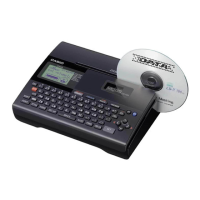
CW-K85
User’s Guide
We recommend that you print on a disc* before you record anything
on it. Printing on a disc that already has data recorded on it can
cause the data to become corrupted.
Note that CASIO COMPUTER CO., LTD. shall not be held liable for
any loss or corruption of data on discs arising through the use of this
printer.
* CD-R, CD-RW, DVD-R, etc.
Be sure to read the Safety Precautions contained in this manual before trying
to use the printer for the first time, and always keep this manual on hand for
future reference.
RCA502991-001V01

Table of Contents

Other manuals for Casio CW-K85

Questions and Answers

  • W
    wnguyenSep 9, 2025
    What does 'ENTIRE PHRASE COULD NOT BE RECALLED!' mean on my Casio CW-K85?
    • M
      Makayla ScottSep 9, 2025
      The 'ENTIRE PHRASE COULD NOT BE RECALLED!' message on your Casio Label Maker means that the text in the phrase memory you are trying to recall will cause the number of characters to exceed the allowable limit for the location where you are inserting it. Re-input so the recalled phrase memory text does not cause the allowable number of characters to be exceeded.
  • I
    Ian MarquezSep 12, 2025
    Why is the printed color different from the ink ribbon color on my Casio Label Maker?
    • E
      Eric BrooksSep 12, 2025
      The color of the final printout from your Casio Label Maker is affected by both the color of the ink ribbon and the color of the disc you are printing on. Try using a lighter color disc or a darker color ink ribbon.
  • K
    Kimberly SmithSep 13, 2025
    What to do if I cannot insert a disc into my Casio CW-K85 Label Maker?
    • V
      Vincent MorrowSep 14, 2025
      If you cannot insert a disc into your Casio Label Maker, ensure that the cassette cover is closed properly. Close the cassette cover properly and then try to insert the disc.
  • L
    luisstricklandSep 16, 2025
    Why won't my Casio CW-K85 start printing?
    • A
      Andrea LewisSep 16, 2025
      If your Casio Label Maker won't start printing, the disc may not be positioned correctly in the printer. Remove the disc and then re-insert it straight into the left side of the slit along the top of the printer.

Casio CW-K85 Specifications

General IconGeneral
BrandCasio
ModelCW-K85
CategoryLabel Maker
LanguageEnglish

Related product manuals