EasyManua.ls Logo

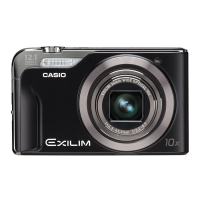
Casio Exilim EX-FS10 - User Manual

Casio Exilim EX-FS10
184 pages
Print Icon
To Next Page IconTo Next Page
Loading...
Digital Camera
Thank you for purchasing this CASIO product.
Before using it, be sure to read the precautions contained in this User’s Guide.
Keep the User’s Guide in a safe place for future reference.
For the most up-to-date information about this product, visit the official EXILIM
Website at http://www.exilim.com/
E
User’s Guide

Table of Contents

Questions and Answers

  • Q
    qellisonAug 12, 2025
    Why won't my Casio Exilim EX-FS10 turn on?
    • K
      Kimberly WebbAug 12, 2025
      If the power does not turn on for your Casio Digital Camera, the battery may not be loaded correctly. Charge the battery. If the battery goes dead soon after being charged, it means the battery has reached the end of its life and needs to be replaced. Purchase a separately available CASIO NP-60 rechargeable lithium ion battery.
  • H
    hugheskaitlynAug 16, 2025
    Why does my Casio Digital Camera suddenly power down?
    • K
      Kendra BaileyAug 16, 2025
      If your Casio Digital Camera suddenly powers down, Auto Power Off may have activated. Turn power back on.
  • K
    Kenneth LeblancAug 19, 2025
    Why doesn't the flash fire on my Casio Exilim EX-FS10?
    • C
      creynoldsAug 20, 2025
      If the flash does not fire on your Casio Digital Camera, and the flash off mode is selected, change to another mode.
  • D
    Diana OrrAug 23, 2025
    What to do if images cannot be transferred over USB from Casio Exilim EX-FS10 Digital Camera?
    • S
      samuelmaldonadoAug 25, 2025
      If images cannot be transferred over a USB connection with your Casio Digital Camera, ensure that the USB cable is securely connected.
  • J
    Jessica ScottAug 27, 2025
    Why does the color of playback image look different on my Casio Digital Camera?
    • M
      Michael FarrellAug 27, 2025
      If the color of the playback image is different from what appears on the monitor screen when shooting with your Casio Digital Camera, sunlight or light from another source may be shining directly into the lens when you are shooting. Position the camera so sunlight does not shine directly into the lens.
  • M
    Michael GreeneAug 30, 2025
    How to correct date and time on Casio Digital Camera?
    • K
      Kristin HillAug 31, 2025
      If the wrong date and time are displayed, or the wrong date and time are being stored along with image data on your Casio Digital Camera, the date and time setting is off. Set the correct date and time.
  • J
    Jacob ThomasSep 4, 2025
    What to do if Casio Exilim EX-FS10 powers down during self-timer?
    • M
      Michael StevensSep 4, 2025
      If the camera powers down during Self-timer countdown, the battery may be low. Charge the battery.
  • S
    Shannon HenrySep 7, 2025
    What to do if Casio Exilim EX-FS10 doesn't record when shutter button is pressed?
    • A
      Annette AlvarezSep 7, 2025
      If the image is not recorded when the shutter button is pressed on your Casio Digital Camera, and the camera is in the PLAY mode, press the REC button to enter the REC Mode.

Casio Exilim EX-FS10 Specifications

General IconGeneral
TypeCompact
Sensor TypeCCD
Megapixels9.1
Optical Zoom3x
Digital Zoom4x
Focal Length6.3 - 18.9 mm
Shutter Speed1/2000 - 4 seconds
LCD ScreenTFT LCD
Video RecordingYes
Maximum Video Resolution640 x 480
Storage MediaSD/SDHC
Supported Flash MemorySD/SDHC
Optical Sensor Size1/2.3 inch
ISO Sensitivity100, 200, 400, 800, 1600
Continuous Shooting30 fps
LCD Screen Size2.5 inches
BatteryRechargeable lithium ion battery (NP-40)

Related product manuals