23
Quick Start Basics
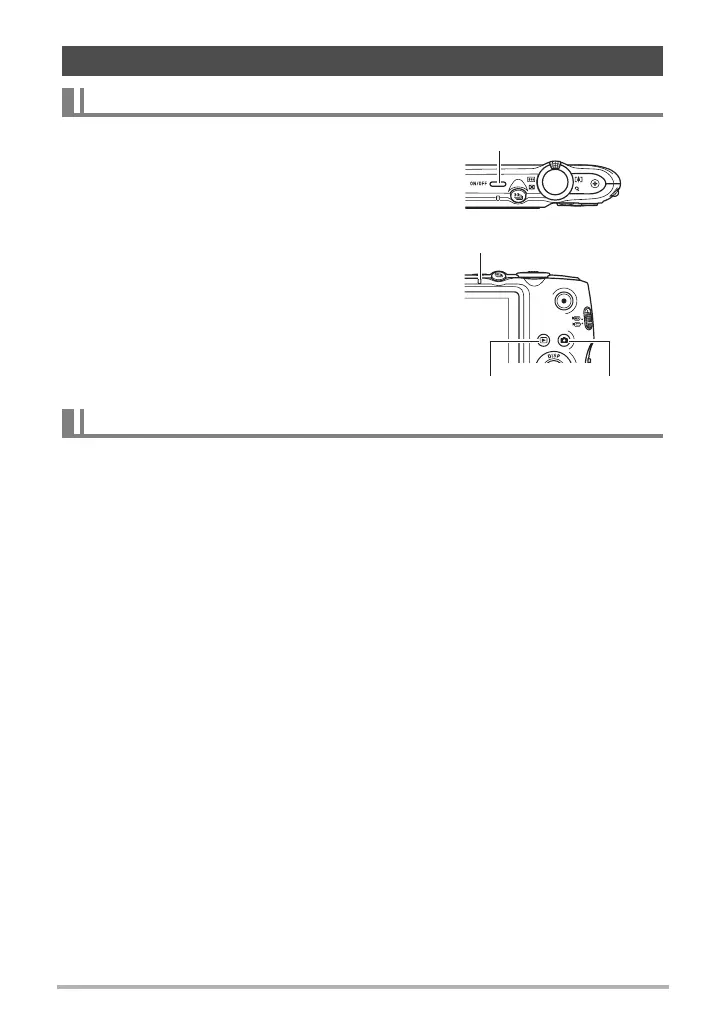
To enter the REC mode, press [ON/OFF] (Power) or
[r] (REC). To enter the PLAY mode, press [p]
(PLAY).
The back lamp will light (green) momentarily and the
camera will turn on.
•Pressing [p] (PLAY) while in the REC mode
switches to the PLAY mode.
• The Sleep function or Auto Power Off (pages 149,
149) will turn off power automatically if you do not
perform any operation for a preset amount of
time.
Press [ON/OFF] (Power).
• You can configure the camera so power does not turn on when you press [r]
(REC) or [p] (PLAY). You also can configure the camera to turn off when you
press [r] (REC) or [p] (PLAY) (page 150).
Turning the Camera On and Off
To turn power on
To turn off the camera
[ON/OFF] (Power)
Back lamp
[p] (PLAY) [r] (REC)



 To Next Page
 Loading...