

 Need help?
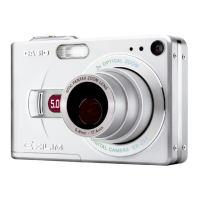
Do you have a question about the Casio Exilim EX-Z3 and is the answer not in the manual?
 General
| Brand | Casio |
|---|---|
| Model | Exilim EX-Z3 |
| Category | Digital Camera |
| Language | English |
Set up language, home city, date, and time before initial camera use.
Step-by-step guide to capturing photos with the camera.
How to navigate and display stored photos on the camera.
Process for removing unwanted photos from the camera.
Explanation of indicators and icons displayed on the monitor.
Information about the camera's power source and battery.
Safety guidelines for handling the battery and charger.
Basic procedure for capturing images with the camera.
Important safety and operational guidelines for recording images.
Explanation of optical and digital zoom features for magnification.
Guide to selecting and using different flash modes for illumination.
How to view recorded images on the camera.
How to remove one specific image from the camera.
Process for erasing all stored images at once.
Instructions for inserting, removing, formatting, and using memory cards.
Connecting and transferring images using Windows.
Connecting and transferring images using Macintosh.
Guide to installing camera software from the provided CD.
Solutions for common camera problems and errors.










 To Next Page

