English
Using a Memory Card
E-61
5.
Press the
cl
(10-key) [7] (ENTER) key.
• Pressing [9] (EXIT) will return to the screen that was
displayed before you pressed [7] (ENTER).
6.
Use the
cl
(10-key) [–] and [+] keys to select the
number of the data (file) you want to delete.
7.
Press the
cl
(10-key) [7] (ENTER) key.
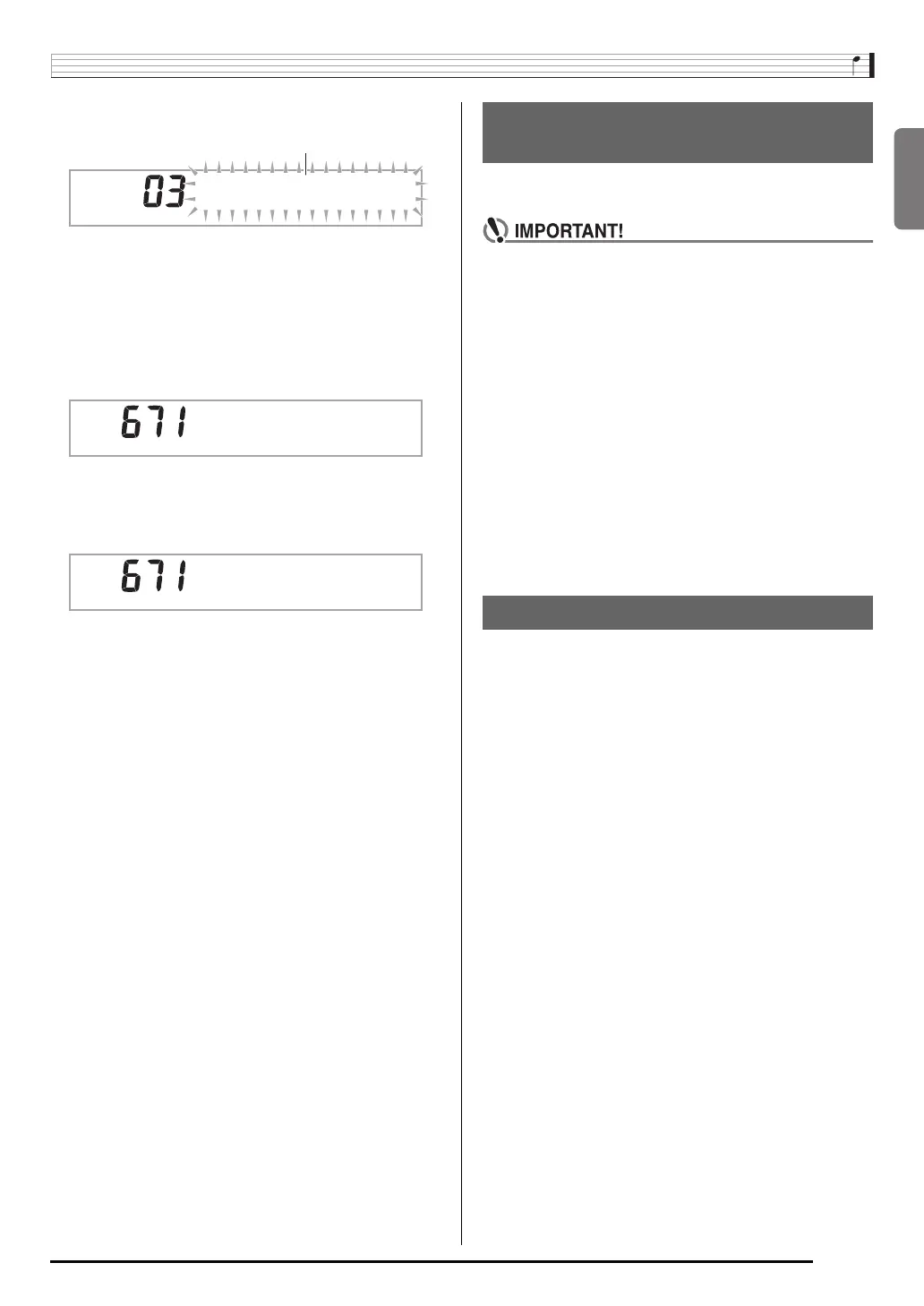
This will display the delete confirmation screen.
8.
Press the
cl
(10-key) [+] (YES) key.
• To cancel the delete operation, press [–] (NO) or [9]
(EXIT) in place of [+] (YES).
You can use the following procedure to play back user song
data (page E-56) directly from an SD memory card.
• Whenever you copy a file to the SD memory card that
you plan to play on the Digital Piano, be sure to store
the file in the SD memory card’s “MUSICDAT” folder
(page E-59).
1.
Insert the SD memory card that contains the
data into the piano’s card slot.
2.
Press
ck
.
This will display the file numbers and song names for the
data stored on the display.
3.
Use
cl
(10-key) to select the song you want to
play.
4.
Press
bo
.
This will start playback.
• Each press of
bo
starts and stops playback.
For information about SD memory card error messages, see
page E-71.
* * * * * * * *
Flashes
S u r e ?
C o m
p
l e t e
Playing Back Data from an SD
Memory Card
SD Memory Card Error Messages


 To Next Page