EasyManua.ls Logo

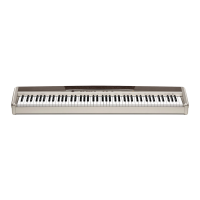
Casio Privia PX-500L - User Manual

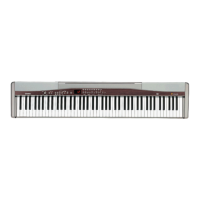
Casio Privia PX-500L
36 pages
Print Icon
To Next Page IconTo Next Page
Loading...
PX500L-ES-1
ES
USER’S GUIDE
GUÍA DEL USUARIO
Please keep all information for future reference.
Guarde toda información para tener como referencia futura.
Safety Precautions
Before trying to use the piano, be sure to
read the separate Safety Precautions.
Precauciones de seguridad
Antes de intentar usar el piano, asegúrese
de leer las Precauciones de seguridad
separadas.

Questions and Answers

  • T
    Thomas GarciaJul 28, 2025
    Why is there no sound coming from my Casio Synthesizer?
    • G
      garciarachelJul 28, 2025
      If you're not getting any sound from your Casio Synthesizer, here are a few things to check: 1. Make sure the VOLUME knob isn't set to MIN. Adjust it towards MAX. 2. Ensure headphones are disconnected. 3. Verify that Local Control is turned on. 4. Confirm the accompaniment mode is set to NORMAL.
  • N
    Nancy StevensAug 2, 2025
    How to fix no sound during demo play on Casio Synthesizer?
    • B
      Bianca Anderson DDSAug 2, 2025
      If you're not hearing any sound when playing demo tunes on your Casio Synthesizer, check these two things: 1. Ensure the VOLUME knob is not set to MIN. Turn it up towards MAX. 2. Make sure headphones are disconnected from the digital piano.
  • J
    Jordan MillerAug 6, 2025
    What to do if external MIDI sound source produces no sound with Casio Synthesizer?
    • L
      Lindsey FoleyAug 6, 2025
      If you're not getting sound from an external MIDI source when using your Casio Synthesizer, try the following: 1. Verify that the digital piano Send Channel matches the Send Channel of the MIDI sound source. The settings should be identical. 2. Check that the volume or expression setting of the external sound source isn't set to 0. Adjust it to an appropriate value.
  • M
    Michael FloresAug 10, 2025
    Why is my Casio Synthesizer keyboard out of tune?
    • P
      Phillip PowersAug 10, 2025
      If your Casio Synthesizer keyboard sounds out of tune, here are a couple of things to check: 1. Make sure the piano key setting is set to C. If it's not, change it to C, or turn the power off and on again. 2. Verify that the pitch setting of the piano is correct. Correct the pitch setting, or turn the power off and then back on again.
  • M
    Margaret BrownAug 14, 2025
    How to turn off lit keys on Casio Synthesizer?
    • E
      Erin FowlerAug 15, 2025
      If the keyboard keys on your Casio Synthesizer remain lit, it might be in Easy Lesson mode. Here's what to do: * Press the lit keys and continue with Easy Lesson play. * Alternatively, press the PLAY/STOP button to stop Easy Lesson.
  • V
    Victoria HernandezAug 18, 2025
    What to do if Casio Synthesizer keys light up but no sound?
    • N
      Nancy WatsonAug 18, 2025
      If the keys on your Casio Synthesizer light up but no sound is produced, it could be a power-on alert. Press any button or keyboard key to resume normal operation with the keyboard in its initial power on setting.
  • A
    amy55Aug 23, 2025
    Why are the memory contents deleted on my Casio Synthesizer?
    • J
      Jose PierceAug 23, 2025
      The memory contents may be deleted because the lithium battery is dead. Contact your CASIO Service Provider for replacement of the lithium battery.

Summary

Power Supply

Using the AC Adaptor

Instructions for connecting and using the AC adaptor for power.

Playing with Different Tones

Selecting and Playing Tones

Overview of tone types and how to select main and variation tones.

Selecting GM Tones and Drum Sets

Procedure for assigning and selecting General MIDI tones or drum sets.

Layering Two Tones

Steps to make two different tones sound simultaneously.

Assigning Tones to Keyboard Sides

How to assign different tones to the left and right sections of the keyboard.

Built-in Metronome Usage

Guide to using the metronome for timing practice.

Playing Rhythms

Selecting and Starting Rhythms

How to select and start a rhythm from the built-in list.

Auto Accompaniment Overview

Explanation of auto accompaniment features and chord modes.

Starting Auto Accompaniment

Step-by-step guide to initiating auto accompaniment.

Chord Playing Techniques

Explains chord fingering based on different chord modes.

Learning to Play Music Library Tunes

Playing Music Library Tunes

How to select and play tunes from the built-in Music Library.

Practicing with Keyboard Lighting

Using keyboard lights for guided practice of left/right hand parts.

Keyboard Lighting in Lessons

Explains how key illumination indicates notes and length during lessons.

Easy Lesson Mode Guide

Details on the Easy Lesson mode for practicing notes at your own pace.

Normal Lesson Mode Guide

Details on the Normal Lesson mode for continuous practice with lights.

Recording and Playing Back Song Memory

Song Memory Button Operations

How to use the SONG MEMORY button for recording/playback modes.

Recording Keyboard Performances

Instructions for recording musical performances to song memory.

Other Settings

Troubleshooting

Specifications

Appendix

MIDI Implementation Chart

Casio Privia PX-500L Specifications

General IconGeneral
BrandCasio
ModelPrivia PX-500L
CategorySynthesizer
LanguageEnglish

Related product manuals