– 30 –
6-4. Magnetic Card Reader
The Magnetic Card Reader comes as standard with IT-3100M54E/M54E2/M55E/M55E2/M55U.
Only use cards that are compatible with the ISO standards. The procedure for reading cards is described
below.
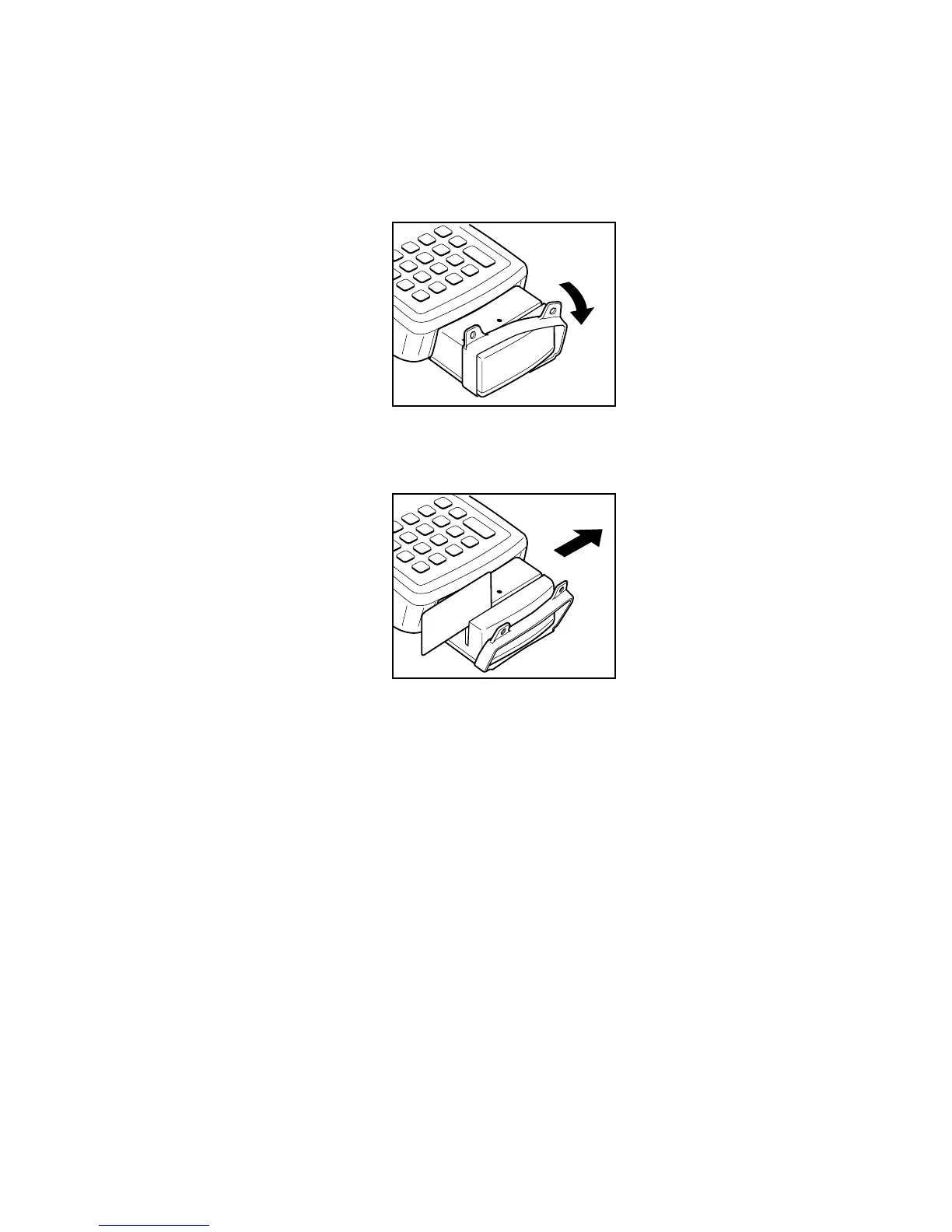
1. Remove the cover as shown in the illustration.
2. Insert the card all the way into the reader as shown in the illustration,and steadily pass the card through
the reader in the direction of the arrow.
Precautions During Use
• Cardsmaynotbeabletobereadiftheyarepassedthroughthereaderrapidly.
• Areadingerrormayoccurifthespeedatwhichthecardispassedthroughthereaderchangessuddenly.
•Donotallowmagnetstocomeincloseproximitytothemagneticcardsincethiscanpreventdataonthe
card from being read. In addition, do not stack magnetic cards on top of each other.
• Cardsthathavebeenexcessivelymisshapedorbentmaynotbeabletoberead.
• Soilingofthemagneticstripmaymakeitdifculttoreadthecard.Ifacardhasbecomesoiled,wipewith
a clean and soft cloth.
• Regularly clean the magnetic card reader by passing a cleaning card through the reader to prevent
excessivefrictionwithcards.Whenusinginalocationwheretherearelowlevelsofdust,cleanoncea
week or about once every 500 passes through the card reader.
• Installthecoverwhennotusingthemagneticcardreader.Thedrip-proofofthemagneticcardreaderis
notsufcientifthecoverisnotinstalled.














 To Next Page