– 33 –
7. RESET OPERATION
7-1. Resetting the Handheld Printer Terminal
ResettingtheHandheldPrinterTerminalisthesameasrestartingacomputer.
Performingaresetcausesallunsavedinputsand editstobe lost,butdata thatisalreadystoredinthe
memoryaswellasallsettingsshouldbeunaffected.
UseresettorestorenormaloperationwhenevertheHandheldPrinterTerminaloperatesabnormallydueto
misoperationorsomeotherreason.
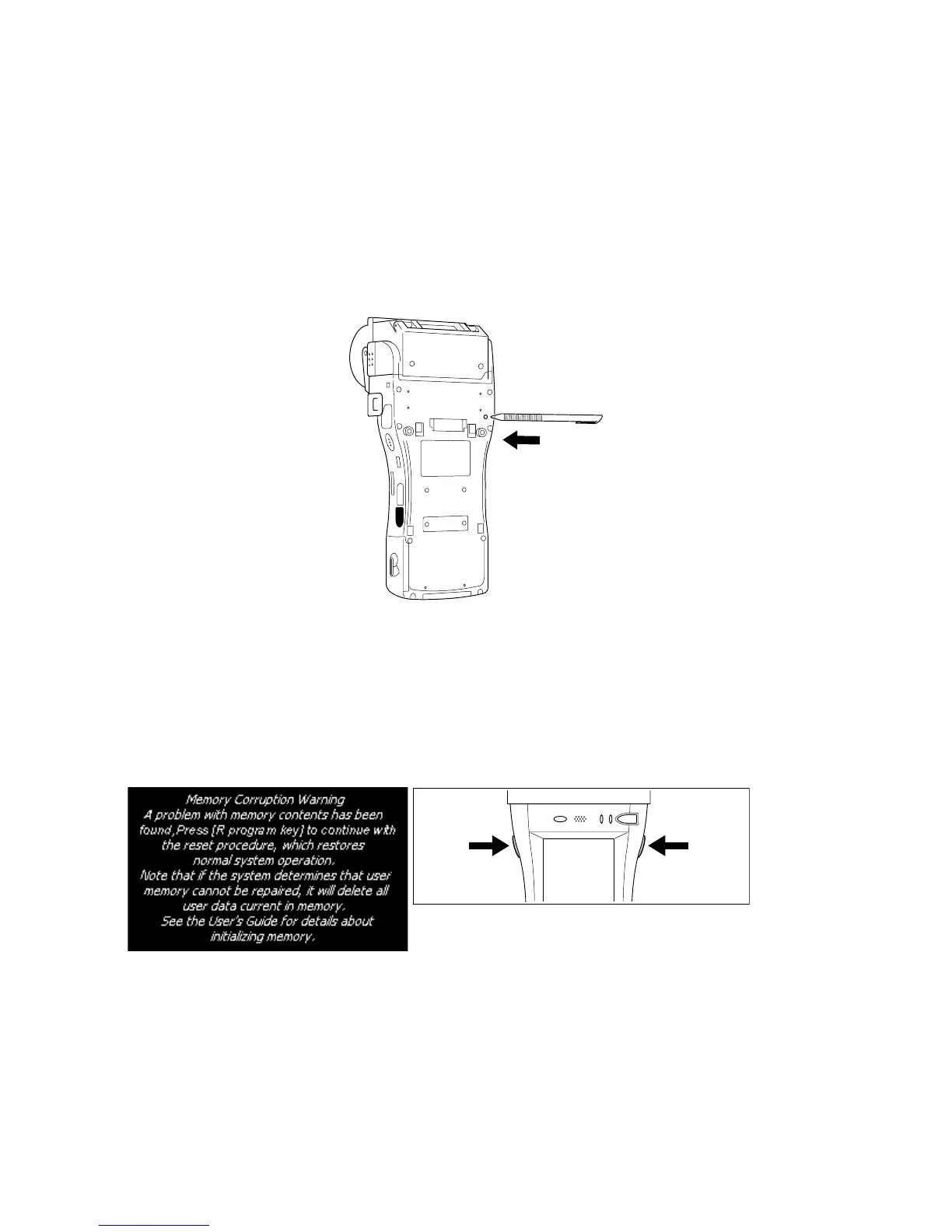
UsethestylustopresstheresetswitchonthebackoftheHandheldPrinterTerminal.
Thisstartstheresetoperation.
If reset does not nd a memory problem
TheHandheldPrinterTerminalrestarts,andnormaloperationisrestored.
If reset nds a memory problem
Amessageliketheoneshownbelowappearsonthedisplaywhentheresetoperationdiscoversamemory
problem.
the program
key (R)
the program
key (L)
When this message appears, press the program key (R) to continue with the reset operation. Note,
however,thatresetmaynotbesuccessfuldependingontheconditionofthememory.Inthiscase,perform
thefullresetoperationdescribedonthenextpage.














 To Next Page