– 35 –
8. HARDWARE INSPECTION
Before inspection,
•Makesuretoinstallthelatestpatchle.
•PerformModelStatusSettinginadvancewhenreplacingthemainPCB(seepage73).
8-1. Service Utility Software
ServiceUtilitySoftwareisatoolforhardwaretestandvarioussettings.
1.Howtoobtain
TheServiceUtilitySoftwareisavailablethroughthefollowingmethods.
1. DownloadfromthefollowingwebsitefortheAuthorizedServiceCenter.
URL: https://www.servicecasio.com/manual/pdfnder.php
Filename: It3100.zip
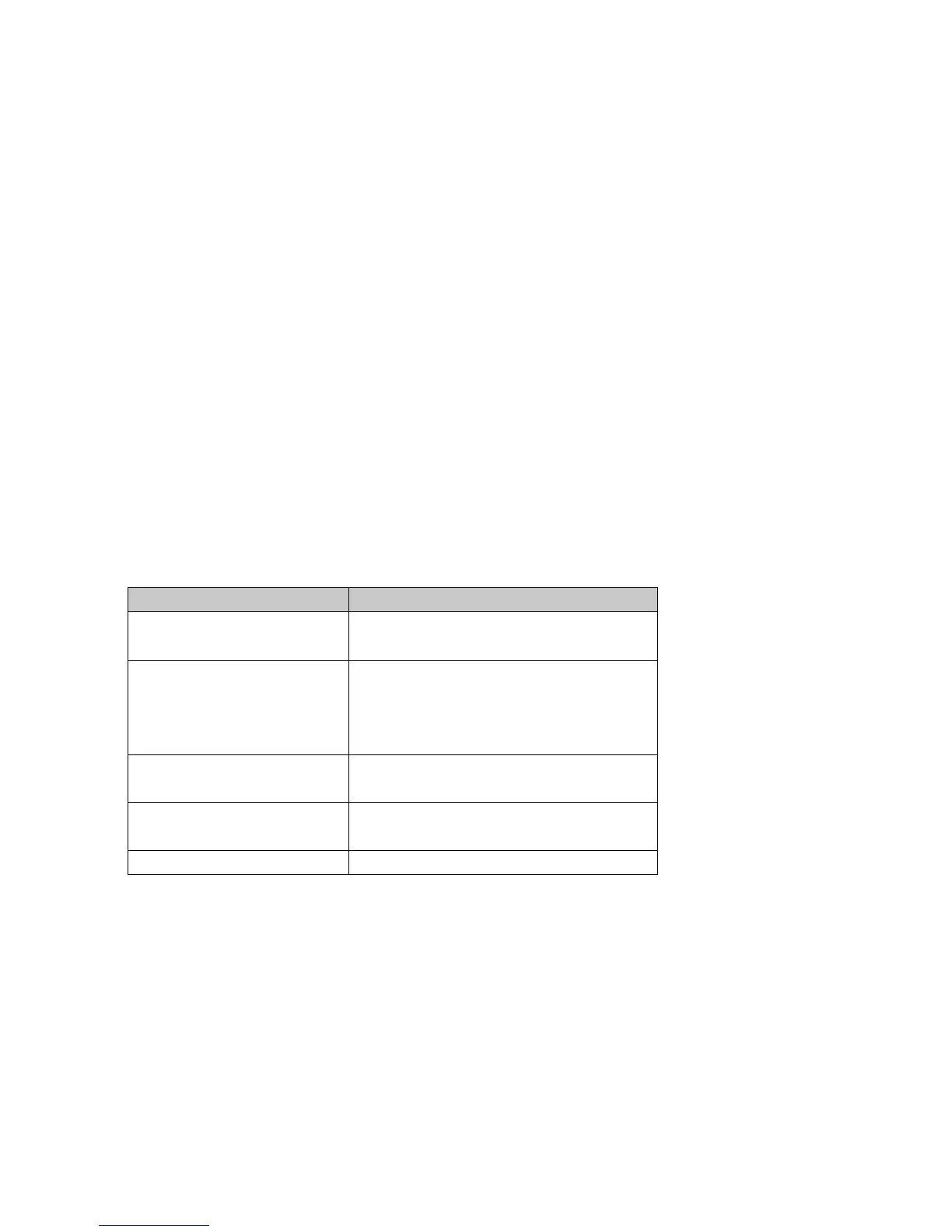
2.Filelist
Thefollowingfoldersandlesappearbyunzippinga“It3100.zip”leoncomputer.
FileList
FileName Descriptions
Diag780.exe
Hardwareinspection
dnk.bin
BTLineTestPX780VA.exe
BTRadioTest.exe
BTServerPX780VA.exe
BTTest.dat
FunctionfortestingBluetooth
IDCHK780.exe
IDSET780.EXE
IDNumberRegistrationUtility
2DSCANCHK.exe
2DSCANCHKForPX781.exe
Functionfortesting2DScanner
SetModelStatus.exe ModelsettingUtility
3.CopyallthelesonaPCMIACardoranSDCard.














 To Next Page