CONTENTS
E-6
CONTENTS
INTRODUCTION
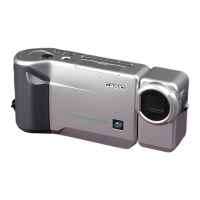
Congratulations upon your selection of the QV-8000SX LCD Digital Camera.
To get the most out of the QV-8000SX, be sure to carefully read this manual and follow the instructions contained in it.
E-2
QUICK REFERENCE
E-9
FEATURES
E-14
PRECAUTIONS
E-18
UNPACKING
Using the Lens Cap ................................................. E-19
Attaching the Strap .................................................. E-19
Using the Soft Case .................................................E-21
Using the Wired Remote Controller ......................... E-21
E-24
GENERAL GUIDE
Lens .........................................................................E-24
Top and Display ....................................................... E-25
Bottom ..................................................................... E-26
Dial .......................................................................... E-27
E-30
MONITOR SCREEN
Recording Mode ...................................................... E-30
Playback Mode ........................................................ E-31
Menu Screens ......................................................... E-32
E-34
MEMORY CARDS
Inserting a Memory Card into the Camera .............. E-34
Removing a Memory Card from the Camera ........... E-35
Formatting a Memory Card...................................... E-36
E-38
POWER SUPPLY
Loading Batteries..................................................... E-38
Using AC Power ...................................................... E-41
Power Save Settings ............................................... E-42
E-44
SETTING THE CURRENT DATE AND TIME
Setting the Date and Time ....................................... E-44
Selecting the Date Format ....................................... E-45
E-46
RECORDING
Using the Shutter Button ......................................... E-46
Basic Recording Operation ...................................... E-46
Using Focus Lock .................................................... E-49
Using the Flash ........................................................ E-50
Changing the Lens Orientation ................................ E-52
Quality Settings ....................................................... E-53
Exposure Compensation ......................................... E-54
E-56
OTHER RECORDING FUNCTIONS
Using Quick Shutter................................................. E-56
Continuous Recording ............................................. E-57
Using the Zoom Features ........................................ E-58
Manual Focus .......................................................... E-59
Infinity Mode Recording ........................................... E-60
Using the Macro Mode ............................................ E-61
Movie Recording...................................................... E-61
Panorama Recording............................................... E-64
Night Scene Mode ................................................... E-65



 To Next Page