74
Convenient Operations and Setups
E
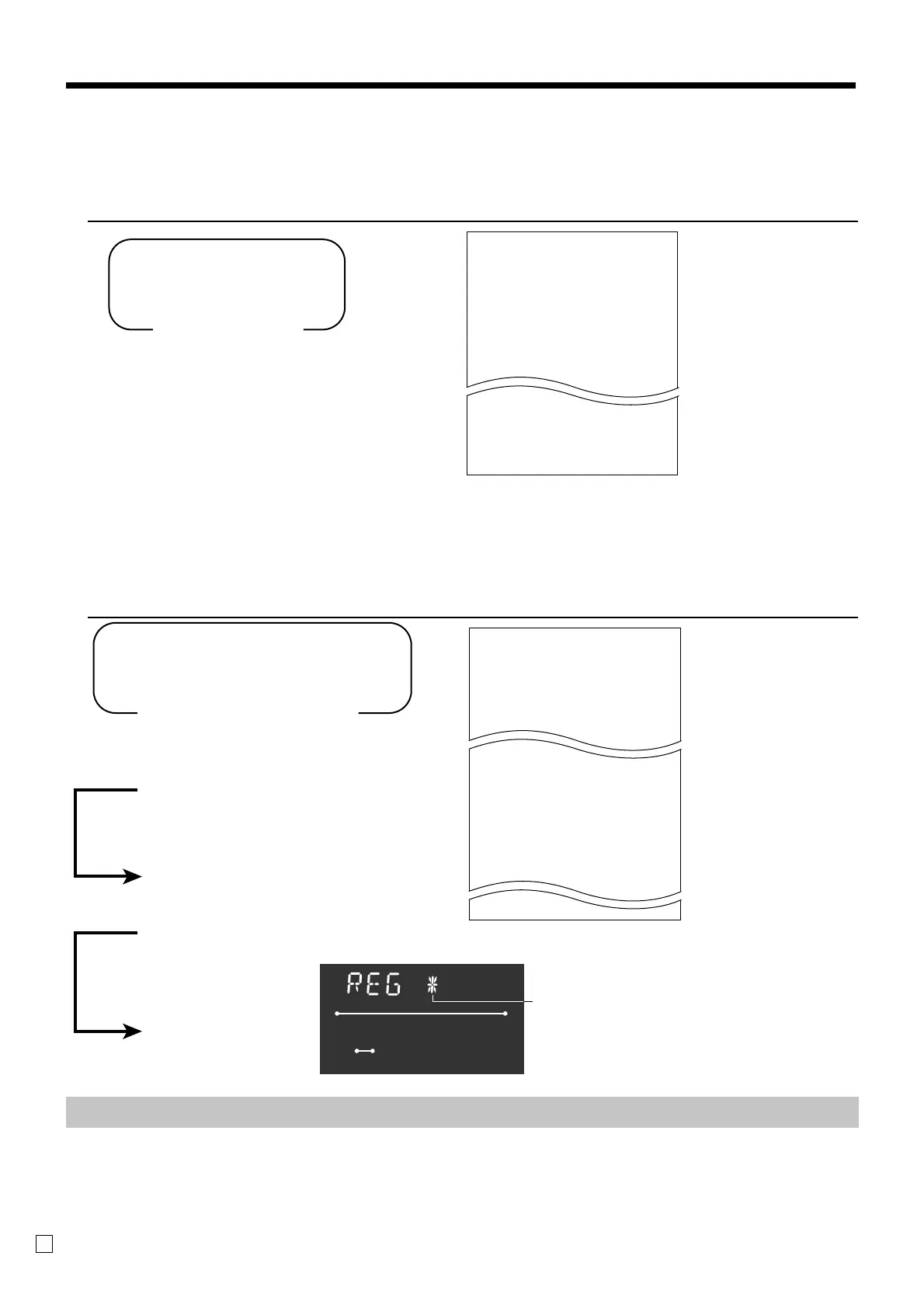
To print the monthly sales read/reset report
This report shows monthly breakdowns of sales.
OPERATION REPORT
Z 15-03-2002 17:35
CLERK 01 000256
0003 MONTHLY Z 0001
1
•••• No 6
•4.50
2
•••• No 25
•21.33
3
•••• No 132
•90.78
31
•••• No 1
•1.50
------------------------
TOTAL No 56
•1338.40
— Reset mode/date/time
— Clerk/consecutive No.
— Report code/report title/reset
symbol/reset counter
— Date of a month/No. of customers
— Sales amount
— Total No. of customers
— Total amount
To print the electronic journal memory read/reset report
Even if the printer is used for issuing receipts, you can get transaction logs by this report.
OPERATION REPORT
8
3a
Read: X mode
Reset: Z mode
Mode Switch
8
58a
8
::::::
8
a
8
::::::
8
a
8
58a
Read: Reset:
X mode Z mode
Mode Switch
(report start date; YYMMDD))
If skipped, start with the first record.
(report start consecutive No.)
If skipped, start with the first record.
(Memory reset)
Z mode only
X
15-03-2002 17:35
CLERK 01 000257
0058 E-JOURNAL X
REG 15-03-2002 12:33
CLERK 01 000122
DEPT02 •2.00
TAX-AMT 1 •3.00
TAX 1 •0.15
CASH •
3
.
15
2 No
REG 15-03-2002 12:35
CLERK 01 000124
DEPT01 •1.00
DEPT02 •2.00
5 X @1.00
DEPT03 •5.00
• Electronic journal memory near-end and memory full:
Important!
• When the register shows the above sign, issue this read report (if necessary) and reset this
memory immediately. (If you do not need this report, enter “4058” instead of “58”.)
• Issue this report before the daily sales reset report, otherwise you cannot get this report.
RECEIPT
ON
RPT
~00
AMOUNT
Electronic journal memory
near end memory full symbol
— Read mode/date/time
— Clerk/consecutive No.
— Report code/report title
/read symbol
— Journal images


 To Next Page