98
Advanced Operations and Setups
E
P
04 ....................
1 -----------------------
00 0015-02
011-096
. 0009-02
012-098
CASH 0004-02
013-001
— Program read symbol
— Function character/rec-#/file-#
— Hard key code/function code
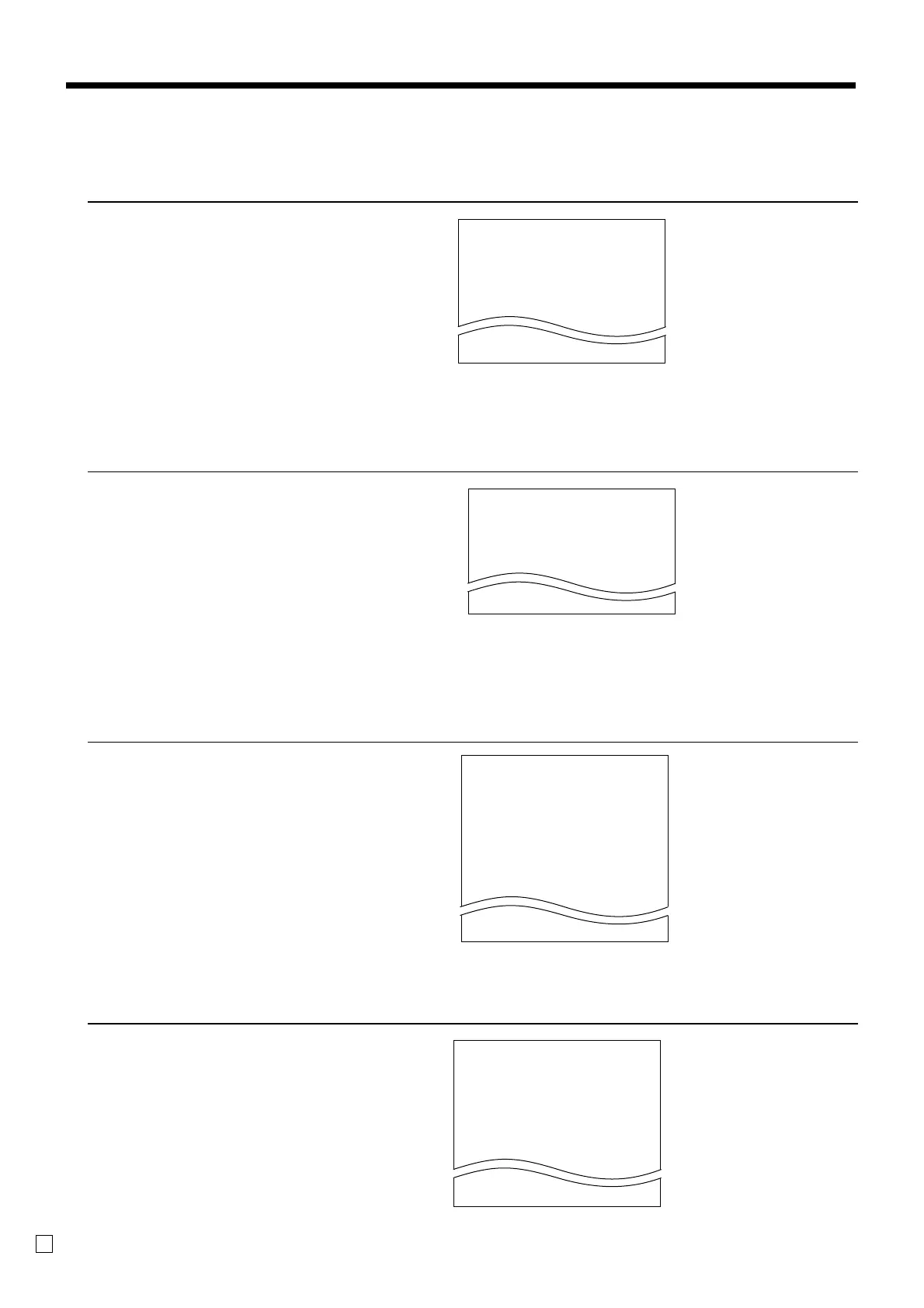
To print the PLU unit price
OPERATION REPORT
1. Turn to PGM mode.
2. Enter <6> and press <ST> key.
3. Enter <104> and press <ST> key.
4. Enter <start rec-#> and <CA> key.
5. Enter <end rec-#> and <CA> key.
To print the PLU descriptor
OPERATION REPORT
1. Turn to PGM mode.
2. Enter <6> and press <ST> key.
3. Enter <204> and press <ST> key.
4. Enter <start rec-#> and <CA> key.
5. Enter <end rec-#> and <CA> key.
To print the PLU program
OPERATION REPORT
1. Turn to PGM mode.
2. Enter <6> and press <ST> key.
3. Enter <304> and press <ST> key.
4. Enter <start rec-#> and <CA> key.
5. Enter <end rec-#> and <CA> key.
— Program 3 mode symbol
— PLU range
— PLU descriptor/rec-#/file-#
— Address code 01 ~ 10, 18 program
— Address code 11 program
— Address code 13 program
— Address code 15 program
P
03 ....................
#0001 - #0010
PLU0001 0001-04
00000000000000
11-66 000000
13-66 <- 0001-28
14-66 0
15-66 @1234.56
PLU0002 0002-04
To print the key allocation program
OPERATION REPORT
1. Turn to PGM mode.
2. Enter <4> and press <ST> key.
3. Press <ST> key.
P
01....................
#0001 - #0010
PLU0001 0001-04
@1.00
PLU0002 0002-04
@2.00
— Program read symbol
— PLU range
— PLU descriptor/rec-#/04
— Unit price
— Program 2 mode symbol
— PLU range
— PLU character
P
02 ....................
#0001 - #0010
PLU0001 0001-04
PLU0002 0002-04
PLU0003 0003-04



 To Next Page