EasyManua.ls Logo

Casio WK-240 - User Manual

Casio WK-240
76 pages
Print Icon
To Next Page IconTo Next Page
Loading...
GUÍA DEL USUARIO
USER’S GUIDE
EN/ES
WK240/CTK4400-ES1A
Guarde toda la información para futuras consultas.
Please keep all information for future reference.
Precauciones de seguridad
Antes de intentar usar el teclado digital, asegúrese de
leer las “Precauciones de seguridad” separadas.
Safety Precautions
Before trying to use the Digital Keyboard, be sure to
read the separate “Safety Precautions”.
CTK
-
4400
WK
-
240
WK
-
245
EnglishEspañol
This recycle mark indicates that the packaging conforms to
the environmental protection legislation in Germany.
Esta marca de reciclaje indica que el empaquetado se
ajusta a la legislación de protección ambiental en Alemania.
MA1402-A Printed in China
K
CTK4400_A5_x1a_EN_ES.indd 1 2014/02/19 10:25:10

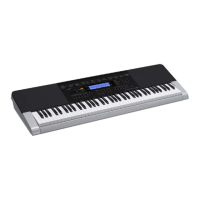
Table of Contents

Other manuals for Casio WK-240

Questions and Answers

  • B
    benjamin36Sep 10, 2025
    Why are notes stuck on the screen of my Casio Synthesizer?
    • C
      Charles WilliamsSep 10, 2025
      If keyboard keys or notes remain on the display of your Casio Synthesizer, a Step Up Lesson might be in progress, and the keyboard is waiting for you to play the next note. Cancel the lesson to stop this.
  • F
    Fernando CohenAug 22, 2025
    What to do if no sound comes out when I press the keys on my Casio Synthesizer?
    • M
      matthewperezAug 23, 2025
      If nothing happens when you press a key on your Casio Synthesizer, first adjust the volume. Check if something is plugged into the back of the keyboard. If a tone in the range of 601 to 608 is selected and there is no sampled sound in memory, nothing will play. You can also turn the power off and then back on to initialize all keyboard settings.
  • T
    tturnerAug 25, 2025
    What to do if my Casio WK-240 display lights up but won't power on?
    • V
      vhowellAug 25, 2025
      If the display lights up briefly but the power doesn't stay on when you press the power button on your Casio Synthesizer, make sure to press the power button firmly and completely.
  • T
    Tiffany SaundersAug 26, 2025
    Why does my Casio WK-240 sound out of tune?
    • M
      Mary ThompsonAug 26, 2025
      If the pitch of the notes on your Casio Synthesizer sounds strange, check and adjust the transpose and tuning settings. If problems persist, turn the power off and then back on to initialize all settings.
  • L
    Lynn GoodmanAug 28, 2025
    Why does my Casio Synthesizer make a loud sound and then turn off?
    • E
      evelynstanleyAug 28, 2025
      If your Casio Synthesizer emits a loud sound and then suddenly powers down, try replacing the batteries with new ones or switch over to AC adapter power.
  • L
    Linda JonesAug 29, 2025
    Why is the display flashing on my Casio Synthesizer?
    • R
      rnolanAug 29, 2025
      If the display on your Casio Synthesizer keeps going out or is flashing, replace the batteries with new ones or switch over to AC adapter power.
  • L
    Luis RomeroSep 18, 2025
    What to do if something is missing from my Casio Synthesizer box?
    • N
      nicholasandersenSep 18, 2025
      If you can’t find something that should be included with your Casio Synthesizer, carefully check inside all of the packing materials.
  • I
    Isabel BennettSep 12, 2025
    Why does the reverb change suddenly on my Casio WK-240?
    • C
      Christopher AtkinsSep 12, 2025
      If the reverb of notes on your Casio Synthesizer changes suddenly, check and adjust the VIRTUAL HALL setting and the reverb setting. If that doesn't solve the problem, turn the power off and then back on to initialize all settings.
  • M
    Melissa WilliamsSep 8, 2025
    Why can't I hear the metronome on my Casio Synthesizer?
    • B
      Brianna ArnoldSep 8, 2025
      If the metronome on your Casio Synthesizer isn't working, check and adjust the accompaniment volume setting and the song volume. Also, try turning the power off and then back on to initialize all settings.
  • K
    Kelly BowersSep 5, 2025
    Why won't built-in songs play on my Casio WK-240?
    • B
      Breanna FrostSep 5, 2025
      If nothing happens when you start playing a built-in song on your Casio Synthesizer, wait a moment after pressing the button for the song to start. Check and adjust the song volume. If there is no user song stored in memory, song playback will not start when you press while a song in the range of 153 to 162 is selected. You can also turn the power off and then back on to initialize all settings.

Summary

USERS GUIDE

Safety Precautions

Instructions for reviewing safety precautions before using the digital keyboard.

General Guide

Returning the Digital Keyboard to Its Factory Default Settings

Procedure to restore stored data and settings to initial factory defaults.

Getting Ready to Play

Power Supply

Details on using AC adaptor or batteries for powering the keyboard.

Playing the Digital Keyboard

Controlling the Keyboard Sounds

Sampling Sounds and Playing Them on the Digital Keyboard

Sampling and Playing a Melody Sound (Melody Sampling)

Sample and play sounds as melody parts on the keyboard.

Protecting Against Accidental Deletion of Sampled Sounds

How to protect sampled sounds from accidental deletion.

Playing Built-in Songs

Playing Back a Particular Song

How to play back individual built-in songs and play along.

Using Built-in Songs to Master Keyboard Play

Step Up Lesson Flow

How the Step Up Lesson feature guides practice through song phrases.

Lessons 1, 2, and 3

Detailed instructions for the three types of lessons: Listen, Watch, Remember.

Using Auto Step Up Lesson

Lets the keyboard automatically advance through lessons for efficient practice.

Using Auto Accompaniment

Playing All Parts

Play Auto Accompaniment with chords, adding bass and harmony.

Using Auto Accompaniment Effectively

Learn to use intro, ending, and fill-in patterns for Auto Accompaniment.

Saving Keyboard Setups to Registration Memory

To save a setup to registration memory

Store keyboard setups for instant recall.

To recall a setup from registration memory

Retrieve previously saved keyboard setups.

Recording Your Keyboard Play

Using Tracks to Record and Mix Parts

Divide a song into parts and record each to a track for mixing.

Reference

Troubleshooting

Solutions for common operational problems and symptoms.

Error Messages

Descriptions and actions for display error messages.

Casio WK-240 Specifications

General IconGeneral
Control typeButtons
MIDI-keyboard number of keys76 keys
MetronomeYes
Product colorBlack, Silver
Sound effectsChorus, Reverberation
Sound effects quantity180
Maximum polyphony (notes)48
Music memory capacity (songs)10
InterfaceUSB
Headphone outputs1
Display typeLCD
Power source typeAC, Battery, DC
Number of batteries supported6
Weight and Dimensions IconWeight and Dimensions
Depth385 mm
Width1161 mm
Height134 mm
Weight6900 g

Related product manuals