1110
OPERATION
—
MAINASSEMBLY
—
BASE
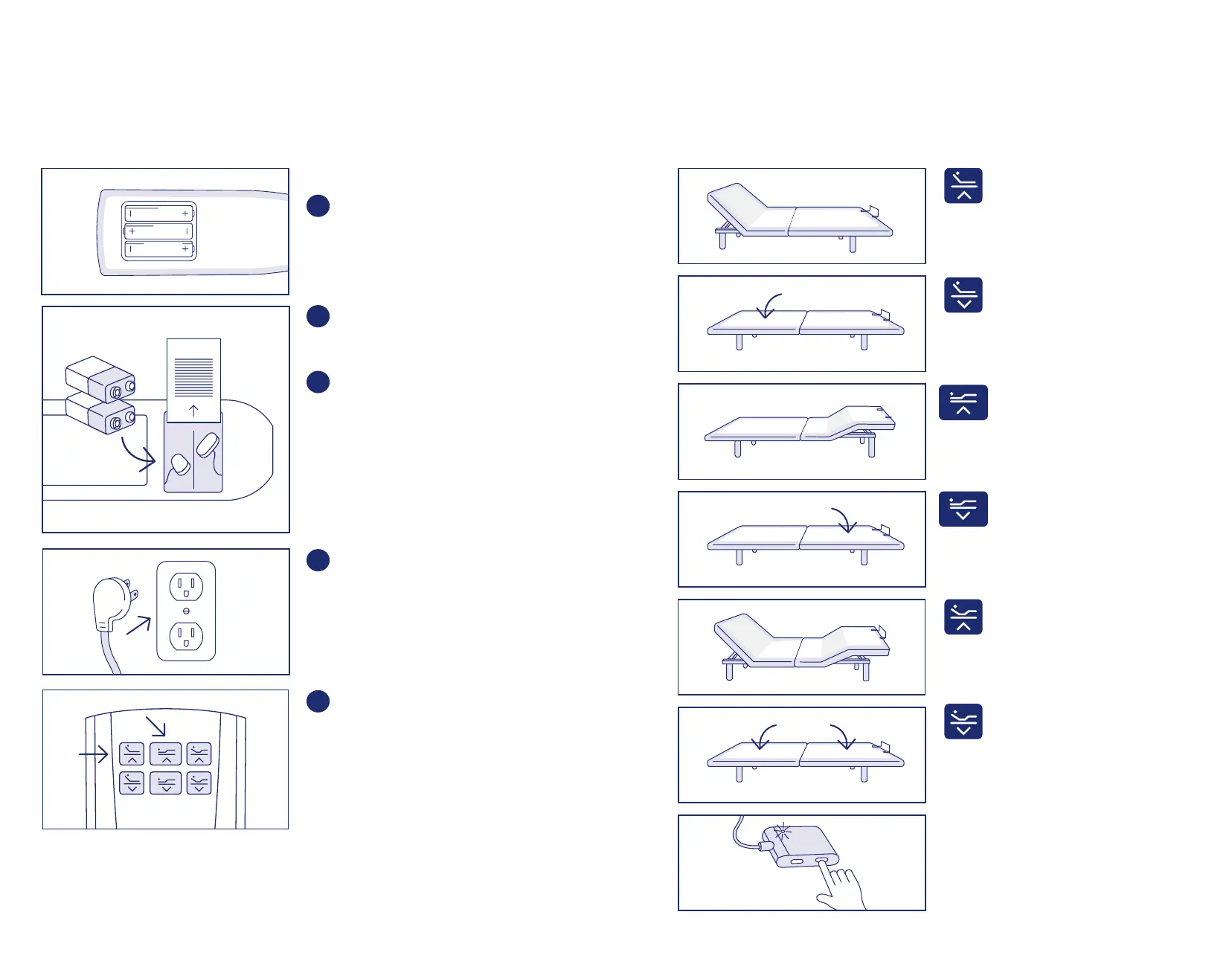
Press and hold the Head Up
button to raise the Head position.
Release button when desired
position is reached.
Press and hold the Head Down
button to lower the head position.
Release button when desired
position is reached.
Press and hold the Foot Up
button to raise the foot position.
Release button when desired
position is reached.
Press and hold the Foot Down
button to lower the foot position.
Release button when desired
position is reached.
Press and hold the Head/Foot Up
button to raise both the head and
foot positions. Release button
when desired position is reached.
Press and hold the Head/Foot
Down button to lower both the
head and foot positions. Release
button when desired position
is reached.
NOTEEMERGENCY LOWERING: If you
cannot find the remote control, locate and
press the Emergency Flat button located on
the main control box on the bottom of the
bed (shown to the left).
BASE POWER SUPPLY
Lift the battery cover and insert the
three AAA size batteries (included)
into the remote as shown in the figure.
Replace the battery cover. Remote is
already linked with the bed.
Turn the power supply upside down to
access the battery cover, then slide
the battery cover off.
Insert the two V batteries (included)
into the compartment and slide the
cover back on.
NOTE: The battery backup will allow
for the bed to be lowered if a power
outage occurs. It is not recommended
to do anything except lower the bed
as the battery backup will not last if
the features are continually used.
Insert AC plug into an AC outlet
having -V AC, /HZ.
Initial use of base requires additional-
time. Simply press the Head Up
button on the remote until the head
section begins to lift. Then press the
Foot Up button on the remote until
the foot section begins to lift.
AC
plug
AC
outlet


 To Next Page
 Loading...