CassidaPRO Zeus: Service Manual
2018 Cassida Corporation. All rights reserved.
Rev: 09/05/2018
cassidapro.com/partner/
CURRENCY AND FUNCTION CHECKS 2.3.
5) Check CIS shading waveforms
• Select this display by pressing in Service Menu -> [1] Diagnosis -> [5]
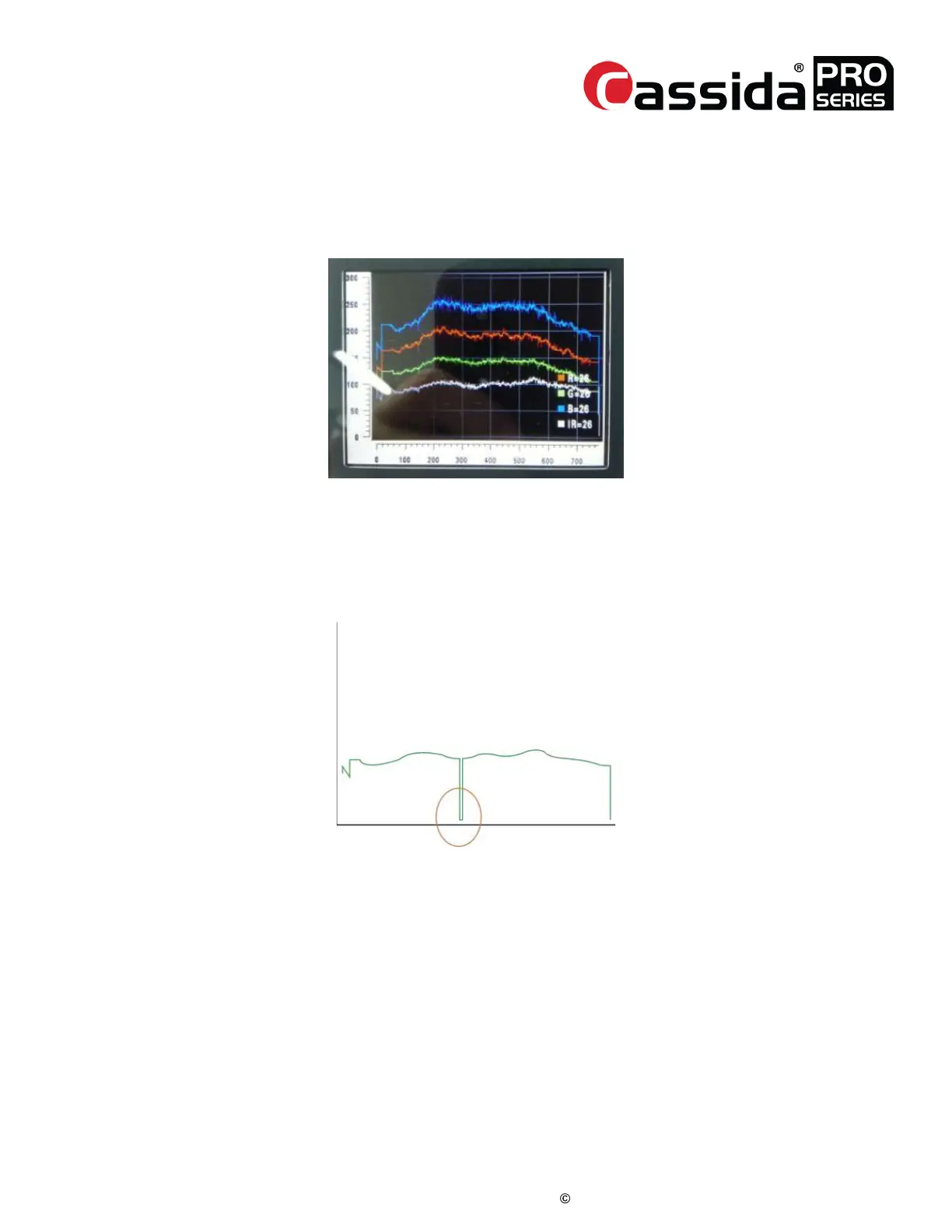
Scanning Quality -> [5]CIS Pixels. An example of a passing CIS RGB
waveform level is given below:
In this menu, the CIS’s RGB shading waveforms are displayed. Every photocell in the CIS
has different sensitivity and different exposure to the light source. To compensate for non-
linear sensitivity, the system saves a reference waveform from a white plate, or calibration
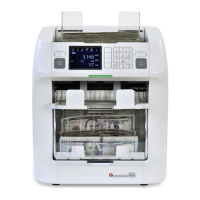
sheet. If a photocell is defective, the shading waveform will show discontinuities as shown
below:
If this occurs, clean the surface of the CIS and calibrate the CIS again. If the waveform is
still the same following cleaning and calibration, the CIS should be replaced.



 To Next Page