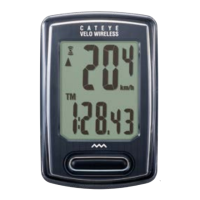
Need help?
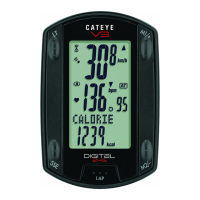
Do you have a question about the Cateye V3N and is the answer not in the manual?
Prepare the computer by opening the battery cover and pulling out the insulation sheet.
Select the desired date display format (YY/MM/DD, MM/DD/YY, or DD/MM/YY).
Input the bicycle's tire circumference using digits and a reference table.
Select the measurement unit as kilometers (km) or miles (mile).
Navigate through menu options to reach the sensor ID search screen.
Choose the sensor type (HR, SP1, SP2) for registration.
Start the sensor search process by pressing specific buttons on the computer and sensor.
Confirm successful sensor registration with "ID-OK" and return to the measurement screen.
 General
| Display | LCD |
|---|---|
| Battery Life | up to 1 year |
| Water Resistance | IPX8 |
| Weight | 60g |
| Wireless | Yes |
| Altimeter | No |
| Battery Type | CR2032 |
| Mounting Type | Handlebar mount |
| Functions | Speed, Distance, Time, Clock |
| Type | Cycling computer |
| Heart Rate | Optional (with sensor) |
| Cadence | Optional (with sensor) |


 To Next Page