Connection Failed
Step 2.
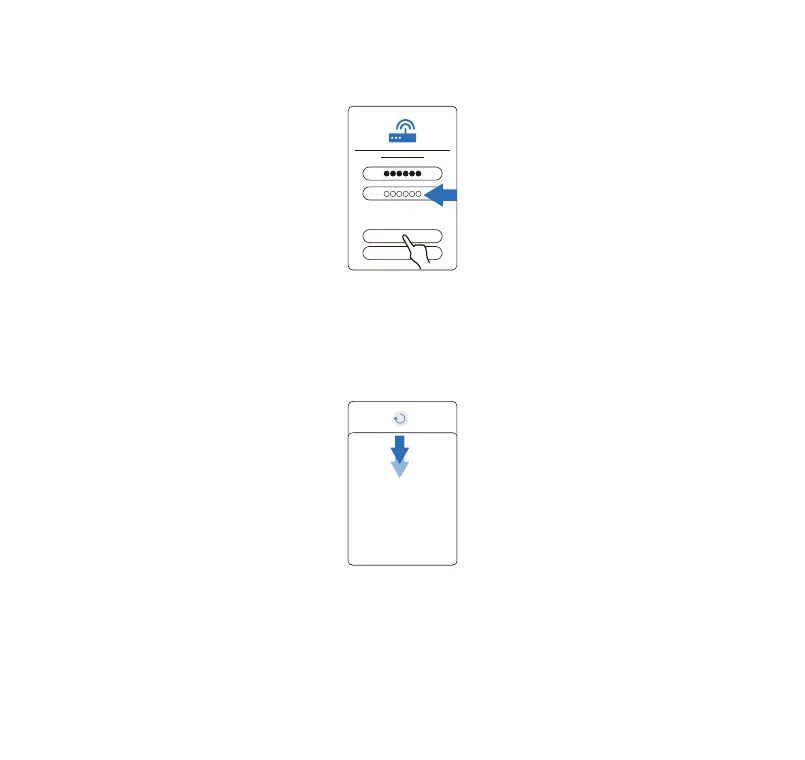
Enter your WIFI password. Click NEXT.
Step 3.
Waiting for a few moments. During this process, please ensure that the phone and the device are kept close to
each other.
Da da! Device added successfully, the WIFI indicator is solid blue.
If you can't nd your device, please pull down the DEVICE page to refresh.
Please turn o the power, give it a t one more time. Please read the NOTE under the title [WIFI Connection]
of this chapter, to ensure that there are no errors in the process.
If the connection is unsuccessful, please feel free to contact us.
(Toll free:+1 833 440 2772, Email:suppo@catlink.cn )
Toll free: +1 833 440 2772 Email: suppo@catlink.cn
06



 To Next Page