【Setting Up Your Scooper Pro - X】
1.Placement
Once you have assembled the product and conrmed that the package is complete,
get staed by following the steps below.
1
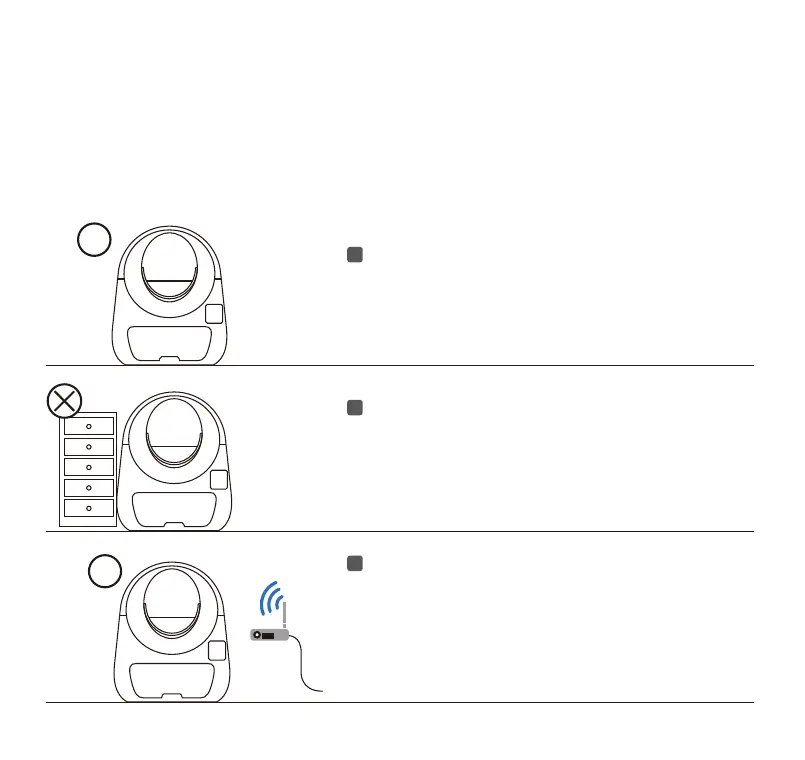
Make sure that the unit is placed on at and solid
ground with no other object at the bottom. Avoid
soft, uneven, or unstable ooring.
2
Locate the unit near a power outlet. Ensure the
unit isn’t pushed against a wall or into a corner
(must not be touching any walls), and there is no
other objects are placed on the top.
3
Make sure that the unit is close to the Wi-Fi signal
and far away from electrical appliances with
strong inteerence.
Toll free: +1 833 440 2772 Email: suppo@catlink.cn
03



 To Next Page