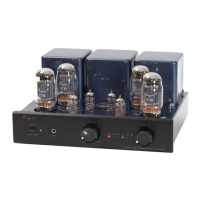
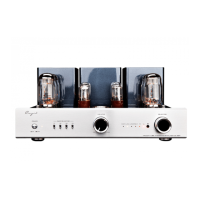
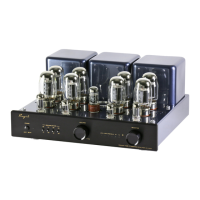
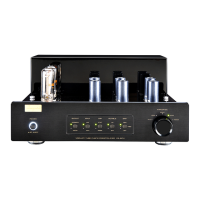
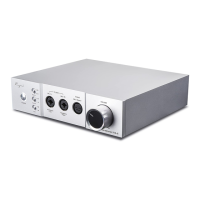
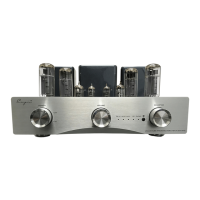
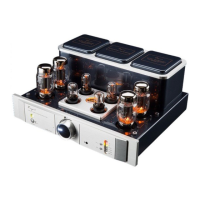
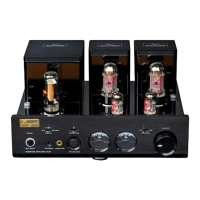
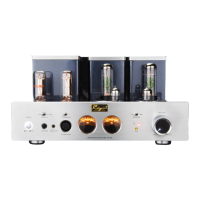
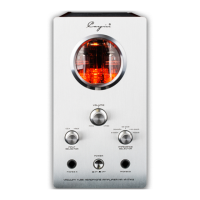
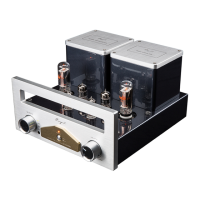
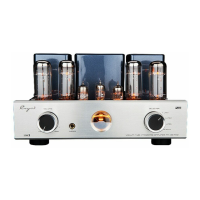
The Cayin CS-55A is a vacuum tube integrated amplifier designed to deliver high-fidelity audio. Its construction emphasizes quality, featuring hand-made point-to-point wiring and audio-grade components to ensure a sweet and detailed sound output. The amplifier incorporates two EI output transformers with wide bandwidth and a specially designed toroid transformer for power supply, contributing to its robust performance.
Function Description:
The CS-55A serves as a central hub for various audio sources, offering four pairs of inputs: one USB input, one Phono input, and two line inputs (CD and AUX). This versatility allows users to connect a wide range of devices, from turntables and CD players to computers. The integrated USB DAC is a standout feature, supporting high-speed USB 2.0 reception and decoding of 32bit/384kHz high-resolution digital signals with asynchronous clocking, making it suitable for modern digital audio setups.
For amplification, the CS-55A utilizes a combination of tubes: 12AX7/ECC83 and 12AU7/ECC82 tubes in the preamp stage, and four KT88/EL34 tubes for AB1 push-pull amplification. A unique aspect of this amplifier is its Triode and Ultralinear selection, allowing users to switch between different sound characteristics to suit their preferences. The amplifier also includes an external user Bias Adjustment, accessible with a BIAS meter on the top panel, for monitoring and fine-tuning the tubes. An external Tube Selection Switch on the rear panel facilitates easy tube replacement, allowing users to switch between EL34 and KT88 series tubes.
The CS-55A is equipped with a soft start function, delaying operation by about 30 seconds to protect the tubes and circuitry. It also features a memory function, recalling the last operational state when turned off. A high-quality Japanese ALPS motor potentiometer is used for volume control, ensuring smooth and precise adjustments. For convenience and protection, the amplifier comes with an easily-installed tube cover.
Usage Features:
Operating the CS-55A is straightforward, whether through its front panel controls or the included remote control.
Front Panel Controls:
- Power Switch: Turns the amplifier on or off. A power indicator light confirms the unit's status.
- Power Indicator/Mute Indicator: This indicator shows the working state. It illuminates when operating normally and flickers for 30 seconds during the soft start or when in mute mode.
- Headphone Jack (PHONES): Allows for private listening with headphones.
- Volume Knob: Controls the audio output level.
- TR/UL Indicator: A yellow LED indicates TRIODE mode, while a red LED signifies Ultralinear mode. The amplifier remembers the last selected mode.
- Input Selector Indicator: LEDs illuminate to show the currently selected audio source (AUX, CD, PHONO, USB).
- IR Remote Sensor: Receives commands from the remote control.
- Input Selector Knob: Manually selects between the four audio input sources.
Rear Panel Controls:
- USB Interface: Connects to a computer for USB audio input.
- Ground: Provides a ground connection for the Phono input.
- Signal Input Terminals: RCA inputs for AUX, CD, and PHONO sources.
- Tube Selector: A switch to select between EL34 and KT88 tube series, crucial for proper bias adjustment when changing tube types.
- Right and Left Channel Outputs: Speaker terminals for connecting to speakers, with options for 4Ω and 8Ω impedance.
- Power Socket with Main Fuse: Connects to the AC power supply and houses the main fuse for protection.
Top Panel Controls (Bias Adjustment):
- Bias Selector Switch (A1, A2, A3, A4): Selects the specific power tube for bias adjustment.
- Bias Adjustment Switch (A1, A2, A3, A4): Small knobs used with a flat screwdriver to adjust the bias of the corresponding power tube.
- Bias Meter: Monitors the working current of the power tubes. During normal operation, the pointer should remain in the center "A" zone, though slight fluctuations due to voltage are normal.
Remote Control:
The remote control provides convenient access to key functions:
- TR/UL Selector: Switches between Triode and Ultralinear modes.
- Audio Source Input Selector: Changes the active audio input.
- Mute Button: Mutes the audio output.
- Volume Control Selector: Adjusts the volume.
Installation and Connection:
- Tube Installation: Before operation, protective foams around the tubes must be removed. Tubes are installed by aligning pins with socket holes and inserting vertically. For 8-pin tubes, a positioning pin aligns with a groove. Big 4-pin tubes require aligning a positioning pin with a slot and rotating 45° clockwise to tighten.
- Audio Connection: Connect audio sources (computer via USB, CD player, turntable) to the appropriate input terminals.
- Speaker Connection: Connect speaker cables to the amplifier's output terminals, ensuring correct polarity (positive to positive, negative to negative) and impedance matching (4Ω or 8Ω). Banana plugs or bare wire can be used.
- Power Connection: Connect the power cord only after all other connections are complete.
Maintenance Features:
Proper maintenance ensures the longevity and optimal performance of the CS-55A.
- Cleaning: The chassis should be cleaned regularly with a soft, dry cloth. Chemical cleaners should be avoided.
- Ventilation: The amplifier generates heat during operation, so it must be installed in a well-ventilated area, keeping the unit's ventilation open and maintaining at least 15cm distance from surrounding walls.
- Tube Replacement: When replacing tubes, users should refer to the manual for compatible tube types and ensure the Tube Selector switch on the rear panel is set correctly for the new tubes (EL34 or KT88 series). Bias adjustment is necessary after tube replacement to ensure proper function.
- Power Management: Unplug the power cord if the amplifier will not be used for an extended period. It is recommended to wait at least 2 minutes before turning the power on again after switching it off to protect the vacuum tubes.
- Remote Control Maintenance: Replace batteries timely, avoid mixing new and old batteries, and remove batteries if the remote is not used for a long time. Keep the remote control dry and avoid dropping it.
Safety Precautions:
- Avoid placing the amplifier near heat sources or exposing it to rain or moisture.
- Do not operate the amplifier with the output open or shorted.
- Do not attempt to service the product yourself, as opening the cover exposes dangerous voltages.
- Do not place liquid-filled objects on or around the unit.
- Handle the amplifier carefully to avoid dropping or strong shocks.
- Ensure the local voltage matches the amplifier's input voltage specified on the rear panel to prevent damage.
- Do not unplug signal or speaker cables while the audio system is working.
- Do not insert the power cord into the main socket until all other equipment is properly connected.
- Ensure all four feet of the amplifier are on the same level for stability.
- If using non-supplied parts (e.g., power cord, fuses), ensure they are compatible with safety requirements.

 Need help?
 General

 To Next Page