EasyManua.ls Logo

Cayin HA-1A MK2 - User Manual

Cayin HA-1A MK2
13 pages
Print Icon
To Next Page IconTo Next Page
Loading...
User's Manual
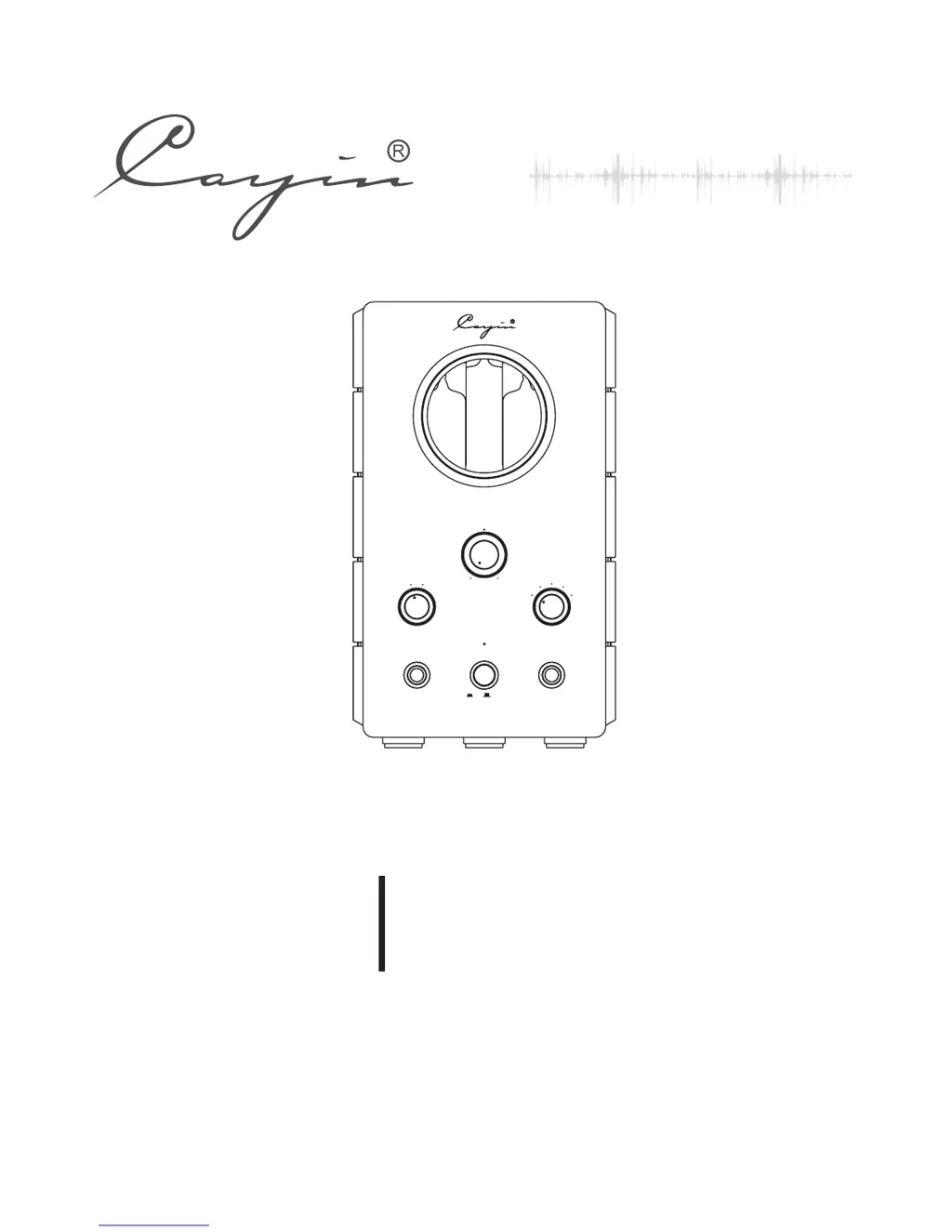
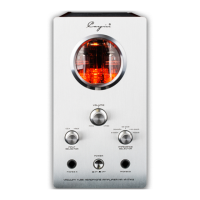
VACUUM TUBE HEADPHONE AMPLIFIER
HA-1 2A MK
VOLU ME
INPUT
SELECTOR
IMPEDANCE
SELECTOR
MIN
MAX
PHONES A
PHONES B
POWER
ON
OFF
VACUUM TUBE HEADPHONE AMPLIFIER HA-1A MK2
65-150Ω
8-32Ω
33-64Ω
151-300Ω
600Ω
CD
AUX

Questions and Answers

  • D
    danielsmithAug 15, 2025
    How to fix noise output from Cayin HA-1A MK2 Amplifier?
    • S
      Stacey NelsonAug 15, 2025
      If you're experiencing noise output from your Cayin Amplifier, here are a couple of things to check: * **Input Signal Cable Grounding:** Ensure the grounding of the input signal cable is properly connected. Replace the cable if there's bad contact. * **Components or Circuit Malfunction:** If the issue persists, there might be a malfunction with the components or circuitry. In this case, it's best to contact your local agent or Cayin service support for maintenance.
  • R
    Richard DawsonOct 31, 2025
    What to do if there is no sound from headphone after power on Cayin Amplifier?
    • B
      Bryce CharlesOct 31, 2025
      If you're not getting any sound from your headphones after turning on your Cayin Amplifier, here's what to check: * **Power:** Ensure the power cable is securely connected to both the amplifier and the power outlet. * **Fuse:** Verify that the main fuse hasn't blown. If it has, replace it with a fuse of the same type and value. * **Source Selection:** Confirm that you've selected the correct input source on the front panel. * **Source Equipment:** Double-check that your source equipment (e.g., music player) is functioning correctly. * **Audio Cable:** Ensure the audio cable is properly connected to both the source and the amplifier. * **Headphones:** Make sure your headphones are correctly plugged into the amplifier. * **Volume:** Check that the volume isn't set to the lowes...

Summary

Package Contents List

Key Product Features

Safety Precautions

General Safety Guidelines

Essential safety instructions on electrical hazards, operation, and handling to prevent damage or injury.

Technical Specifications

Maintenance Advice

Warranty Information

Operational Precautions

Power Cord Connection Procedure

Instructions for connecting the power cord, emphasizing connecting other cables first.

Front Panel Controls and Features

Main Controls and Status Indicator

Details on Volume Control, Power switch, and Status Indicator for basic operation.

Input Sources and Impedance Matching

Covers audio source selection (CD/AUX) and headphone impedance matching via selector.

Headphone Output Ports

Description of Phone A and Phone B outputs, their connectors and impedance capabilities.

Rear Panel Connectivity

Audio Input Ports

Ports for connecting audio sources like CD players or DACs (CD, AUX).

Pre-Out Connection

Provides audio output for connecting to external power amplifiers or active speakers.

AC Power Input and Fuse Tray

Connects to mains power; includes a fuse tray for protection and replacement.

Installation Instructions

Vacuum Tube Replacement

Audio Connection Guide

Powering On the Amplifier

General Operating Tips

Troubleshooting Guide

Cayin HA-1A MK2 Specifications

General IconGeneral
Signal-to-Noise Ratio> 90dB
InputRCA
Input Sensitivity300mV
Power Consumption50W
TypeHeadphone Amplifier
Output6.35mm headphone jack
Power SupplyAC 110V/220V, 50/60Hz
Dimensions220mm x 210mm x 180mm

Related product manuals