EasyManua.ls Logo

Cayin HA-3A - User Manual

Cayin HA-3A
19 pages
Print Icon
To Next Page IconTo Next Page
Loading...
User's Manual
HEADPHONE AMPLIFIER
HA-3A
REV1.0
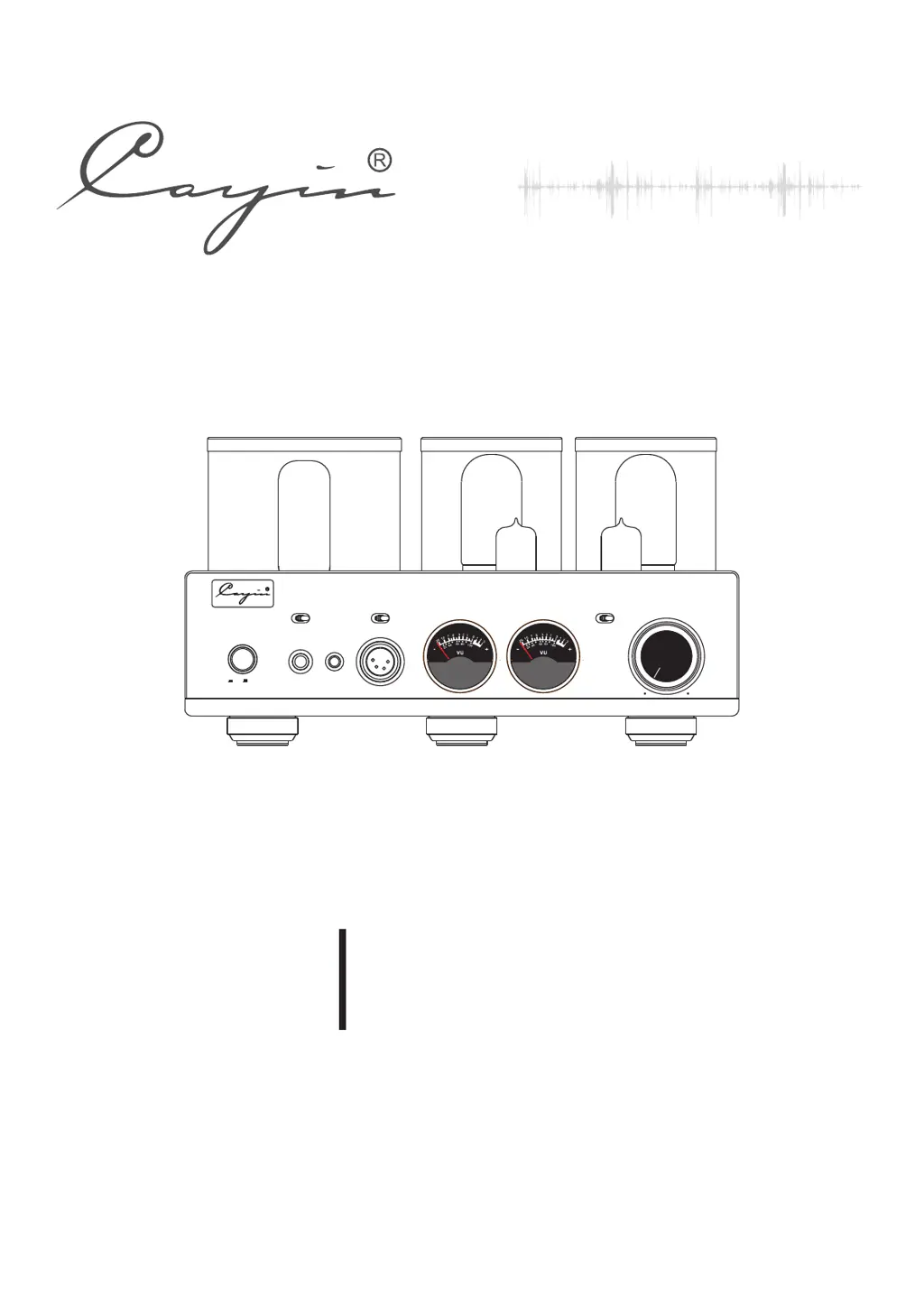
POWER
STA NDARD
PHONES
4PIN B A L.
STD
4PI N BALAN C E
L
M
H
IMPEDANCE
4.4 BAL.
VOLUME
SOURCES
XLR
RCA
MIN
MAX
4.4 BALA NCE
HEADPHONE AMPLIFIER HA-3A
ON OFF

Questions and Answers

Summary

Package Contents

Product Features

Safety Precautions

Specifications

Daily Care

Warranty Service

Precautions

Connecting AC Power Cord

Connect signal cables first, then insert the power cord.

Front Panel Functional Description

Power On;Off

Button to turn the amplifier on and off.

Headphone Output Selector

Selects between standard, 4.4mm, and 4-pin XLR headphone outputs.

IMPEDANCE

Selects impedance matched output for headphones (L, M, H).

Volume Knob

Used to control the audio volume level.

Rear Panel Functional Description

Balanced input (XLR)

Connect a balanced audio source via XLR connectors.

Single-ended input (RCA)

Connect a single-ended audio source via RCA connectors.

External Fuse for high voltage

Contains the external fuse for high voltage circuits.

AC Power Input with Fuse Holder

Connects the amplifier to the AC power supply.

Top Panel Functional Description

V5: RCA 22 DE4 Vacuum TUBE

Identifies the RCA 22DE4 vacuum tube location (V5).

V1, V2: JJ 12 AU7;ECC82 Vacuum TUBE

Identifies the JJ 12AU7/ECC82 vacuum tube locations (V1, V2).

V3, V4: JJ 6 V6 Vacuum TUBE

Identifies the JJ 6V6 vacuum tube locations (V3, V4).

Installation

Vacuum Tube Substitution

Connect to Audio Equipment

Connect to Headphones

Single-ended Headphone Connection

How to connect single-ended headphones using 6.35mm jack.

4.4 mm Balanced Headphone Connection

How to connect 4.4mm balanced headphones.

XLR Balance Headphone Connections

How to connect 4-pin XLR balanced headphones.

IMPEDANCE matched output

Explanation of impedance output settings for various headphones.

Basic Operation

Maintenance

Troubleshooting

How to Install Vacuum Tubes

How to Install 9-Pin Vacuum Tubes

Instructions for installing 9-pin vacuum tubes.

How to Install 8-Pin Vacuum Tubes

Instructions for installing 8-pin vacuum tubes.

How to Install 4-Pin Vacuum Tubes

Instructions for installing 4-pin vacuum tubes.

How to Install Big 4-Pin Vacuum Tubes

Instructions for installing big 4-pin vacuum tubes.

Cayin HA-3A Specifications

General IconGeneral
Input Impedance100kΩ
ModelHA-3A
Power Consumption60W
InputsRCA, XLR
TypeTube Headphone Amplifier
Power Output2W
Frequency Response10Hz - 50kHz
Total Harmonic Distortion<0.1%
Output Impedance8-600Ω
Tubes2 x 12AU7
Vacuum Tubes2 x 12AU7
Headphone Impedance8-600Ω
THD<0.1%
Outputs6.35mm headphone jack
Power SupplyAC 220-240V, 50/60Hz
S/N92dB
Signal-to-Noise Ratio92dB

Related product manuals