GB
ENGLISH
GB
24
1)
2)
3)
4)
5)
6)
7)
8)
9)
10)
11)
12)
13)
14)
15)
16)
17)
18)
19)
20)
21)
22)
23)
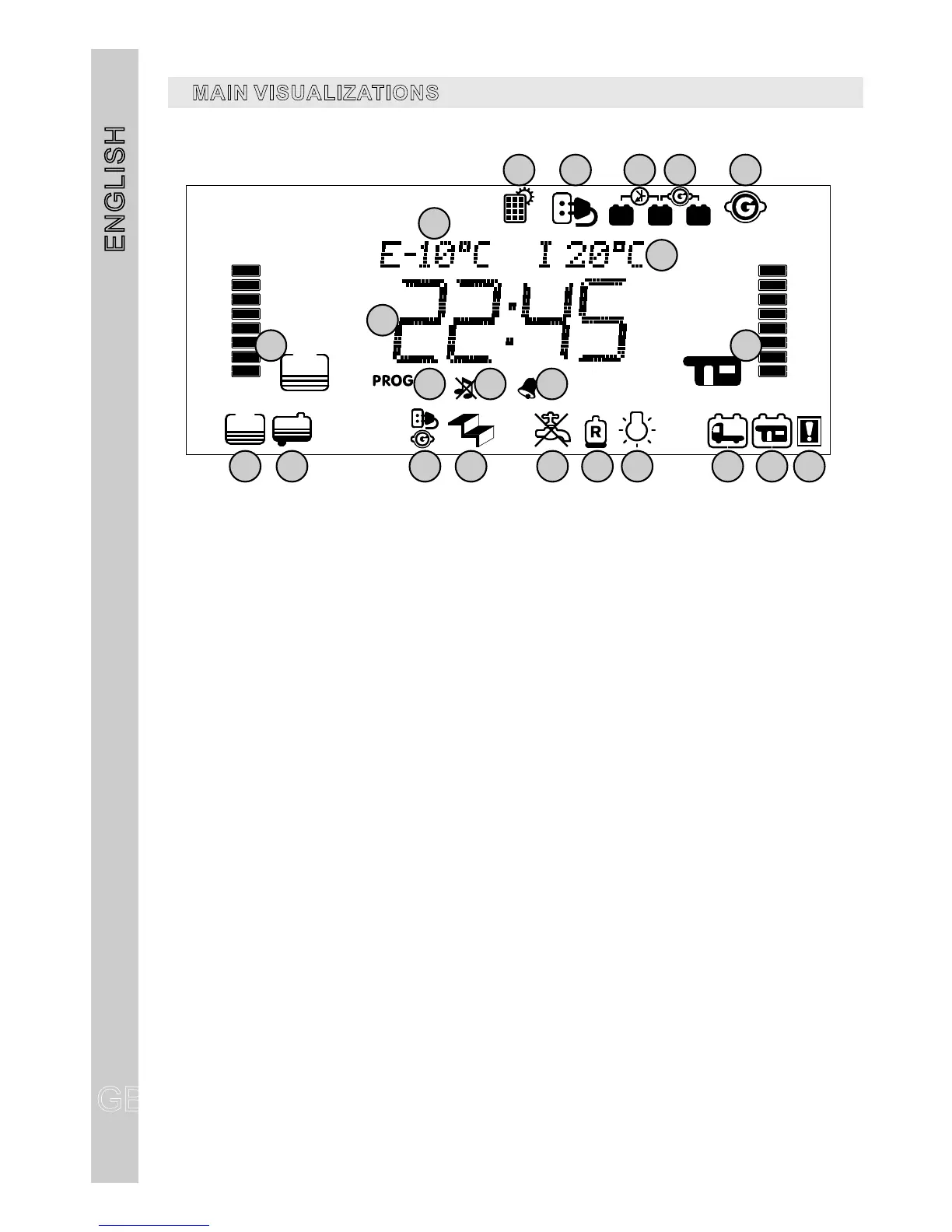
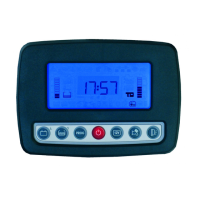
It indicates the recharging through solar panel ( with a CBE solar regulator only).
It indicates that the 230V net is connected (the symbol appears also when the panel is switched off).
It displays that the car battery recharging unit is on (the symbol appears also when the panel is
switched off).
It displays that the battery parallel is on when engine is on (the symbol appears also when the panel is
switched off).
It displays +ignition is on. (the symbol appears also when the panel is switched off).
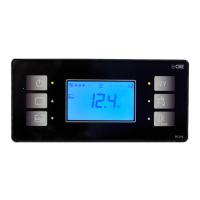
External temperature digital indicator.
Internal temperature digital indicator.
Clock digital display.
Itdisplaysthesettingmenu.
Itdisplaysthatthetonesareoff.
It displays that alarm clock is set.
Drinking water tank status display.
"B2" leisure battery status display.
It displays that the drinking water tank is empty.
It displays that the waste water tank is full.
It displays that w +ignition
It displays, when engine is running, that door step is out .
It displays that the “pump stop” is on.
It displays that the main gas bottle is empty.
It displays the minimum voltage device is on.
It displays that the car battery (B1) has run down.
It displays that the leisure battery (B2) has run down.
It displays a system anomaly.
ith “ ”, the alarm 230V connection is still ON
MAINVISUALIZATIONS
1
2
3
5
14 15 16
17
18
19 2 0 21 22 23
11
12
4
13
109
8
6
7


 To Next Page