11
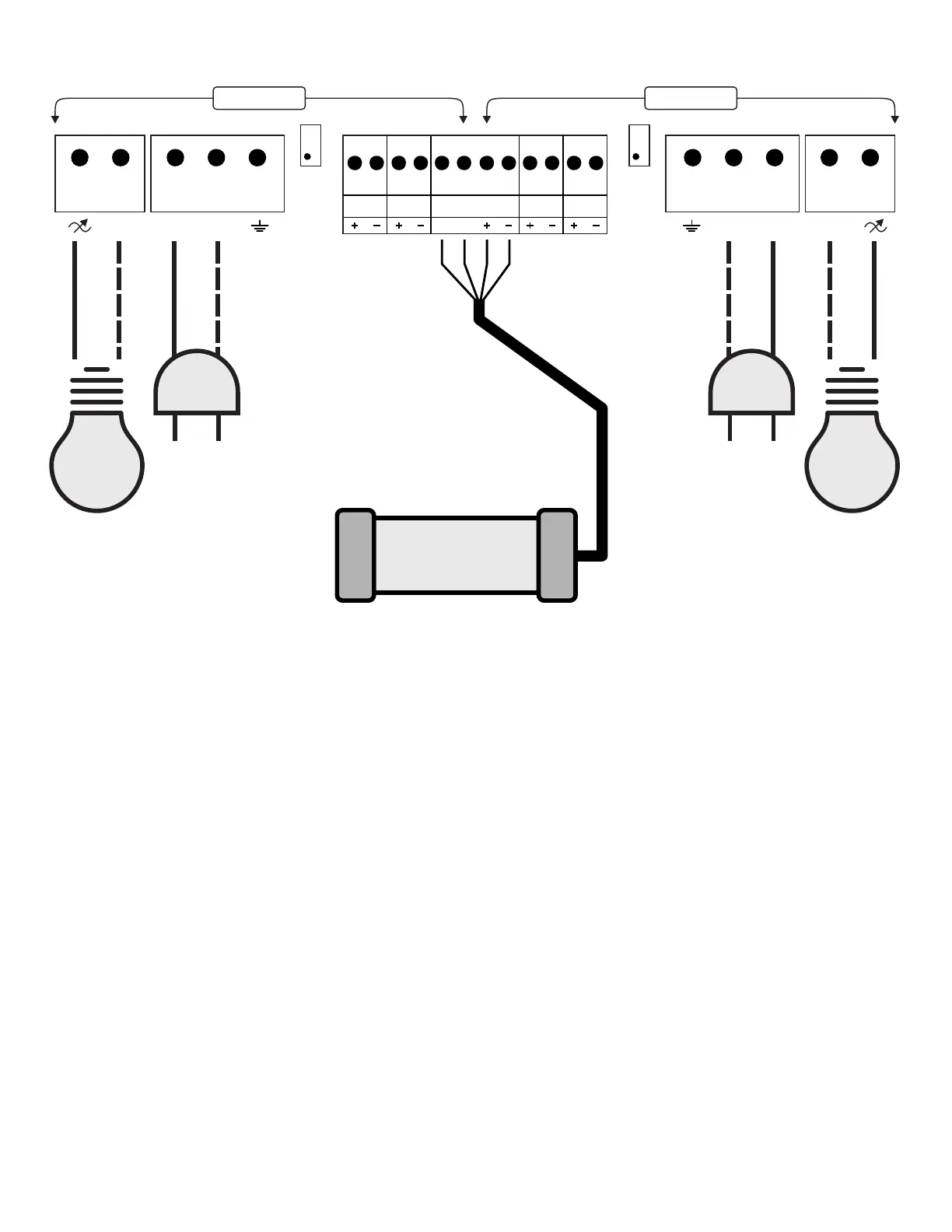
CEL-200 Wiring
Minimum Level Adjustment Procedure:
In manual mode, set the level of the zone to be adjusted to 1%.
Using a small screwdriver, adjust the corresponding potentiometer
until the desired lighting intensity is achieved for the 1% level.
MINIMUM
ADJUST
ZONE 1
L1
L2/N L2/N
120/240
V AC
0-10V
INPUT 1
0-10V
OUTPUT 1
0-10V
OUTPUT 2
0-10V
INPUT 2
MINIMUM
ADJUST
ZONE 2
120/240
V AC
ZONE 1 ZONE 2
L1
L2/N L2/N
LUX SENSOR
A B
*Sensor DLS02
* To extend the light sensor cable, use Belden 9842 / 3107A
or an equivalent cable for RS-485 applications (2 twisted pairs, 120 Ohms).
It is recommended to solder the splices and cover them with heat-shrink tubing
to make the connection waterproof.
( Optional, not included )
For bi-color lighting with the chromatic mode:
Connect the lighting with the lowest Kelvin to output 1.
Connect the lighting with the highest Kelvin to output 2.
Refer to the sensor installation manual
for connection details.



 To Next Page