OPERATING INSTRUCTIONS
tild VP v2.0EN
3. Compatible with the Vigipool environment
The tild VP box is compatible with all the devices in the Vigipool environment. The Vigipool environment gathers together
many interconnected water treatment and maintenance appliances that can be controlled by a single application: Vigipool.
The appliances exchange the different measurement data and their actions with each other using a wireless proprietary connec-
tion between the appliances. Different appliances are available (electric filtration box, LED control, pH regulation, connected
pH / ORP analyser, remote touch display, etc.).
3.1. Bluetooth® and Wifi control
The tild VP control box has an embedded Bluetooth® and Wifi transmitter used to control your appliance from a smartphone
or tablet. To be able to control the tild VP, you need an iOs (Apple®) or Android smartphone or tablet running Bluetooth®
Low Energy (v4.x) or Wifi 802.11 b/n/g. Other operating systems (Windows Phone®,...) or devices not running the above-
mentioned pre-requisites are not supported.
For a Wifi connection, the local Wifi details (SSID and password) need to be entered and a Vigipool account created to connect
your tild VP to the Wifi router and control the tild VP using local Wifi and remotely. (see attached specific "Vigipool World"
leaflet)
With Bluetooth, only one telephone / tablet can be connected to the control box at a time. To
connect from another device first disconnect the device which is already connected.
The software embedded in the appliance can be updated automatically. To do this, it must be
connected to WiFi or to another Vigipool appliance that is itself connected to WiFi. If you only
use the appliance with Bluetooth, you can create an access point from your phone to temporarily
connect the appliance and update its software if necessary.
3.1.1. Bluetooth® pairing
On the first connection (using Bluetooth), after having selected your appliance from the list, to pair your smartphone with
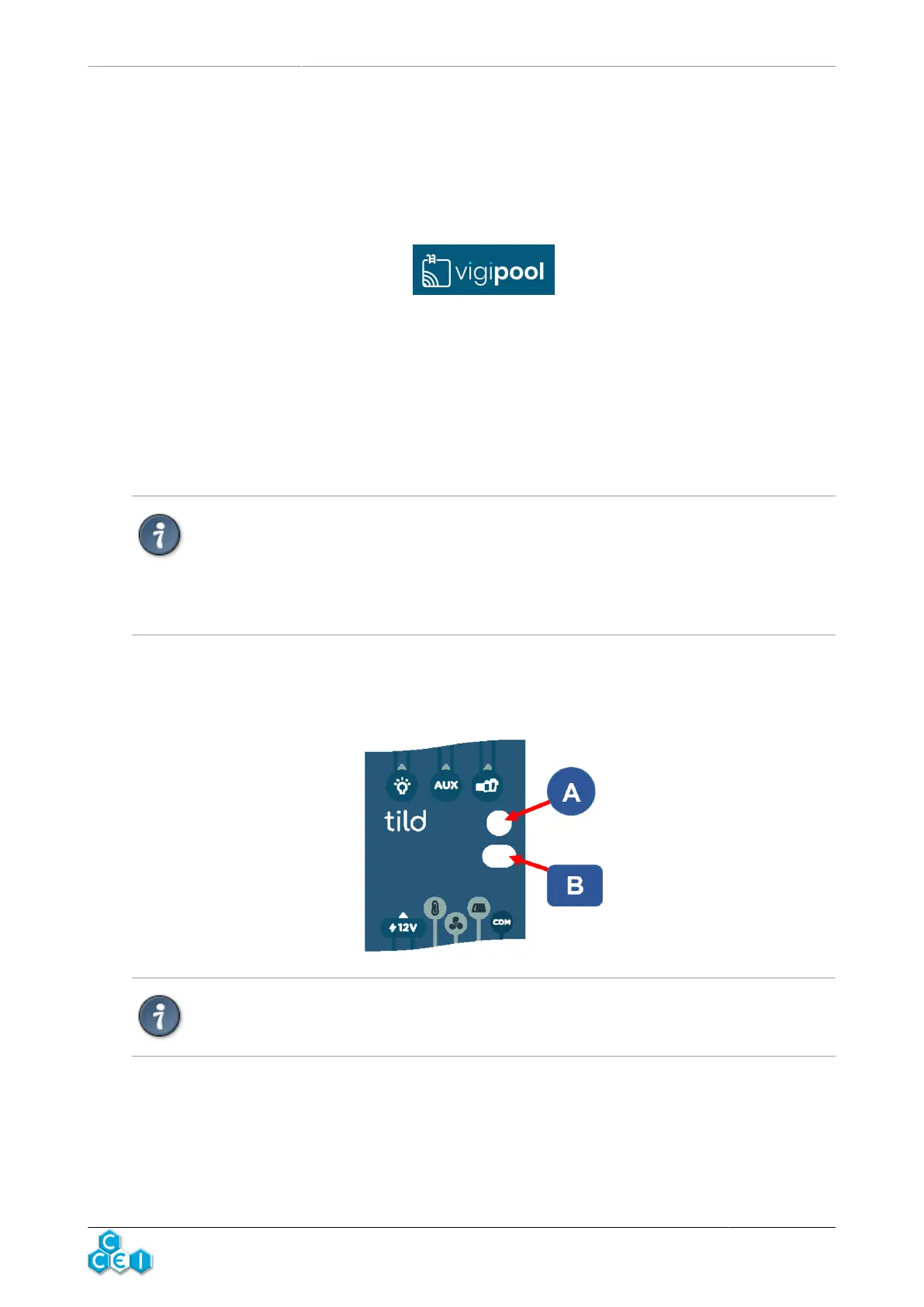
the tild VP, approach the smartphone until it is in contact with the appliance, or press button (B) on it when the application
prompts you to do so and indicator (A) flashes blue quickly.
Pairing is only possible via the Vigipool app. Do not attempt pairing from the smartphone's
Bluetooth settings.
3



 To Next Page