OPERATING INSTRUCTIONS
tild VP v2.0EN
7.5. Compatible lights
The tild VP control box can be used to control the lights installed in the pool. There are several operating modes available:
• Micro-cut colours: to control all commercially available multicolour lights. A micro-cut is used to switch from one colour
to the next colour / sequence,
• RC+ colour: is used to control CCEI colour lights: direct colour and sequence selection, brightness and speed management,
• Monochrome: pool light ON/OFF mode,
There are several programming modes available:
• A clock mode: a start time + an end time (two programs available with configurable days),
• A dusk mode: the tild VP turns the lights on automatically at dusk for a defined period.
8. Application
To download the Vigipool application, scan the QR CODE below. You can also search for Vigipool using the App Store and
Play Store search engines:
9. Reset to zero
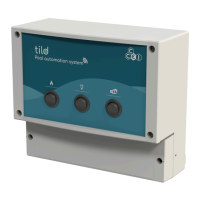
It may be necessary to reset to initialise the tild VP to the factory settings.
There are two possibilities to do that:
With upstream power cut-off:
1. Switch off the power supply to the appliance and wait about a ten seconds,
2. Press and hold button (B) on the appliance,
3. Turn the power back on while keeping the button pressed,
4. Wait until indicator (A) flashes rapidly red,
5. Release the button. All parameters are reset to factory settings.
Without an upstream power cut-off:
1. Press and hold button (B) on the appliance for about 10 seconds,
2. Wait until indicator (A) flashes rapidly red,
3. Release the button. All parameters are reset to factory settings.
Carrying out a reset will erase all parameters in memory (WiFi configuration, pairing of phones
and other Vigipool World appliances, etc.). The start up procedure must therefore be rerun
after a reset.
9



 To Next Page