10
A920 of TeleCash From Fiserv
History
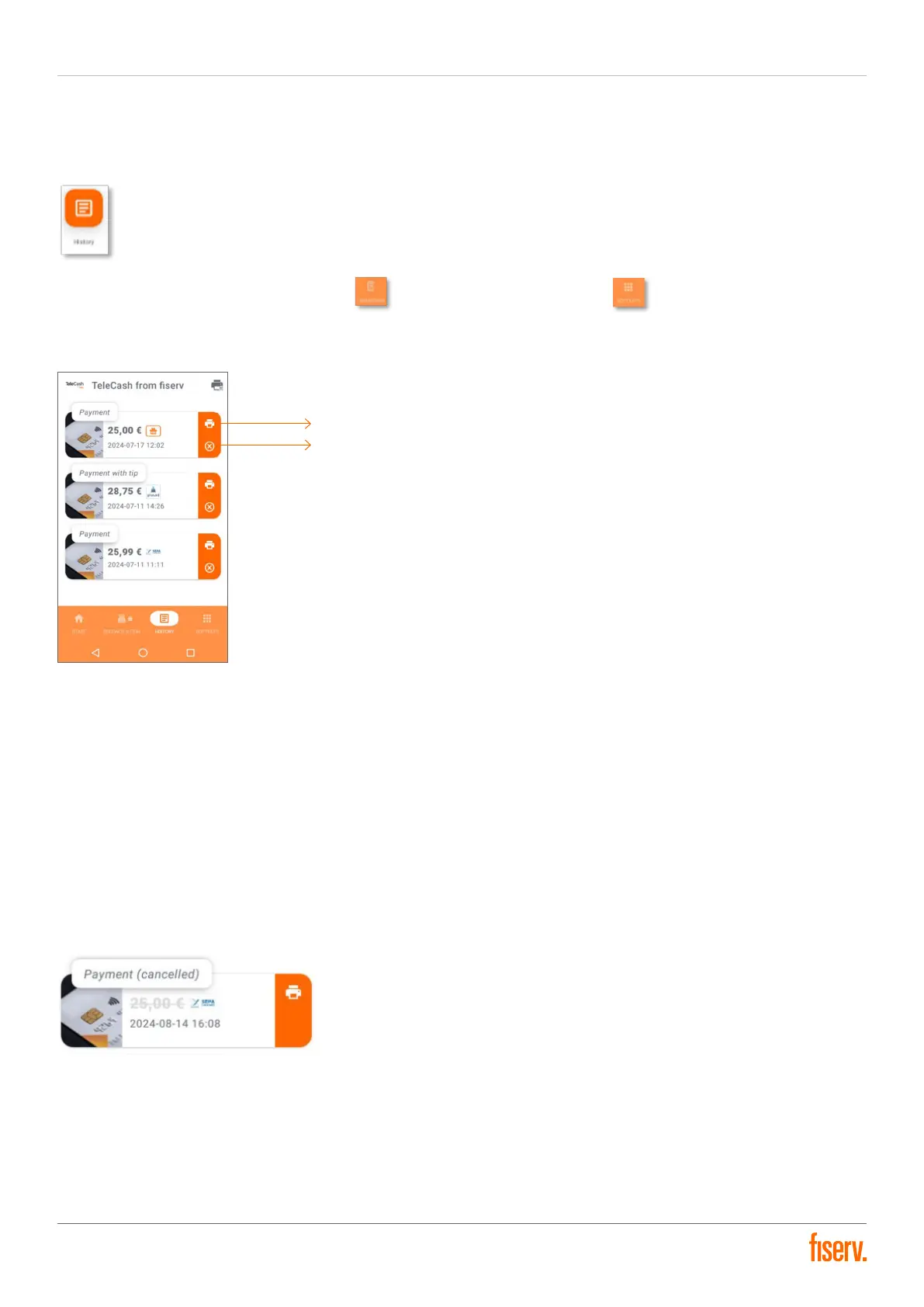
With the history button on the home page or through the Softkeys button in the revenue tab, the
transaction history of the terminal can be viewed. There are options of printing a copy of the receipt or cancelling a
transaction for each entry.
Reprinting of receipts
Cancellation of the payment process (Void)
All transactions up to and including the last end of the day are listed here.
The listing shows:
The type of the transaction
The amount of the transaction
The payment method of the transaction
The date (in the format “YYYY-MM-DD”)
The time of the transaction
A cancelled payment transaction is shown as cancelled in grey, with the amount crossed out and in parentheses
“cancelled” before the type of transaction.


 To Next Page