5
A920 of TeleCash From Fiserv
Datasheet
Dimensions (L x W x H) 175.7 x 78 x 55 mm
458 g
Memory 2 GB RAM, 16 GB Flash (expandable up to 32 GB through micro SD)
Printer Thermal printer paper roll: Ø 40mm
Keyboard Full Touch Display with situationally adapted keyboard variants
1 x On/Off Button
2 x Shortcuts
Communication/interfaces Wi-Fi (2.4GHz + 5GHz), Bluetooth 4.0 and 4G
1 Micro USB/OTG, 1 SIM and 2 SAM
1 Micro SD (up to 32GB)
Accumulator Lithium-ion 5250 mAH, 3.7V
Power supply Input: 100~240V AC, 50/60Hz
Output: 5.0V DC, 2.0A
Approvals DK TA7.2/DC POS 3.0, PCI-PTS 5.x
Setup
Charging
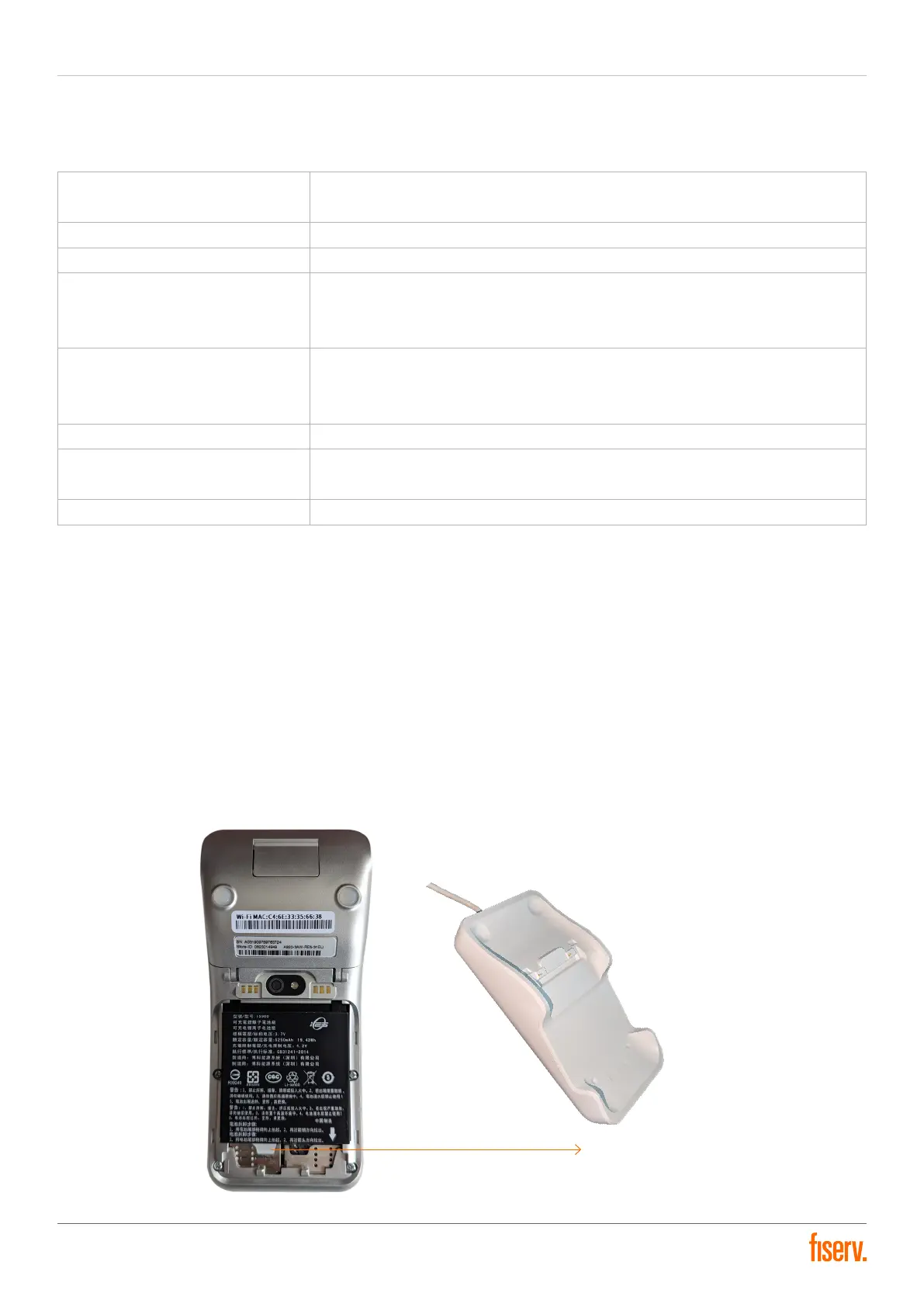
Upon unveiling the cover situated on the device’s rear, the SIM card slot can be discerned at the bottom left.
Following the placement of the SIM card, the battery can be installed and the cover can be fastened.
The terminal can be powered either through the provided charging cradle or by directly connecting the cable with
the terminal. The accompanying USB cable is customarily linked to the underside of the charging dock. The terminal
should be stationed on the charging dock while it’s operational until it accomplishes its inaugural full charge. The initial
charging span can prolong up to six hours.
SIM card slot


 To Next Page