EasyManua.ls Logo

CDA CW447 - User Manual

CDA CW447
8 pages
Print Icon
To Next Page IconTo Next Page
Loading...
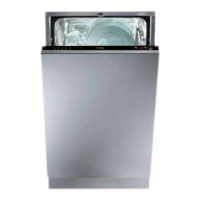
Integrated
Dishwasher
CW447
Users Operating Instructions
Before operating this appliance,
please read these instructions carefully
Appliance servicing
CDA provide a quality and effective after-sales service to cover all your servicing needs.
Please attach your receipt to this page for safekeeping.
Please help us to help you by having the following information available when booking a service call.
1. Model type, make and model – see the front of this manual
2. Evidence of installation/purchase date
3. Retailer where the appliance was purchased
4. Clear and concise details of the fault
5. Full address including postcode and any contact phone numbers
Contact telephone numbers
CDA Customer Care Department
Harby Road
Langar
Nottingham
NG13 9HY
Telephone: 01949 862000
Email:service@cda-europe.com
CW447 Dishwasher
0120504525


Questions and Answers

  • J
    Jonathan MitchellAug 12, 2025
    What to do if my CDA CW447 does not start?
    • T
      Taylor OrtegaAug 12, 2025
      If your CDA dishwasher doesn't start, check the following: * Ensure the plug is correctly pushed into the socket. * Verify the power is on in your house. * Make sure the dishwasher door is properly closed. * Confirm the ON-OFF switch is set to "ON." * Check that the water supply is turned on.
  • V
    vdavisAug 18, 2025
    Why is my CDA Dishwasher not loading water?
    • K
      kim14Aug 18, 2025
      If your CDA dishwasher isn't loading water, consider these checks: * Ensure the water is turned on and the hose is properly connected. * Confirm the water supply to your house is on and has sufficient pressure. * Inspect the water supply hose for any crimps or bends. * Check if the filter for the water supply hose is clogged.
  • L
    Lisa MartinezAug 27, 2025
    Why are there lime deposits on my CDA Dishwasher dishes?
    • M
      Margaret TranAug 27, 2025
      If you notice lime deposits or a white film on your dishes after using your CDA dishwasher, verify that the lid to the salt container is properly closed and ensure the rinse aid dosage is correct.
  • A
    Amy GordonSep 2, 2025
    What to do if CDA Dishwasher shows error messages?
    • R
      Robert BlanchardSep 2, 2025
      If your CDA dishwasher displays an error message that persists, call for technical assistance, and indicate which message appeared. If any of the other indicator lights begins to blink rapidly, turn off the appliance and call for technical assistance, indicating which light began to blink.

CDA CW447 Specifications

General IconGeneral
TypeFreestanding
Control TypeElectronic
Number of washing programs6
Noise level49 dB
Energy efficiency classE
Energy consumption per 100 cycles92 kWh
Width60 cm
Height85 cm
ColourWhite
Energy RatingE
Capacity12 place settings
Half Load OptionYes
Depth55 cm
ProgramsIntensive
Delay StartYes

Related product manuals