EasyManua.ls Logo

CDA WC140 - User Manual

CDA WC140
18 pages
Print Icon
To Next Page IconTo Next Page
Loading...
Customer Care Department • The Group Ltd. • Harby Road • Langar • Nottinghamshire • NG13 9HY
T : 01949 862 012 F : 01949 862 003 E : service@cda.eu W : www.cda.eu
Passionate about style
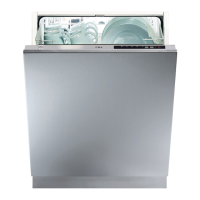
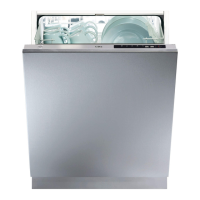
WC140 Integrated Dishwasher
Manual for Installation, Use and Maintenance

Questions and Answers

  • B
    Benjamin StricklandSep 23, 2025
    How to fix inadequate water supply in CDA Dishwasher?
    • J
      Jeremiah YorkSep 23, 2025
      If there is inadequate water supply in your CDA dishwasher, make sure the water inlet tap is fully open. Close the water tap, separate the water inlet hose from the tap, and clean the filter. Restart your machine, and if the error continues, contact CDA service.
  • L
    Laura CardenasAug 25, 2025
    What to do if water remains in my CDA WC140 Dishwasher after the programme?
    • B
      Brent CurtisAug 25, 2025
      If water remains inside your CDA dishwasher after the programme, it could be due to a blocked or kinked water drain hose, or blocked filters. Inspect these components.
  • J
    Jodi BakerAug 25, 2025
    What to do if my CDA WC140 Dishwasher door won't close properly?
    • G
      Gordon SheppardAug 26, 2025
      If the door of your CDA dishwasher isn't opening or closing properly, the door tension may not be correctly adjusted for the décor door. Check this adjustment.
  • M
    marcusadkinsAug 26, 2025
    What to do if my CDA Dishwasher stops in the middle of a programme?
    • D
      diana50Aug 27, 2025
      If your CDA dishwasher stops mid-cycle, check the power supply, ensure there's no water inlet failure, and verify the programme settings are not on standby.
  • V
    valenzuelakennethAug 27, 2025
    Why the CDA Dishwasher programme will not start?
    • N
      nancy56Aug 27, 2025
      If your CDA dishwasher isn't starting, check the plug, fuse, and circuit breakers of the main power supply. Also, make sure the water tap is on, the door is fully closed, and the water inlet filter or machine filters aren't blocked.
  • C
    Christopher ChambersSep 14, 2025
    What to do if my CDA WC140 has a faulty heater sensor?
    • D
      Debbie GrahamSep 14, 2025
      Contact CDA service.
  • L
    Luis WilliamsSep 12, 2025
    What to do if my CDA WC140 Dishwasher has a heater error?
    • M
      Mackenzie LeeSep 12, 2025
      Contact CDA service.
  • A
    Angie WagnerSep 13, 2025
    What to do if my CDA WC140 Dishwasher has a faulty electronic card?
    • K
      kdavisSep 13, 2025
      Contact CDA service.
  • D
    Diamond FloresSep 4, 2025
    What causes rust stains on dishes in my CDA Dishwasher?
    • A
      aaron52Sep 5, 2025
      Rust stains on dishes from your CDA dishwasher can be caused by keeping different sets of cutlery together, too much salt because the water softener setting is too high, the salt compartment cap not being completely closed, or a poor appliance earth. Check the mains electrical supply.
  • L
    Louis ValentineSep 2, 2025
    What to do if my CDA WC140 leaves dishes wet?
    • D
      David MartinSep 2, 2025
      If your CDA dishwasher leaves dishes wet, it might be because a programme without a drying stage was selected, the rinse aid setting is too low, or dishes were unloaded too soon. Allow more time for drying or adjust the rinse aid setting.

Summary

Important Safety and Usage Precautions

Detergent and Salt Usage

Softener Adjustment

Water Hardness Testing

Using the test strip to determine water hardness level.

Setting Water Hardness Level

Procedure to adjust the softener setting via the control panel.

Rinse Aid Management

Adjusting Rinse Aid Dosage

How to adjust rinse aid levels for optimal drying and stain removal.

Programme Listing and Details

Care and Maintenance

Door Seal and Filter Cleaning

How to clean door seals and the essential filter components.

Troubleshooting Error Codes

Water Supply and Fill Errors

Codes for inadequate water supply and continual fill issues.

Drainage and Heating Errors

Codes for waste water discharge, heater, and overheating faults.

Electronic and Overflow Faults

Codes for faulty electronic cards and water overflow alarms.

Troubleshooting Common Problems

Programme Start and Stop Issues

Resolving problems with programmes not starting or stopping mid-cycle.

Wash Performance and Stains

Addressing low wash quality, white stains, and rust marks.

Drying and Door Operation Problems

Troubleshooting inadequate drying and door opening/closing faults.

Electrical Information

Fuse Replacement and Plug Wiring

Instructions for fuse changes and connecting alternative plugs.

Installation Guide

Water Supply and Outlet Connections

Connecting water inlet and drain hoses, checking for leaks.

Oversized Fascia Door Mounting

CDA WC140 Specifications

General IconGeneral
Door colorNot applicable
Display typeLED
Appliance placementFully built-in
Control panel colorStainless steel
Drying classB
Washing classA
Noise level52 dB
Number of place settings12 place settings
Number of washing programs5
Water consumption per cycle15 L
Energy consumption per cycle1.05 kWh
Weight and Dimensions IconWeight and Dimensions
Depth570 mm
Width596 mm
Height875 mm

Related product manuals