22
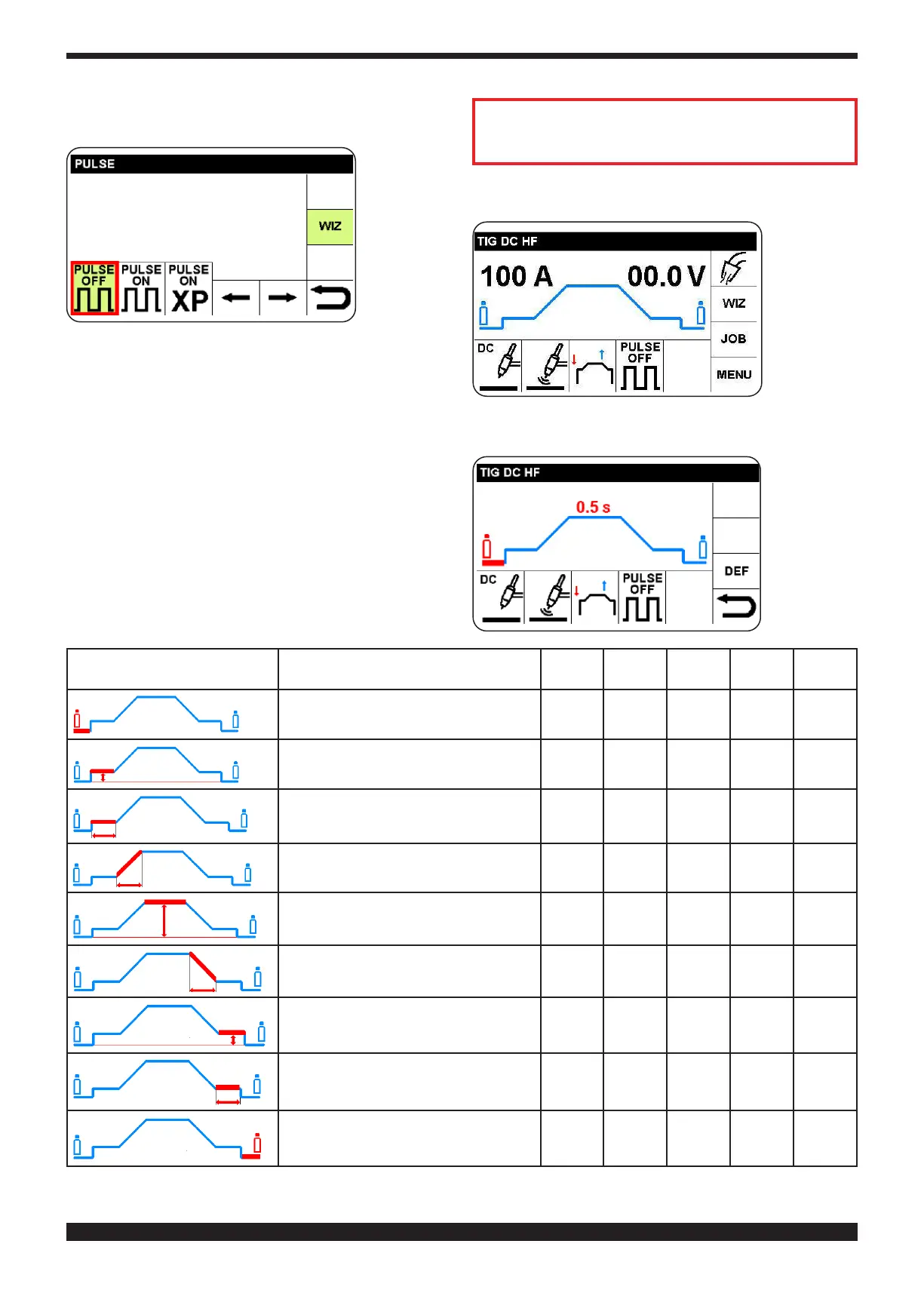
4.1.4 SETTING FOR PULSE WELDING (SEE PARA-
GRAPH 8)
If PULSE
OFF is se-
lected, the
main screen
is displayed.
If PULSE
ON is se-
lected, see
paragraph
8.1, and if
PULSE ON -XP is selected see paragraph 8.2
If the ”WIZ” option is not used, see below for de-
scription of the procedure for full adjustment of the
welding machine
4.2 ADJUSTMENT OF WELDING PARAMETERS (SEC-
TOR R)
Starting out
from the
main screen,
select and
conrm R
sector to ac-
cess adjust-
ment of the
welding pa-
rameters as
in table 1.
By way of example, the procedure for adjusting Pre-Gas
time is described.
Select the
desired pa-
rameter. The
parameter
activates in
red
Descrizione Min. DEF Max U.M. Ris.
Pre-Gas time 0 0,05 5
Sec
.
0,01
Amplitudeofrstcurrent 5 25 Set
point
A 1
S.C. Time 0 0 5 Sec. 0,1
Current ramp up time 0 0 9,9 Sec. 0,1
Welding current 5 100 220 A 1
Current ramp down time 0 0 9,9 Sec. 0,1
Amplitude of crater current 5 10 Set
point
A 1
Crater current time 0 0 5 Sec. 0,1
Postowtime 0 10 30 Sec. 1




 To Next Page