26
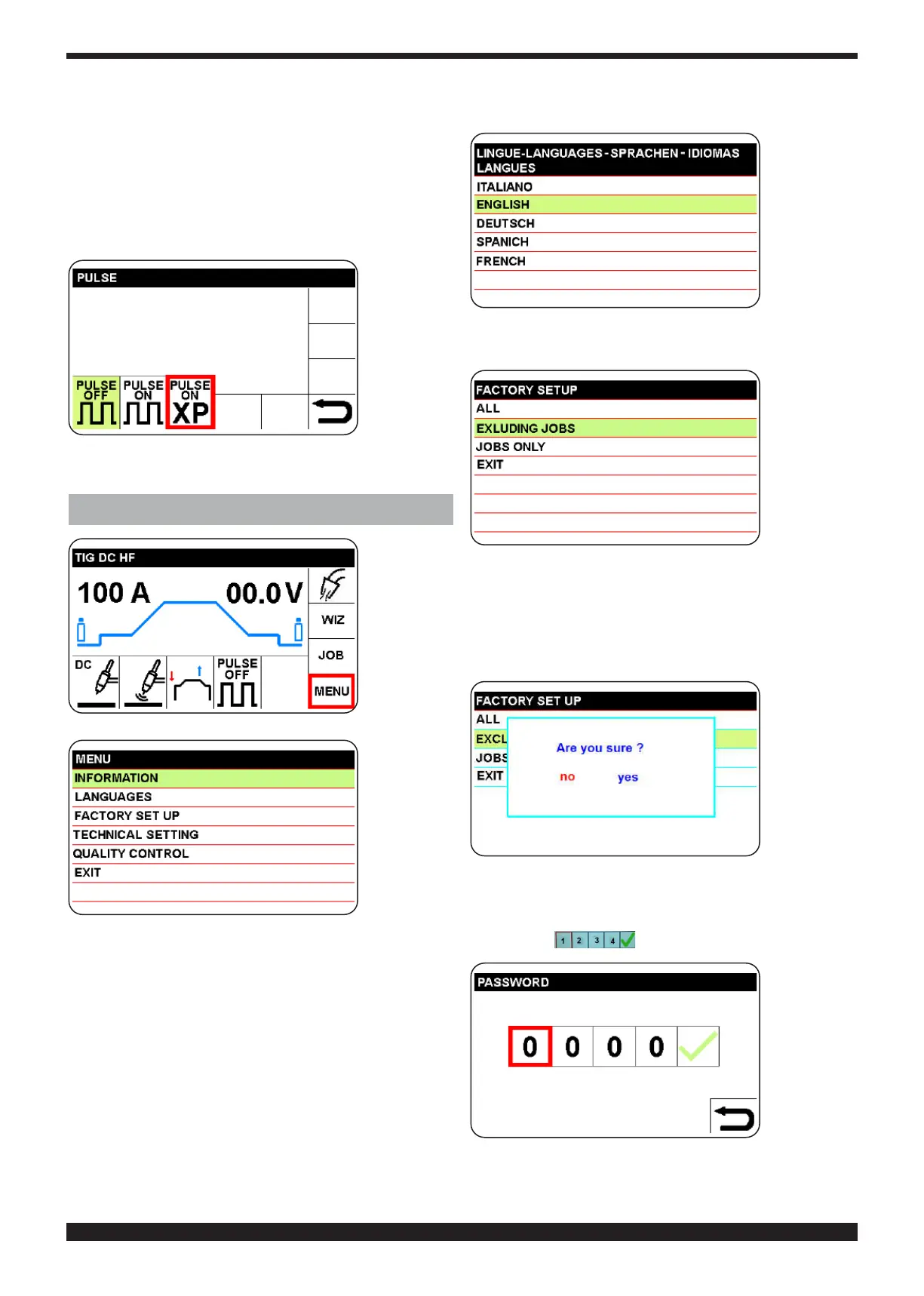
8.2 PULSE ON-XP
By selecting the PULSE ON-XP icon, a very high-fre-
quency pulsed current is set to obtain a more concen-
trated arc.
Withthistypeofpulse,thesettingsarexedanddened.
The indicated welding current is the mean value of the
pulse and is adjustable from 5 to 165.
To return to the main screen, press knob B (do not re-
lease immediately) (> 0.7 sec.)
9 MENU (SECTOR M)
Select and
c o n f i r m
MENU sec-
tor
Select and
conrm the
type of top-
ic.
9.1 INFORMATION
All the information that must be provided to the technical
personnel for welding machine repair and upgrading (see
initial screen) are displayed.
9.2 LANGUAGE SELECTION
Select and
conrm the
language
desired
9.3 FACTORY SETUP
Select and
conrm the
type of set-
ting
(ALL) = Restore the welding machine to factory settings,
including memories (JOBS).
EXCLUDING
JOBS = Restore the welding machine to
factory settings, excluding memories.
(JOSB ONLY) = Deletes only the memories (JOBS).
Deletes only
the memo-
ries
9.4 TECHNICAL SETTING
To prevent inadvertent access to this menu, a password
must be set
Selecttherst
digit, press
and turn knob
B and set 1.
Conrminor-
der to move
on to the next
digit. Set the
other digits in
the same
manner.
The technical settings listed in the gures below are
available




 To Next Page