28
Toreturntothepreviouslist,selectandconrmthesec-
tor return to the previous screen.
To return to the main screen, press knob B (do not re-
lease immediately) (> 0.7 sec.)
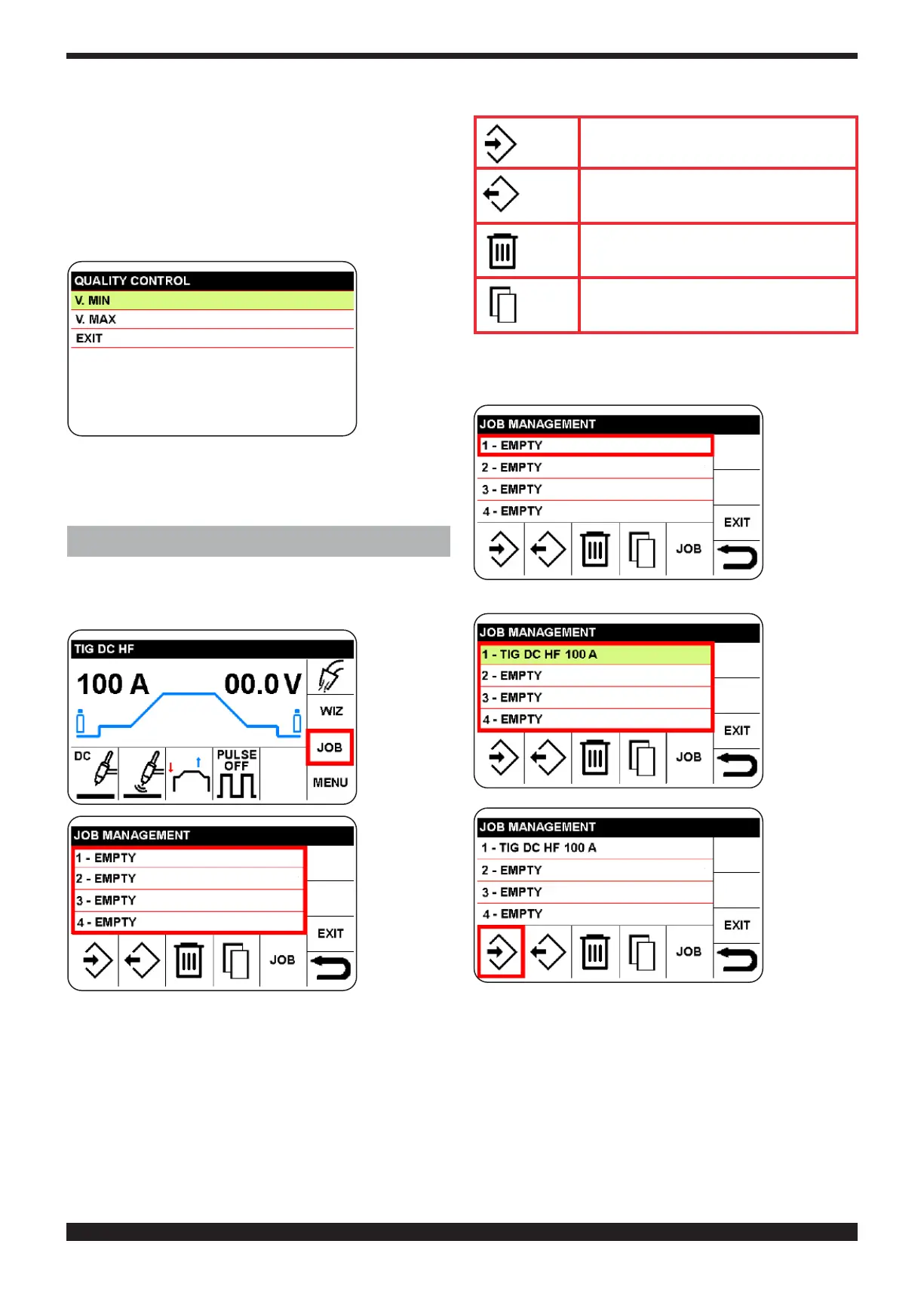
9.5 QUALITY CONTROL
This function enables checking that the arc voltage re-
mains within preset values
Select mini-
mum volt-
age (MIN. V)
or maximum
voltage
(MAX. V.),
thenconrm
to set inter-
vention val-
ue.
OFF corresponds with disabled function. If, during weld-
ing, the voltage does not correspond to the values set,
the wording QUALITY CONTROL appears. Press knob B
to return to the welding screen.
10 SAVED PROGRAMS (L JOB SECTOR)
A welding spot and its parameters (process, ignition,
mode etc.) can be saved within the JOB sector so that
the welder may access them again.
Select and
conrm the
JOB sector.
LEGEND of SYMBOLS
save
restore
delete
copy
10.1 SAVE A WELDING SPOT. (JOB)
)
Press and se-
lect the mem-
ory number
in which the
program is to
be saved.
In this exam-
ple, no. 1
Conrm the
choice that
is highlight-
ed in green.
To save the
program in
memory 1,
select and
conrm the
icon, save,
and then
conrm
To return to the main screen, press knob B (do not re-
lease immediately) (> 0.7 sec.)




 To Next Page