ENGLISH
26
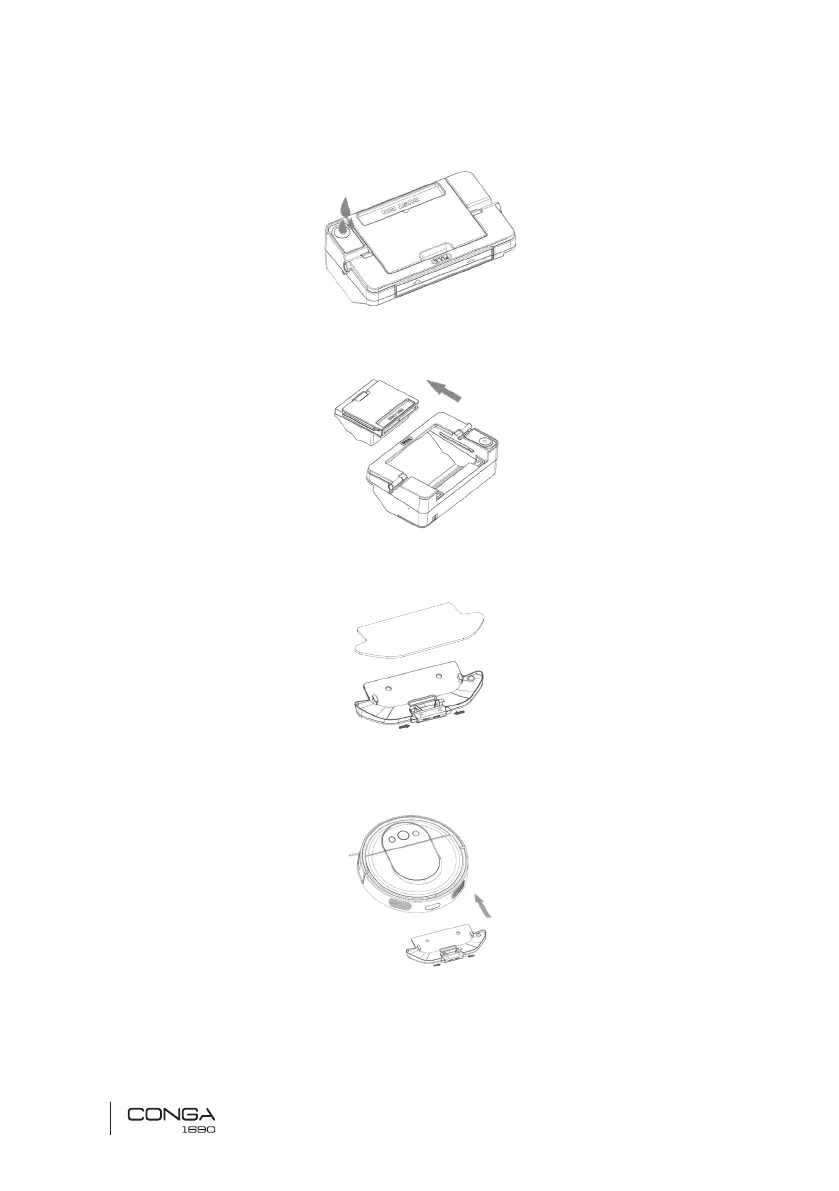
1. Open the tank’s rubber lid, ll the tank with water and close it again.
2. Install the tank in the robot following the indicated direction. Make sure the clip is properly
fastened.
3. Attach the mop to the bottom part of the mop bracket with the Velcro.
4. Manually press the clips on both sides of the Wet & dry tank and push it into its correct
position until you hear a click indicating it is properly xed.
Note :
• Do not use the scrubbing function while the robot is unattended.
• Remove the Wet & dry tank when the robot is charging or not in use.











 To Next Page