ENGLISH
29
The robot is provided with a schedule function in order to provide a maximum-efficiency
cleaning. The time settings and the cleaning schedules must be carried out from the remote
control. Once the robot has been scheduled, it will automatically carry out the cleaning cycles
every scheduled day.
Note: Make sure the robot is activated and that the light indicator is lit up before scheduling
any cleaning or setting time.
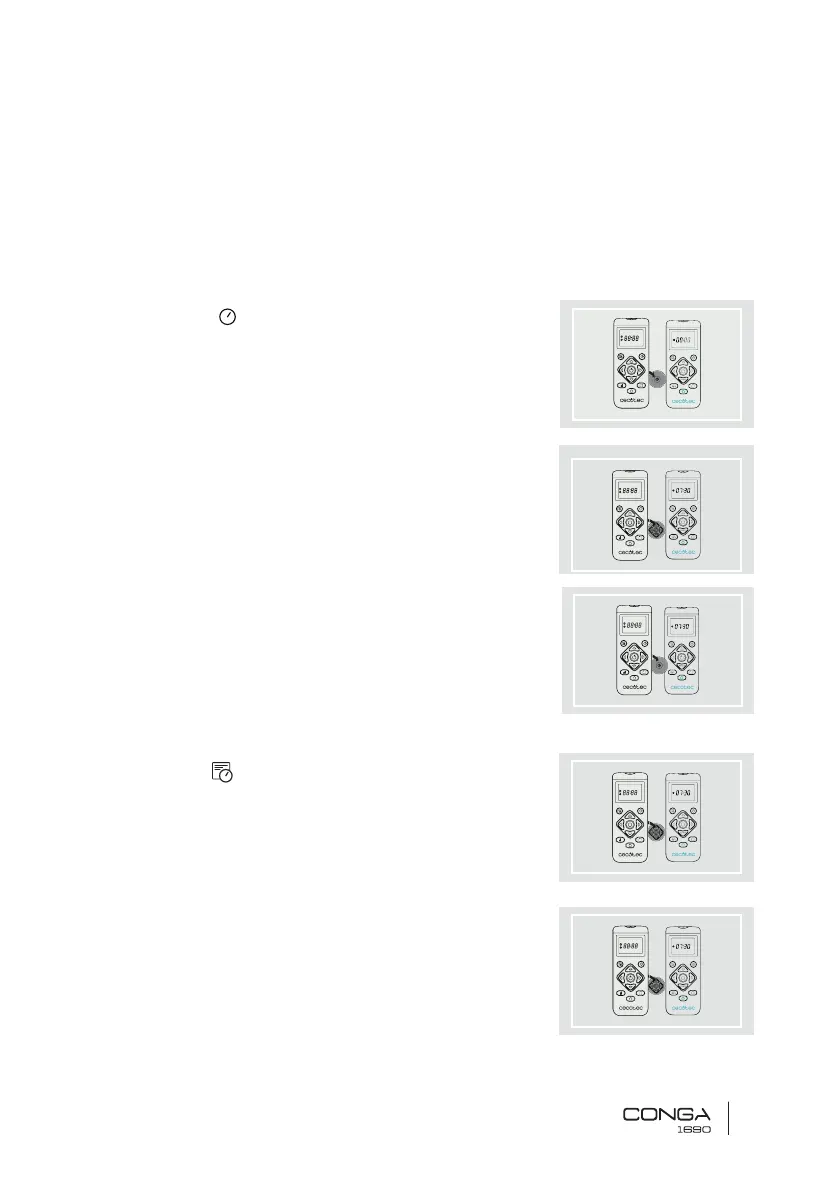
Current time
1. Long press the button. The first 2 digits, indicating
the hour, will start blinking.
2. Use the up and down direction buttons and the POWER
button to set the current time. The, use the left and right
buttons to switch from hours to minutes and repeat the
before step.
3. Press the “schedule” button again to save the settings.
Cleaning scheduling
1. Long press the button. The first 2 digits, indicating
the hour, will start blinking.
2. Use the up and down direction buttons and the POWER
button to set the current time. The, use the left and right
buttons to switch from hours to minutes and repeat the
before step.











 To Next Page