42
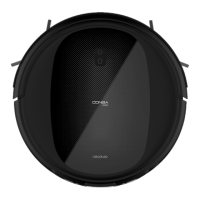
1. PARTS AND COMPONENTS
Wi-Fi connection indicator light
Fig. 1
1. Back home button
2. Indicator light
3. Power/operation button
Back home button
The robot will automatically go to the charging base when this button is pressed on the robot
or on the remote control.
Indicator light
- Steady orange light: Low battery.
- Oscillating orange light: Charging.
- Steady blue light: Fully charged/standby mode/cleaning.
- Oscillating red light: Error.
Power/operation button
- Hold down this button for a few seconds to turn the robot on or off.
- Press it to start cleaning too.
Fig. 2
4. Anti-collision sensor
Fig. 3
5. Free-fall sensors
6. Driving wheels
7. Power switch
8. Charging terminals
9. Omnidirectional wheels
10. Side brushes
11. Battery
12. Dust tank
13. Main brush
Fig. 4
Charging base
Fig. 5
Power adapter
05660_Conga 1990 Connected_IM_YV_0121085.indd 4205660_Conga 1990 Connected_IM_YV_0121085.indd 42 6/8/21 13:086/8/21 13:08











 To Next Page