56
6. TROUBLESHOOTING
Beeps Error Solution
1 Low battery Place the robot in the charging base.
Drive wheel fault. Check if the drive wheel is blocked.
2 Side brush error. Check if the side brushes are blocked and clean them.
3 Suction motor
error.
Check if there are obstructions blocking the air inlet.
Empty the tank.
Clean the lters with a vacuum cleaner or a self-cleaning
brush.
Check if the lters are wet.
Dry the lters in a natural way before using them. Make sure
they are completely dry. If any moisture remains, it could
reach the motor and damage the robot vacuum cleaner.
4 Main-brush fault. Check if the main brush is blocked or tangled and clean it.
5 Bumper error. Carefully clean the sensors with a clean, dry cloth.
Restart the robot vacuum cleaner. To do this, switch the
robot o and on.
Fall-detection
sensor error.
Carefully clean the sensors with a clean, dry cloth.
Restart the robot vacuum cleaner. To do this, switch the
robot o and on.
Main brush error. Clean the main brush.
Check if the main brush is installed correctly.
6 Charging error. Check if the charging base indicators are on. Otherwise,
contact the ocial Technical Support Service of Cecotec.
Clean the charging terminals with a clean, dry cloth.
Check if the robot vacuum cleaner beeps when it gets to the
charging base. Contact the ocial Technical Support Service
of Cecotec.
7. TECHNICAL SPECIFICATIONS
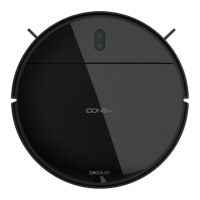
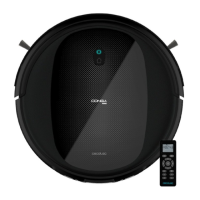
Conga 999 Origin X-Treme / X/ T/ S/ M
Product reference: 05866/ 08078/ 08079/ 08080/ 08081
Input: 19V DC 0.6 A
Battery: 14.8 V DC Li-ion 2000mAh









 To Next Page