EasyManua.ls Logo

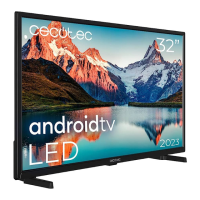
cecotec VQU11055+ - Home Screen

cecotec VQU11055+
Print Icon
To Next Page IconTo Next Page
To Previous Page IconTo Previous Page
Loading...
English - 12 -
Satellite
If Satellite Antenna Type screen
       

selecting the Next    More and
OKSingle
Tone Burst DiSEqC and Unicable  

    OK or the Right

Next screen will be Select Operator screen. You
     
     OK or the Right

    


  
     General and
OK or Right
normal satellite installation.
LNB List
    󰀨    
      

 OK or the Right directional button to set
   Satellite Status of the first
 On. In order to enable
       
set as On
  


Satellite Status:      On to
enable channel search on the selected satellite.
     OK to change the
status.
Satellite Selection: Select the satellite on which you

Scan Mode:Full
and Network       
        
    Frequency Symbol Rate
(Ksym/s) and Polarisation   
Transponder
Scan Type:        
     Free  
      
Select All to scan all channels.
Store Type:      
        
radio channels only. Select All to store all channels.
Transponder:FrequencySymbol Rate
(Ksym/s) and Polarisation   
selected satellite if necessary.




if necessary.
Signal Quality:

Signal Level:  

Press the Back/Return button and select next satellite

Next on the LNB List screen and
OK or Right 
If Load Preset List

list installation will start. If the correct satellite has not
      

that can be selected will be listed. Press OK to close
the dialogue and then set the satellite accordingly.
Channel Scan
Skip Scan      
      Only digital
channelsOK or the Right directional button
to start the search. While the search continues you can
 Back/Return  Skip Scan
OK or Right
search. The channels that have already been found
will be stored in the channel list.

OK
You will be asked to give your consent to the
collection of your data. Read the text on the screen
for detailed information. Highlight Accept
OK        
     Skip. You can
change this setting later using the Settings>Device
Preferences>Manufacturer Usage & Diagnostics
menu.
Exit


Home Screen

         


modem/router. Refer to the Network & Internet
and Connecting to the Internet sections for further






Related product manuals