EasyManua.ls Logo

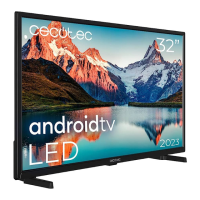
cecotec VQU11055+ - Multi Media Player

cecotec VQU11055+
Print Icon
To Next Page IconTo Next Page
To Previous Page IconTo Previous Page
Loading...
English - 25 -
 situated
Home ScreenOK.
Then highlight the Sign in to Wi-Fi network
OK. Enter your credentials to log in.
    
        

       
wireless gaming.
Use a LAN connection for quicker data transfer

   󰀨   
distance and number of obstructions between the
     
       󰀩

   󰀨    
  


values for the wireless standards. They are not the

󰀨
󰀨

        
you should use the IEEE 802.11n communication

watching videos.
You must change your modem’s SSID when there are
any other modems around with the same SSID. You

   
wireless connection.
       
streaming content. Use an Ethernet connection if the

Multi Media Player
On the Home Screen scroll to AppsMulti
Media Player (MMP)    OK button to
Add app
to favouritesApps row and
OK. Then select the Multi Media Player (MMP)
  OK      
Multi Media PlayerHome

be named as Favourite Apps.

Menu button to






a FAT32 formatted USB storage device is connected to

selecting either Normal Parser or Recursive Parser.
In Normal Parser




Recursive Parser mode the source will be searched

Back/Return
button to close this menu.
Photo
       Menu 
highlight Photo Frame  OK. If you select
One Photo modeOK the image that


USB storage deviceRecursive
Parser
Menu
Photo Frame Image
OK.

Blue
       
    


can also use Programme +/-


Video Files
Press OK
Info:

Pause/Play:
Rewind:

Fast Forward:     

Stop:
Programme +:
Programme -:
Back/Return:
Music Files
Press OK
Info:
Pause/Play:
Rewind: Press and hold to rewind.

Related product manuals