MOVING AND EDITING WITHIN MENUS
Some menus provide options to move around on screen and to edit characters or
values in specic locations.
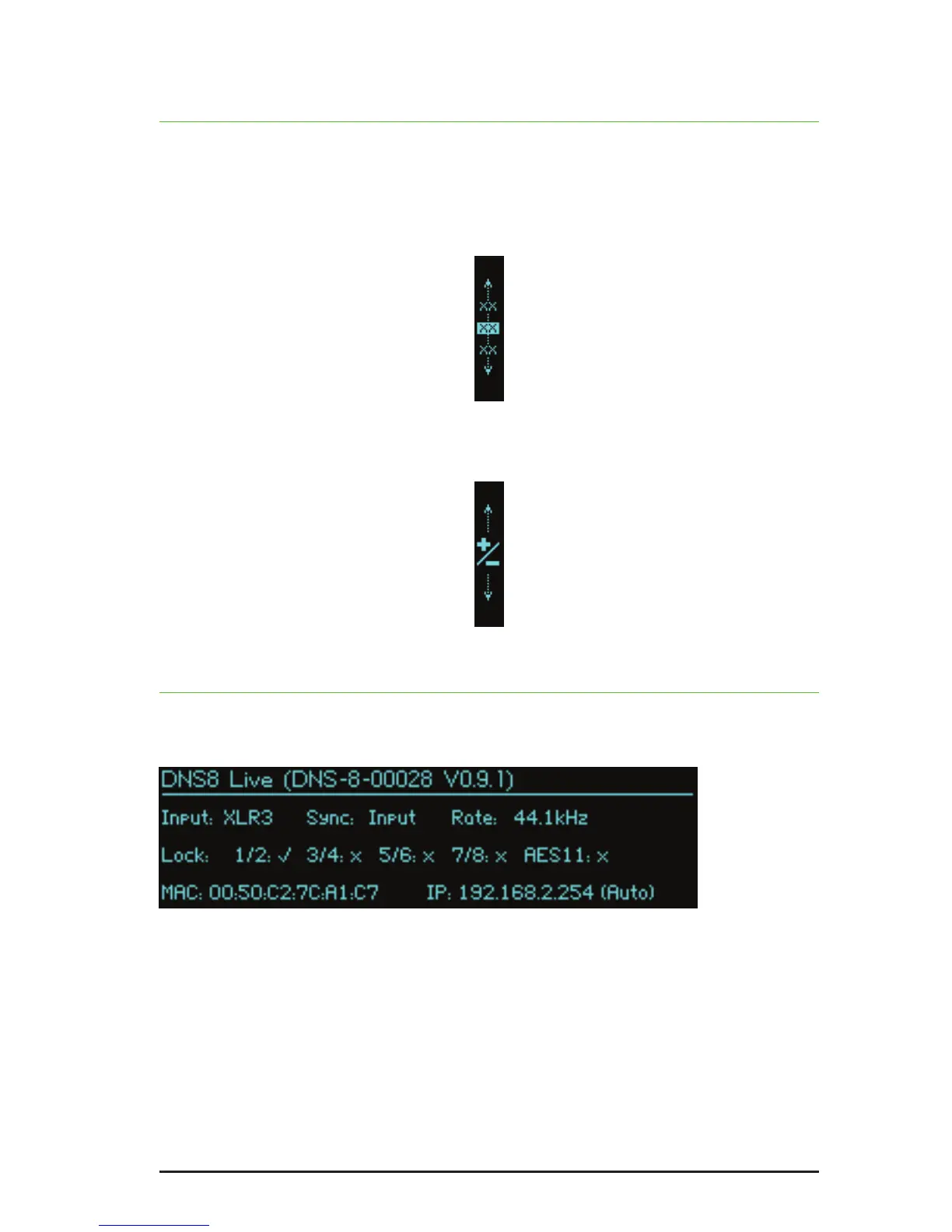
Moving is accomplished using knob 1 when it shows the following in its associated
screen:
Editing is accomplished using knob 2 when it shows the following in its associated
screen:
STATUS
The status page reports the current audio and network status of the DNS 8 Live.
No editing is possible on this page.
In the example above, 44.1kHz audio is being received on channels 1 and 2 of
the XLR inputs, but no audio is being received on channels 3 to 8. No AES11 sync
signal has been detected at the BNC input.
The page is also reporting the unit’s MAC and IP addresses.
Note: IftheInputeldshows‘!BYP!’thenthefail-safebypasshasbeentriggered
andtheunitmustbepower-cycledtoclearit.


 To Next Page