CUSTOM PROGRAMS
With the CEFAR PRIMO PRO it is possible to create and store three custom programs for individual needs.
To create a custom program follow the programming procedure below. To use a custom program, follow the
instructions in the section STEP-BY-STEP USE. The program time is preset to 30 minutes but can be changed
with the timer function, see section TIMER.
Programming
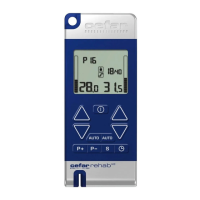
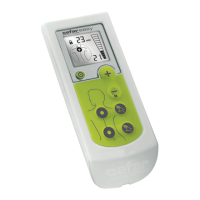
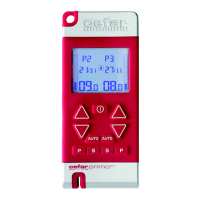
Use the left side buttons of the stimulator to do the programming for the left channel and the right side
buttons for the right channel.
1. Press the PROGRAM button
repeatedly until Program 8, 9 or 10 is shown on the display. Select
one of these programs.
2. Press the PROGRAMMING/CONFIRMATION button
for 2 seconds to enter the programming
mode.
3. Press the INCREASE (OR DECREASE) button
repeatedly to see the different stimulation types
alternate on the display: C, B, PWM, FM, MF. The programming chart below shows the setting possibili-
ties for each stimulation type.
4. Press the PROGRAMMING/CONFIRMATION button
to confirm your choice of stimulation type. You
are now moved to the next stage in the programming procedure (see the programming chart).
5. A preset value is shown on the screen, but you can change it by pressing the INCREASE (OR DECREASE)
button
. The valid range for this value is shown in the programming chart.
6. Press the PROGRAMMING/CONFIRMATION button
to confirm your setting. You are now moved to
the next stage (if any) in the programming procedure (see the programming chart).
7. Repeat step 5 and 6 until the value in the last stage is set.
8. The programming procedure is finished and you will automatically exit the programming mode. The new
program is now selected in the channel you used for programming and ready for use.
The program is saved for future use and can be used on both channels.
A custom program can be changed by redoing the programming.
Supplied by EME Services Ltd


 To Next Page