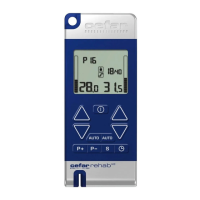
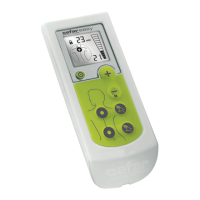
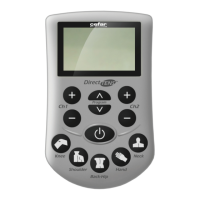
The stimulator can be locked to prevent changing of programs.
To activate/deactivate the program lock:
1. Select the program you want to lock/unlock, see section STEP-BY-STEP USE.
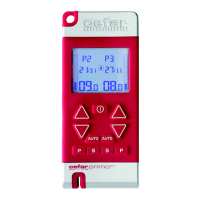
2. Press the left PROGRAM button
and the left DECREASE button
simultaneously for 2
seconds.
3. Press the left INCREASE or DECREASE button
. “ON” is shown on the left side of the display
when activating the program lock and “OFF” when deactivating it. (The button toggles between ON and
OFF).
4. Press the left or right PROGRAM button
to finish the program lock setting.
DISABLE THE AUTO FUNCTION
The stimulator can be locked to disable the AUTO function.
To enable/disable the auto function:
1. Press the left PROGRAM button
and the left INCREASE button
simultaneously for 2
seconds.
2. Press the left INCREASE or DECREASE button
. “ON” is shown on the left side of the display
when the auto function is enabled and “OFF” when the function is disabled. (The button toggles between
ON and OFF).
3. Press the left or right PROGRAM button
to finish the setting.
COMPLIANCE
Compliance gives you the possibility to monitor the use of the stimulator:
1. Turn the stimulator ON.
2. Press the right PROGRAM button
and the right DECREASE button
simultaneously for 2
seconds.
3. The left side of the display shows the usage time in hours and the right side in minutes. To reset the
usage time, press the right DECREASE button
for 2 seconds.
4. Wait for 5 seconds or press the left or right PROGRAM button
.
5. The left side of the display shows the total usage time in hours and the right side in weeks. The total
usage time cannot be reset.
6. Wait for 5 seconds or press the left or right PROGRAM button
to exit compliance mode.
PROGRAM LOCK
Supplied by EME Services Ltd


 To Next Page