29
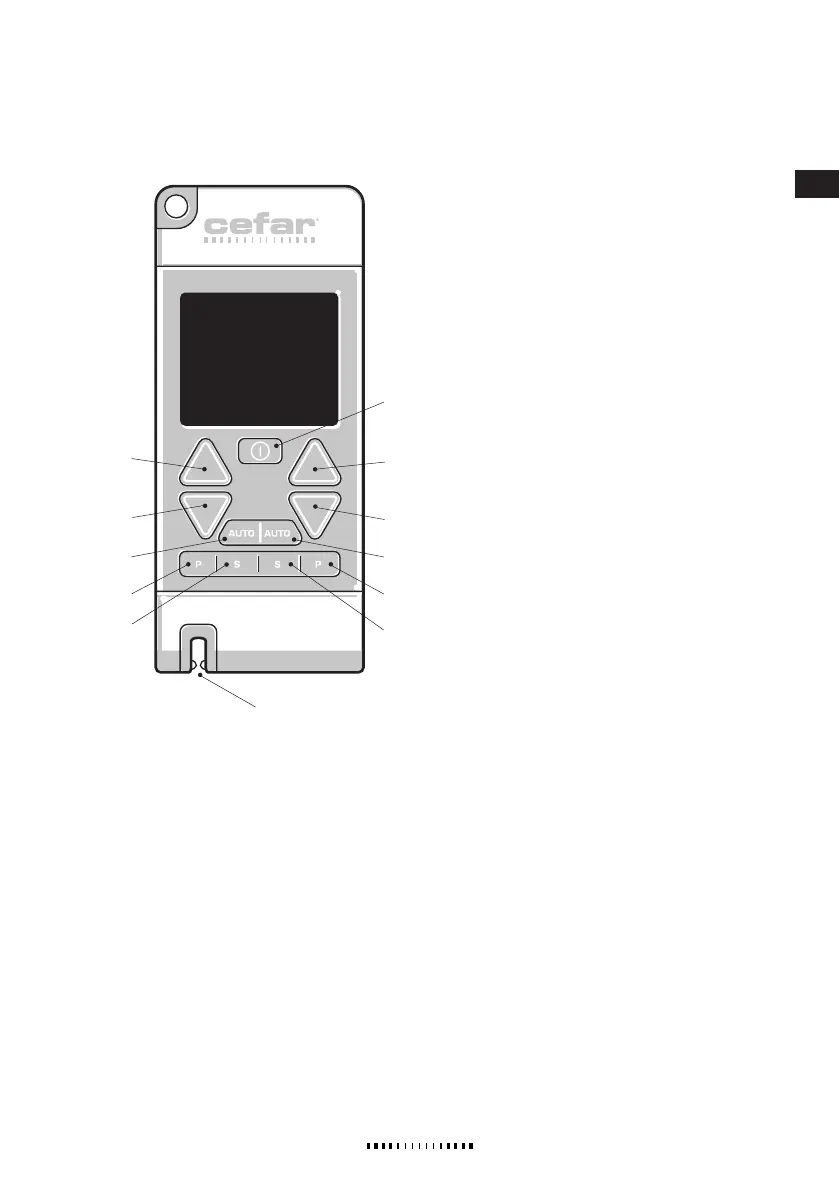
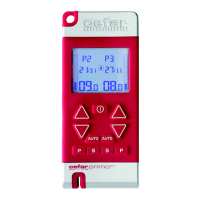
4. OVERVIEW/CONTROL BUTTONS
1. ON/OFF
· Turns the stimulator on and off.
· Turns the stimulator off even when the key lock
is activated.
· Can be used for terminating the stimulation
at all times.
2. INCREASE (left and right channel)
· Increases the amplitude (intensity of stimulation).
Press and hold the button to increase the amplitude
continuously.
Note! Always increase the amplitude cautiously.
· Terminates AUTO stimulation mode.
· Increases the number of minutes when setting the
timer.
· Used when turning the program lock on and off (left
button).
· Scrolls through choices in programming mode.
3. DECREASE (left and right channel)
· Decreases the amplitude (intensity of stimulation).
Press and hold the button to decrease the amplitude
continuously.
· Deactivates the key lock.
· Terminates AUTO stimulation mode.
· Decreases the number of minutes when setting the
timer.
· Used when turning the program lock on and off (left
button).
· Scrolls through choices in programming mode.
4. AUTO (left and right channel)
· Starts the AUTO test mode.
· Confirms the selected amplitude level in AUTO test
mode.
5. PROGRAM (left and right channel)
· Selects a program (1-10).
· Pauses an ongoing program.
· Used when activating/deactivating the program lock
(left button).
6. PROGRAMMING/CONFIRMATION (S=SET)
(left and right channel). SEE
CHAPTER CUSTOM PROGRAMS.
· Turns the stimulator into programming mode for cus-
tom programs 8-10 when pressed for 2 seconds.
· Confirms settings in programming mode.
· Initiates the timer setting when pressed during active
stimulation.
7. CABLE HOLDER
Supplied by EME Services Ltd


 To Next Page